Solved

Assets Map - Linking by Room

  • May 9, 2024
  • 13 replies
  • 454 views

Forum|alt.badge.img+6

I tried to do a search on this and couldn’t find an answer.

If I pin my rooms on the Interactive Map, would assets which are already located in that Room be pinned automatically or do I have to pin each asset to the room manually even though the asset has an assigned Room already?

That was my initial request during the first stages of the Maps planning with IIQ team.
Best answer by TAnders

When I saw this released I assumed the purpose was for our agents or admins to pin where the room is on the map, and that would then pull in all the assets on hover/click. That would be a much better use of this feature. Having to manually add all the assets to the rooms would take an insurmountable amount of work for any district. 

Aside from that, the interface itself was so slow it made me want to not ever look at it again, there was a solid 10-20 second delay from adding a pin to being able to do anything else after that. 

13 replies

Forum|alt.badge.img+6
  • Author
  • Participant
  • May 10, 2024

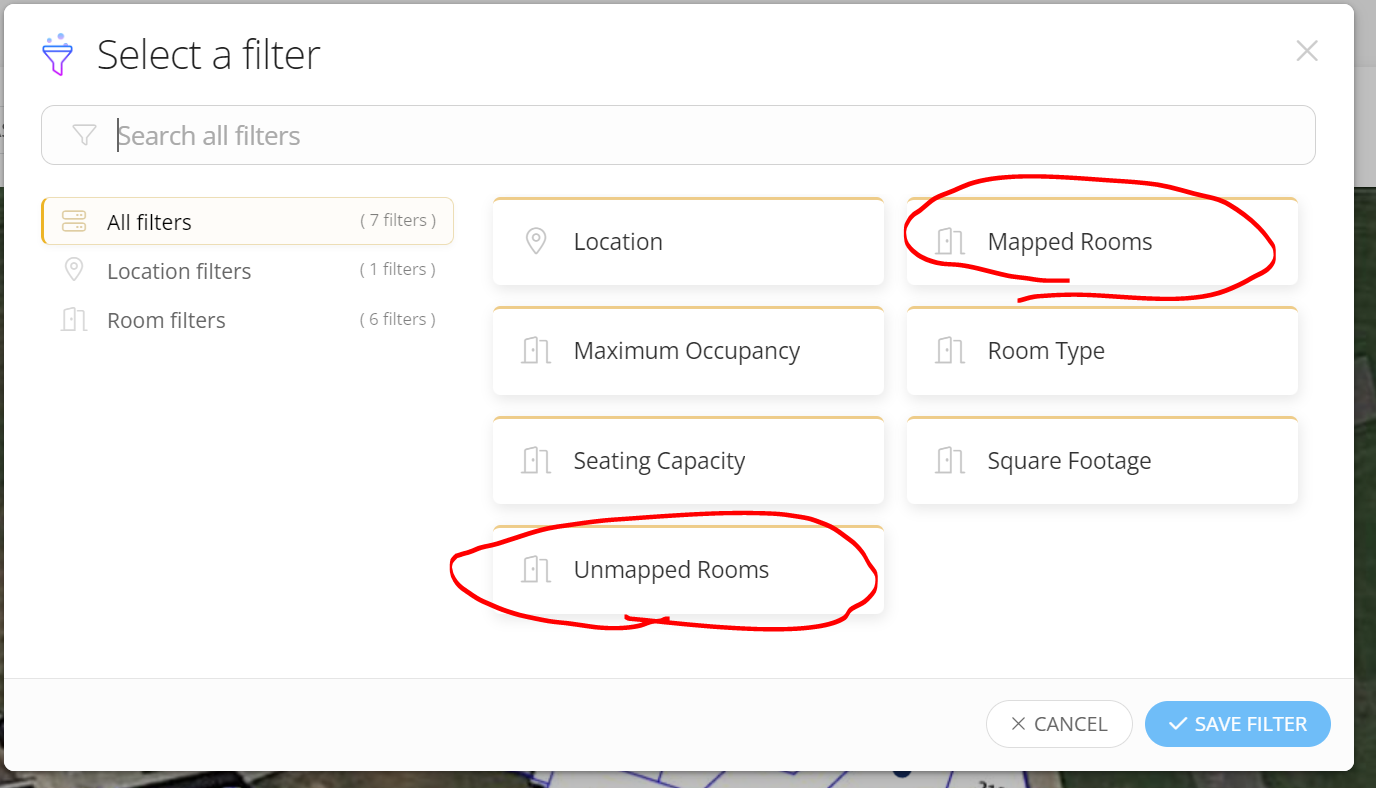
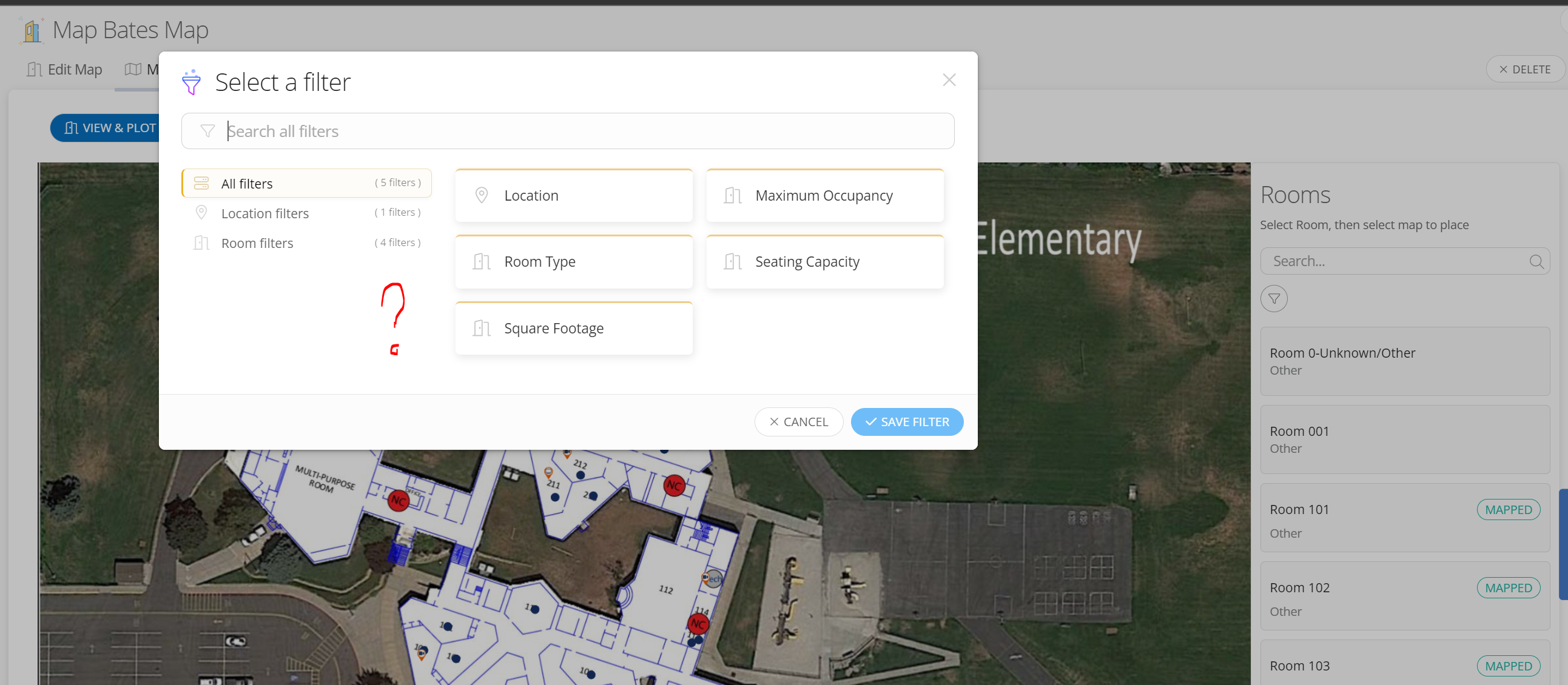
Also, I don’t see “Unmapped” filter that was described in the tutorial post by Layla. It makes it hard to keep scrolling up and down while mapping rooms and assets


Forum|alt.badge.img+6
  • Author
  • Participant
  • May 13, 2024

Found an issue with the Mapped and Unmapped filters to be available only to Facilities module and not Technical. Can these be made available for Tech side please?


JRobinson_iiQ
Forum|alt.badge.img+4

Thank you for bringing this our attention.  Currently it does appear in the Facilities Module and we are looking to add the filter to the Ticketing Module. 


TAnders
Specialist
Forum|alt.badge.img+15
  • Specialist
  • Answer
  • May 22, 2024

When I saw this released I assumed the purpose was for our agents or admins to pin where the room is on the map, and that would then pull in all the assets on hover/click. That would be a much better use of this feature. Having to manually add all the assets to the rooms would take an insurmountable amount of work for any district. 

Aside from that, the interface itself was so slow it made me want to not ever look at it again, there was a solid 10-20 second delay from adding a pin to being able to do anything else after that. 


Kathryn Carter
Forum|alt.badge.img+18

Thanks for the feedback @TAnders 


What is the main “Use Case” for the Map feature?  Does anyone use this feature on a regular basis?  I am curious to understand more.


Kathryn Carter
Forum|alt.badge.img+18

@BLoveday 957e8da lenaweeisd Here is the KB guide that talks some more about interactive asset mapping: 

I think the main goal was to provide a way to mark assets that stay in one place so they can be easily identified. 😄


TAnders
Specialist
Forum|alt.badge.img+15
  • Specialist
  • May 19, 2025

Does it still require us to manually add each asset to the room map? 


Kathryn Carter
Forum|alt.badge.img+18

@TAnders Like placing the pin manually and adding the asset? Yes. 


Forum|alt.badge.img+9
  • Participant
  • August 20, 2025

Are Maps also useful for Inventory of items In Storage?
We have a very high number of devices in our Inventory at any given time (especially summer).


Forum|alt.badge.img+1

I think this is a great idea. One challenge is that manually mapping each asset—when they’re already assigned to a room—could be very time-consuming. Would it be possible for the assets to auto-map based on their existing room assignments? That would make the feature much more practical and valuable.


Kathryn Carter
Forum|alt.badge.img+18
  • Community Manager
  • September 23, 2025

@LMartini 447f0a1 ncsschools Here is an idea from our Idea Exchange to check out: 


Forum|alt.badge.img+5
  • Participant
  • December 18, 2025

When I saw this released I assumed the purpose was for our agents or admins to pin where the room is on the map, and that would then pull in all the assets on hover/click. That would be a much better use of this feature. Having to manually add all the assets to the rooms would take an insurmountable amount of work for any district. 

Aside from that, the interface itself was so slow it made me want to not ever look at it again, there was a solid 10-20 second delay from adding a pin to being able to do anything else after that. 


As others have mentioned, the maps section is severely underwhelming since release in early 2024. Are there any plans to improve it? Are there current active community posts asking for improvements to its functionality that you can link here for us to upvote?

@TAnders explained it well. When released, it gave the impression that you can upload a map of a floor plan, plot the rooms on the map, and then provide your team with a map of where every asset (that has a room assigned) is located in the schools. As opposed to manually plotting all assets on a map, then having to continuously upkeep the locations in multiple areas of Incident IQ. Agreed that the interface is slow and  tedious from an agent’s perspective of trying to plots the rooms and assets. 

Furthermore, I would like to see the map section incorporated into some other area of Incident IQ to make it more worth the time. Even if we did hire someone whose job was solely to manage the maps and to plot assets on the maps and we actually got the maps completed, it doesn’t seem like there is much of a benefit in its current state. 

As an example, “You get a ticket to fix an AC unit at your district's high school. With around fifty classrooms in the average high school, finding the right room can be like finding pirate treasure. Luckily, Incident IQ has a map for you. With asset mapping in the iIQ Facilities, discover exactly where every asset is located in your schools.” Without the map feature, you’d look at the asset’s detail page to find what room it is assigned to, and if you already have the floor plans, you’d identify the room (or ask someone who’s worked there more than a week). With the map feature, you’d navigate away from the asset’s detail page and go to Places > Maps > Map Name > Map Details then try panning around a cumbersome UI to find the asset? I know it’s heavily promoted to use the mobile app with maps, but didn’t see any guidance on how to use maps within the app.

Are there any success stories Incident IQ could share from other districts utilizing this feature that can help change our mind and see its potential? Does your team have any insights into what percentage of users are actively using this feature? It is what it is, we’ve made peace with not using the feature. I just think it’s important that Incident IQ receive feedback like this too to hopefully improve the product for the next guy rather than just moving on to the next new feature. Rant over.