Solved

Syncing Asset Tag from IQ to Google

  • March 29, 2022
  • 6 replies
  • 338 views

Forum|alt.badge.img+3

Good afternoon, I have been importing Chromebooks with their serial numbers and asset tags into IQ.   I want the Asset Tag to flow from IQ to Google Admin console.    So far it only appears that IQ will update the serial number and the only Asset ID information that will sync to google is the Annotations Asset IT, which I can’t import anything into using the import utility.   Has anyone else ran across this?

Best answer by Belcher.shane

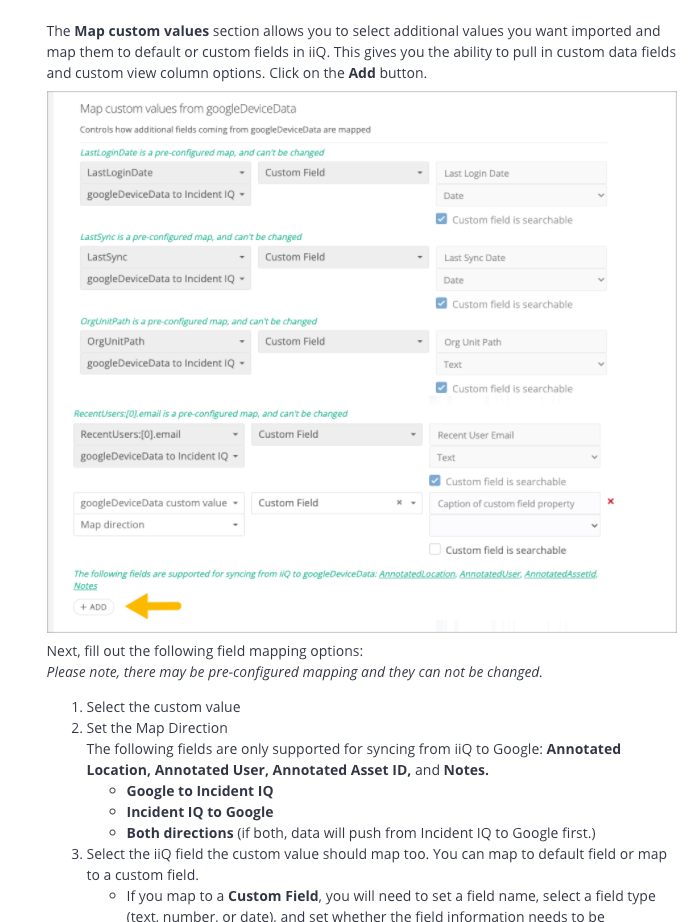
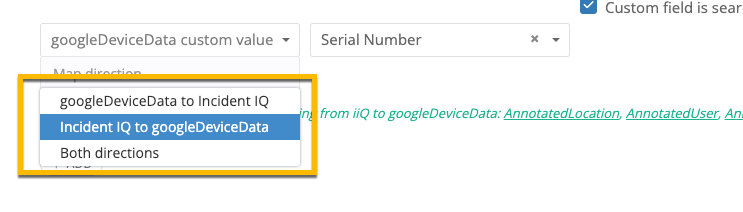
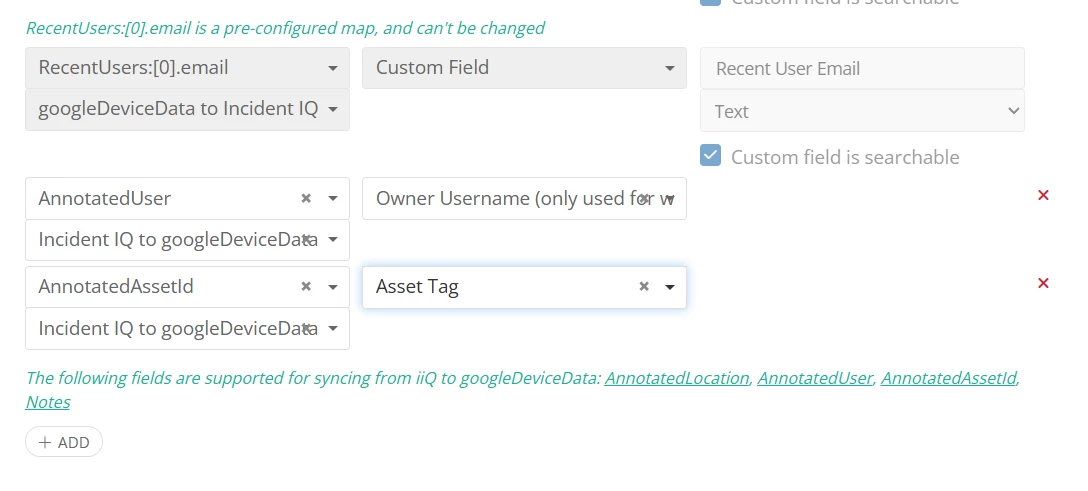
In the general settings of google sync inside of Incident iQ you can turn on asset id matching back to Google using the “Map custom values from googleDeviceData”  setting below:



6 replies

Belcher.shane
Participant
Forum|alt.badge.img+7
  • Participant
  • Answer
  • March 29, 2022

In the general settings of google sync inside of Incident iQ you can turn on asset id matching back to Google using the “Map custom values from googleDeviceData”  setting below:



Hannah Bailey
Forum|alt.badge.img+18
  • iiQ Community Manager
  • March 30, 2022

@Belcher.shane - beat me to it again 😁


He is right, under the General Setting tab you can Map Custom Values from google into iiQ. Here is the guide for reference. 


Forum|alt.badge.img+1

How can I map serial number to S/N

And asset ID to Annotated asset ID


Kathryn Carter
Forum|alt.badge.img+18

@SFadugba 397831d westbury Thank you for submitting your question to our community! 😄

Are you using Google or another MDM? If so, you can add that to be mapped back and forth between Google and iiQ. However, serial numbers are not something that can be written back. 

For asset ID, are you referring to the asset tag? I would love some additional clarification to best help! 


Forum|alt.badge.img

Hello,


I’ve added this in my IIQ tenant and it did not write back the Asset Tag numbers to Google. The asset tag is still blank in the Custom Fields section in Google.


Emily Jones
Forum|alt.badge.img+7
  • Community Manager
  • February 23, 2026

Hi ​@ACarlin 72789bb gormanlcn This would best be handled by our Support Team. Please submit a ticket to them. Here is the link to all the ways to contact them! 


Best,