
Question

Tickets Delegated to Team: Non-Agent Team Members Missing Ticket Features

  • March 16, 2026
  • 5 replies
  • 51 views

LKnowles 1204319 sblsd
Forum|alt.badge.img+1

We have a team set up called “Assistive Technology” which allows a couple specific non-IT staff members to handle tickets related to IEP/SPED devices within IIQ, when tickets are assigned to the team. These users are assigned the staff role, not agent, because otherwise they’d be able to see/work all tickets in IIQ rather than just tickets assigned to the team.


We’re seeing a few issues with using the delegated team permissions:

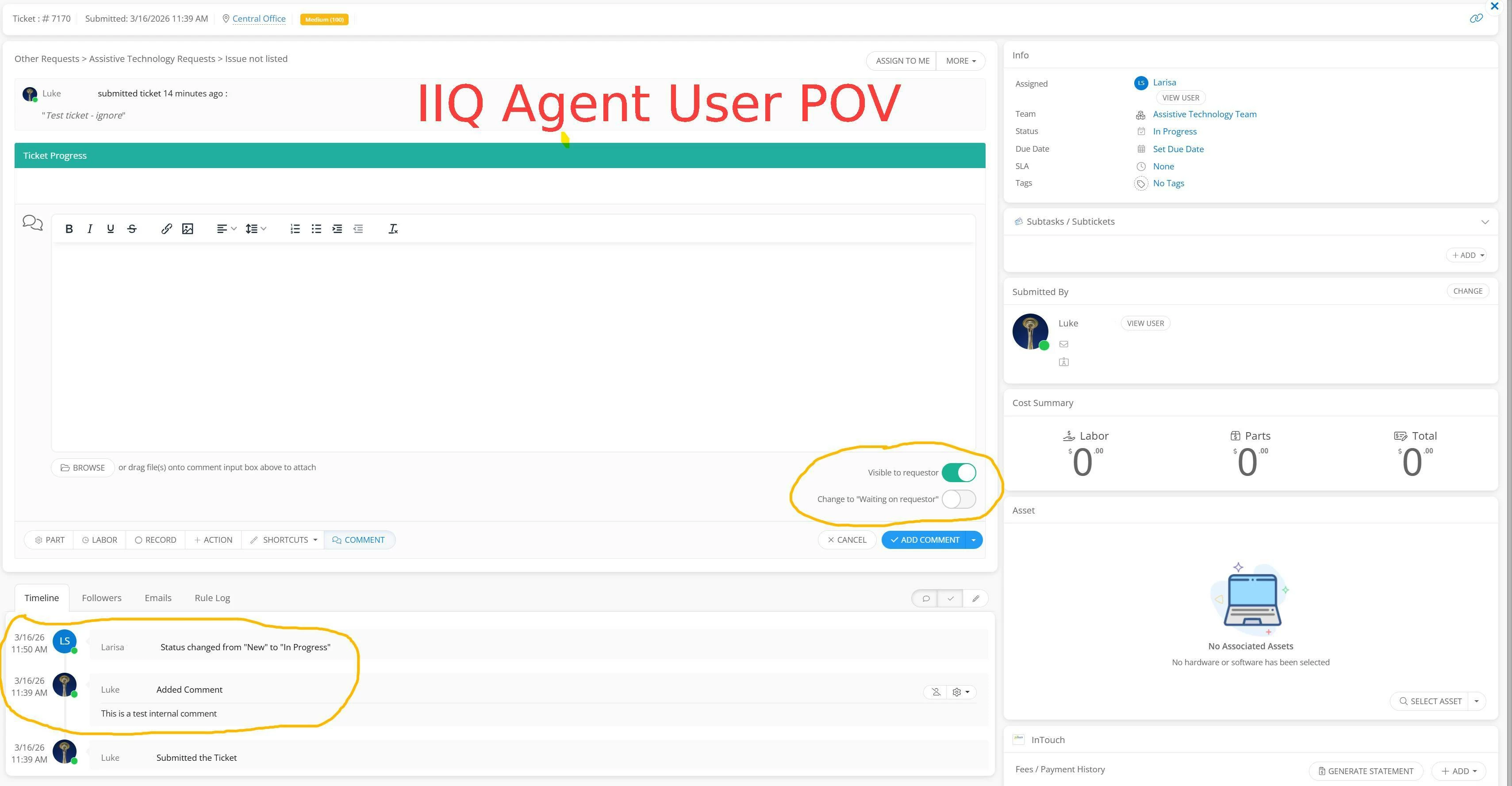
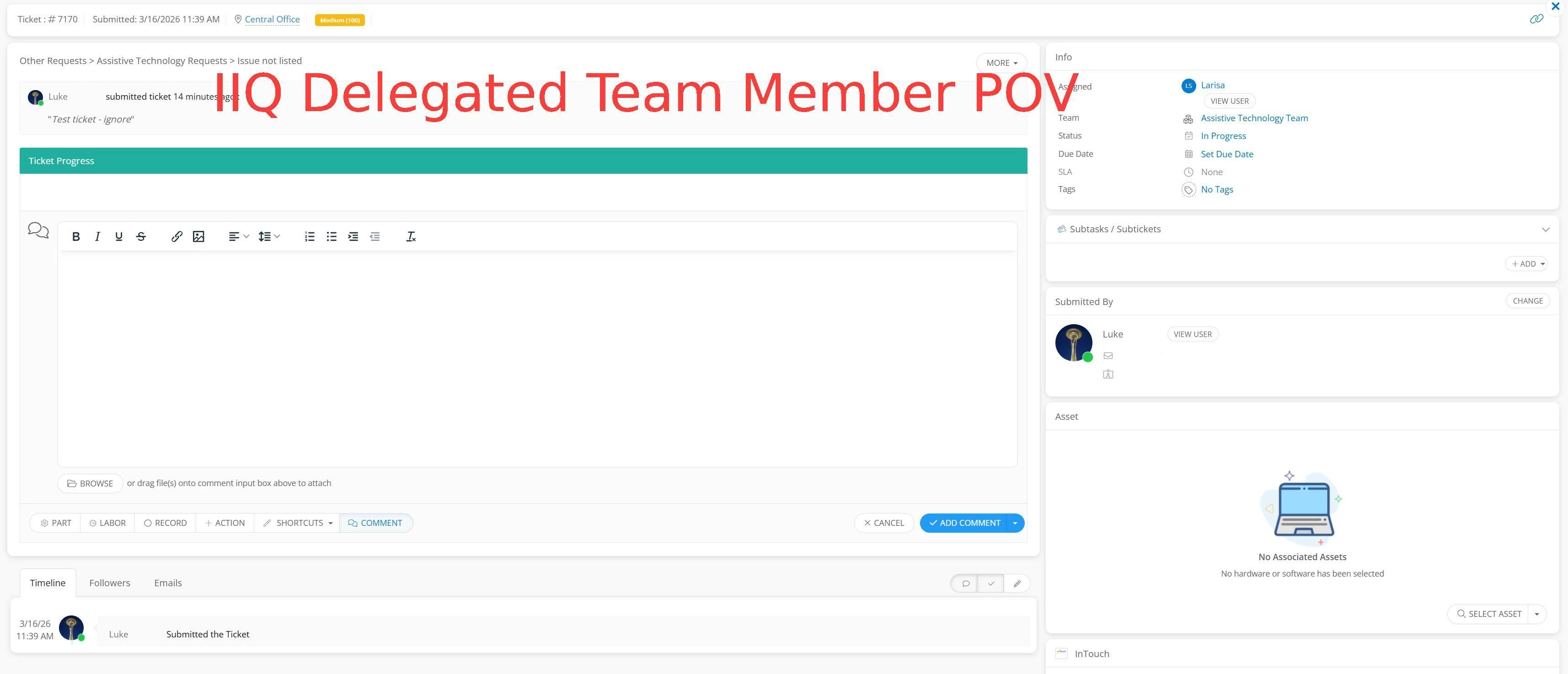
  • Team members cannot see or create internal comments/comments not visible to requestor
  • Team members don’t have the option to change the ticket’s status to “Waiting on requestor” when creating a comment
  • Team members aren’t seeing all the ticket timeline items

See the below images for a comparison of what I see as an agent vs. what the 2 staff users see as a delegated team member to the ticket.


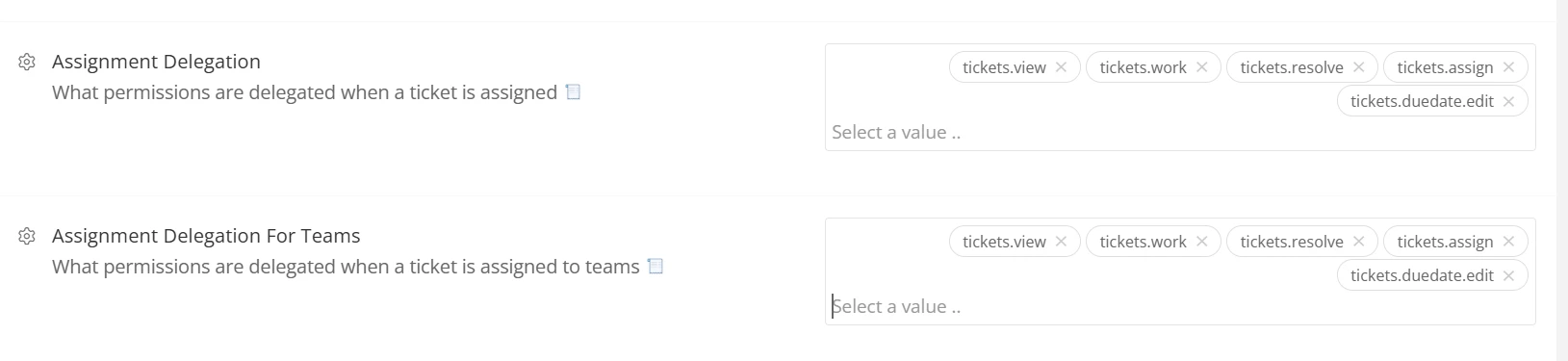
Here’s an image of our site options for delegated ticket permissions:
 

5 replies

Forum|alt.badge.img
  • Employee
  • March 16, 2026

Good afternoon,

I hope you all have had a great weekend! From the looks of your screenshots and your troubleshooting, it appears that your users are missing some expected permissions concerning working tickets. To continue troubleshooting, I’d suggest reviewing your affected users’ Ticketing permissions to ensure all of the expected permissions are enabled there. 


For additional assistance, please visit our new iiQ Support Bot. We’ll need to do some further troubleshooting and digging into these delegated team members and your current Site configurations to confirm exactly why these users are missing these permissions. 


iiQ Support Bot Documentation


To submit a new support request, you’ll want to reference the ‘Submitting New Support Ticket Process’ section of this documentation. If you have any further questions or concerns for me, please feel free to reach out and I’ll be happy to assist. 

Have a great day!

James
Technical Support Specialist II


MCruz_iiQ
Forum|alt.badge.img+1
  • Employee
  • March 16, 2026

@JJones_iiQ Fantastic James


@LKnowles 1204319 sblsd 

Our KB Guides may help as well:

Permissions

Defined Permission Options


EStapf_iiQ
Forum|alt.badge.img+14
  • Employee
  • March 16, 2026

Thanks ​@JJones_iiQ and ​@MCruz_iiQ! All great information!!

I’d also say, let’s take a look at the role the users are in. Even though a user can be granted additional permissions to view, work, and resolve tickets through delegated permission, it doesn’t give them all the “things” that the role of Agent has built in. If the users are Staff/Faculty this could be the discrepancy you are seeing between the two scenarios. 
@LKnowles 1204319 sblsd I’d recommend working with your CSM! Do you know who that is? Happy to connect you if you don’t. 


LKnowles 1204319 sblsd
Forum|alt.badge.img+1

@JJones_iiQ / ​@MCruz_iiQ Do either of you know which permissions might influence this behavior? I assigned them “Work Tickets” and “View Tickets List and Details”, but that doesn’t seem to make a difference. I don’t see any other relevant sounding permissions in the docs.


@EStapf_iiQ I was thinking that might have something to do with it. I can reach out to our CSM and link them this.


EStapf_iiQ
Forum|alt.badge.img+14
  • Employee
  • March 16, 2026

@LKnowles 1204319 sblsd 
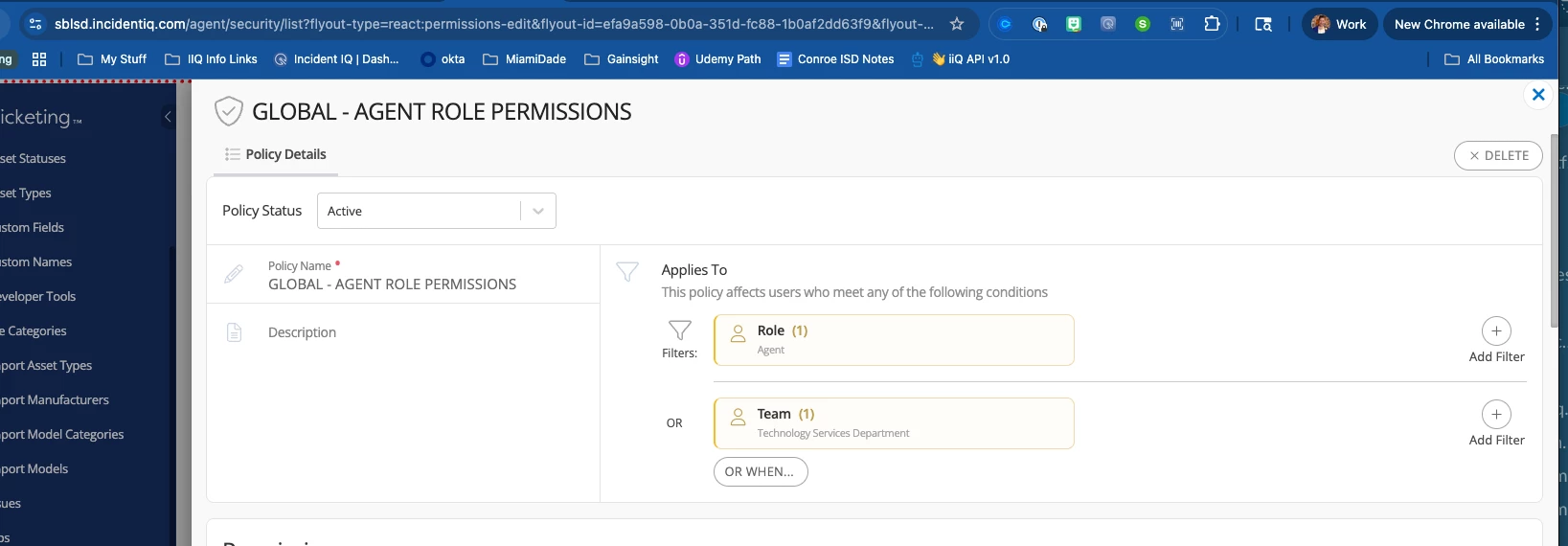
I just took a look at your Assistive Technology Team and I believe our theory is correct! The two members of the team are in the role of ‘Staff’, which will create the differences you are seeing. If you elevate them to the role of ‘Agent’ but give them no permission policy and only use delegated permissions, this should solve the issue.
The trick with this one is going to be evaluating your current permission policies that apply to the role of ‘Agent’ to ensure everyone who is in the agent role do not get ALL the permissions that are currently applying to the role of Agent (clear as mud, right?).
You’ll want to take a look at this policy and adjust:

I hope this helps!