Solved

Labor Type When Logging Time

  • January 2, 2026
  • 2 replies
  • 53 views

Forum|alt.badge.img

Hi everyone,

I’m wondering if it’s possible for an agent’s Labor Type to automatically display when they go to enter their time on a ticket. In Layla Stone’s post from a year ago on Labor Types, it mentions:

“Upon logging in, the Agent field will automatically display the user’s name, and the Date field will show the current date.”

It seems logical that their Labor Type would also auto-populate so they don’t have to scroll through the 25 Labor Types we currently have listed.
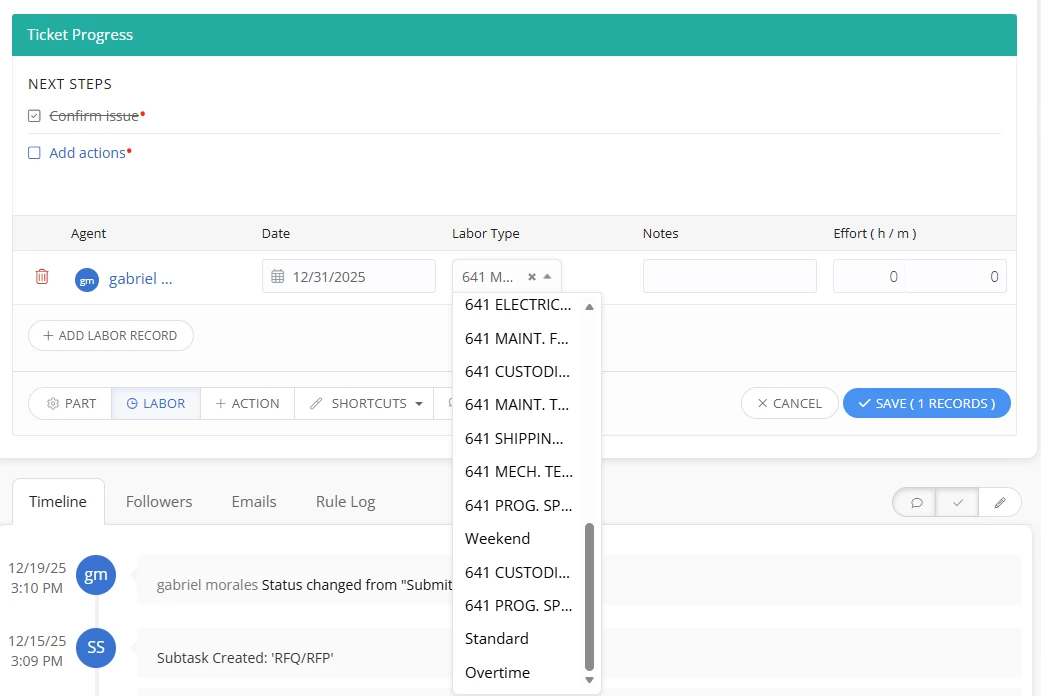
Questions:

  1. Is there a way to make Labor Type autofill based on the agent?
  2. Or am I using Labor Types incorrectly? Should I just leave the three original types (Weekend, Standard, OT)?
  3. I created additional Labor Types because I update hourly rates for each agent and thought I needed to update Labor Types too. If both don’t need to be updated, and I keep only the three defaults, will labor hours still calculate correctly?

Any guidance or best practices would be greatly appreciated!
Best answer by LWoods_iiQ

@gmorales 267f729 beaverton Thank you so much for submitting your questions regarding Labor Type. 


Labor Types do not function as an association with individual users or group of users therefore all labor types are options when adding to a ticket.


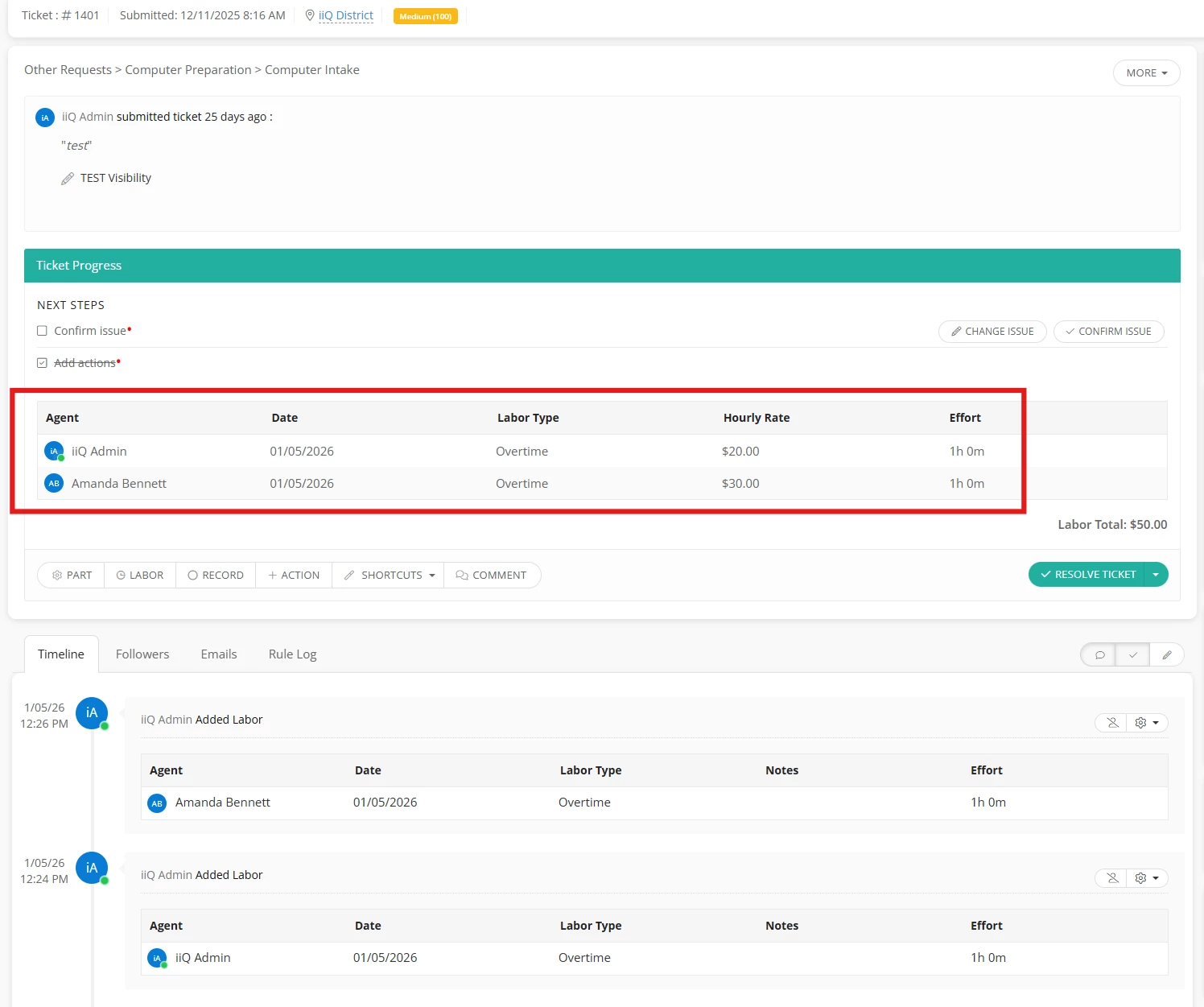
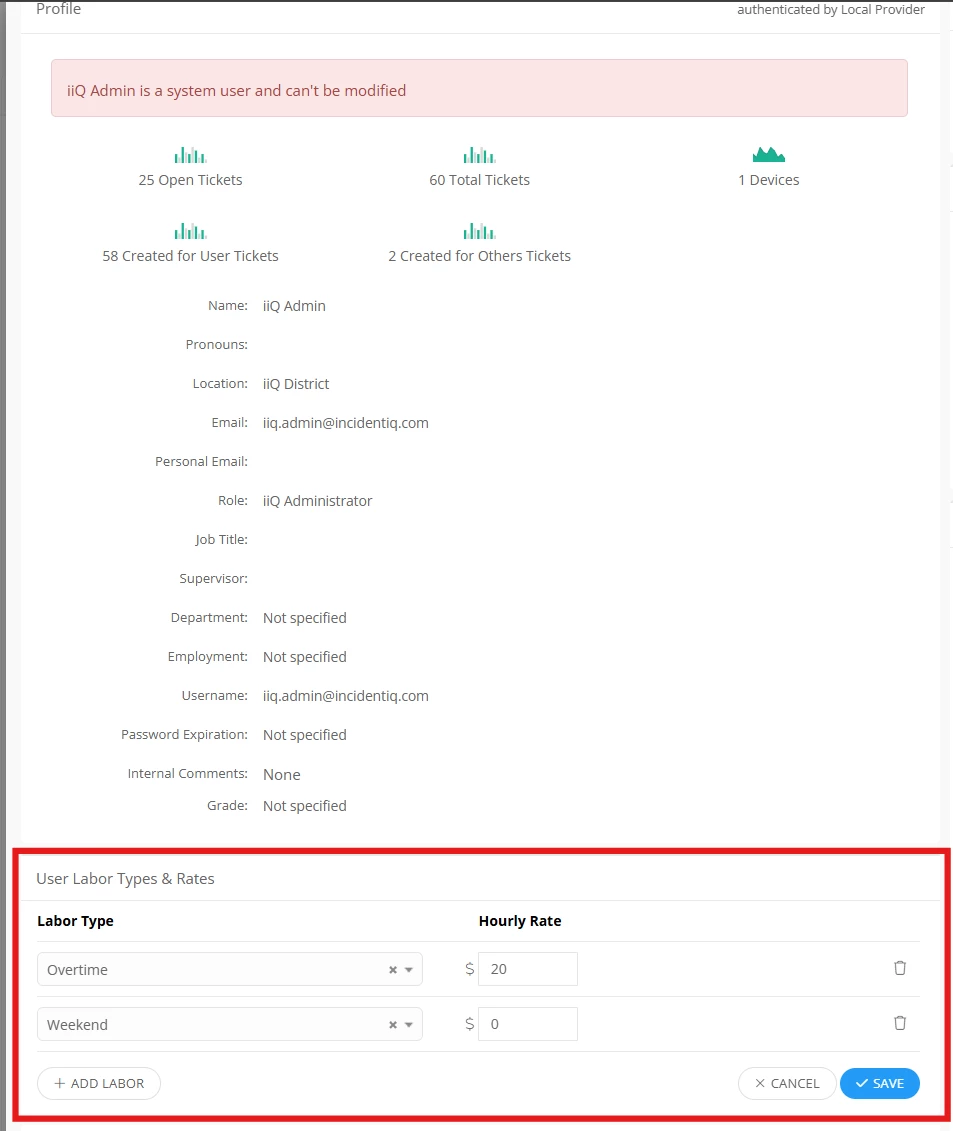
There is the ability to set Labor Rates per user at the Labor Type level without having to create individualized Labor Types. For Example (see screenshot below), the Overtime Rate set for iiQ Admin is $20 and for Amanda Bennett it is $30. Now when labor is added for Overtime Rate for each of these users, it will reflect the rate set for them at the user level.


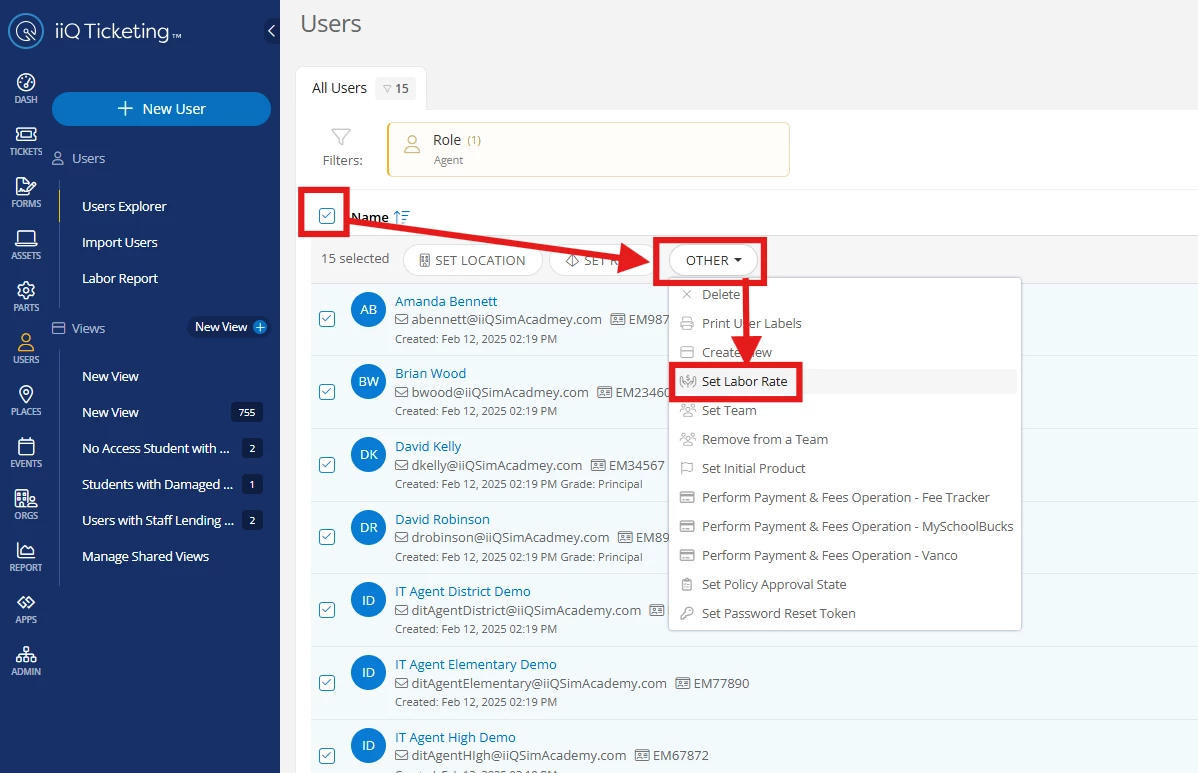
User rates can be updated in bulk as well if you have a set of users that all get the same rate for a particular labor type.


In summary to answer your question, you can keep the three default Labor Types and update the user Labor Rates for each type. This would eliminate the need to scroll through a long list of Labor Types.


Hope this helps and let me know how it works out for you!

Thank you!

2 replies

LWoods_iiQ
Forum|alt.badge.img+5
  • Employee
  • Answer
  • January 5, 2026

@gmorales 267f729 beaverton Thank you so much for submitting your questions regarding Labor Type. 


Labor Types do not function as an association with individual users or group of users therefore all labor types are options when adding to a ticket.


There is the ability to set Labor Rates per user at the Labor Type level without having to create individualized Labor Types. For Example (see screenshot below), the Overtime Rate set for iiQ Admin is $20 and for Amanda Bennett it is $30. Now when labor is added for Overtime Rate for each of these users, it will reflect the rate set for them at the user level.


User rates can be updated in bulk as well if you have a set of users that all get the same rate for a particular labor type.


In summary to answer your question, you can keep the three default Labor Types and update the user Labor Rates for each type. This would eliminate the need to scroll through a long list of Labor Types.


Hope this helps and let me know how it works out for you!

Thank you!


Emily Jones
Forum|alt.badge.img+7
  • Community Manager
  • January 6, 2026

@gmorales 267f729 beaverton Thank you for submitting your question to our community! 😄 


I also wanted to add this link to our KB guide on Configuring Labor Rates to follow along with ​@LWoods_iiQ suggestion! 


Thanks!