
Solved

Asset Location Permission Preventing Fitlering

  • April 15, 2026
  • 3 replies
  • 25 views

SWesson 26055cd austinisd
Forum|alt.badge.img

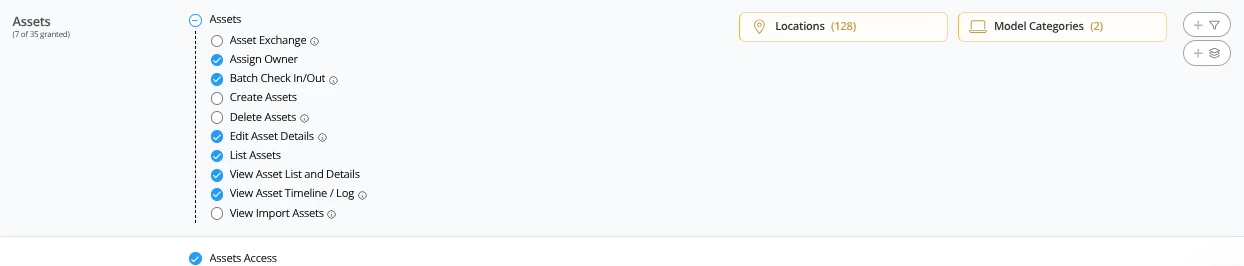
Howdy community! We currently limit a certain team to assets at specific locations and in specific categories:
We’ve noticed that with these permissions enabled, these users are not able to apply any location filters to custom views:
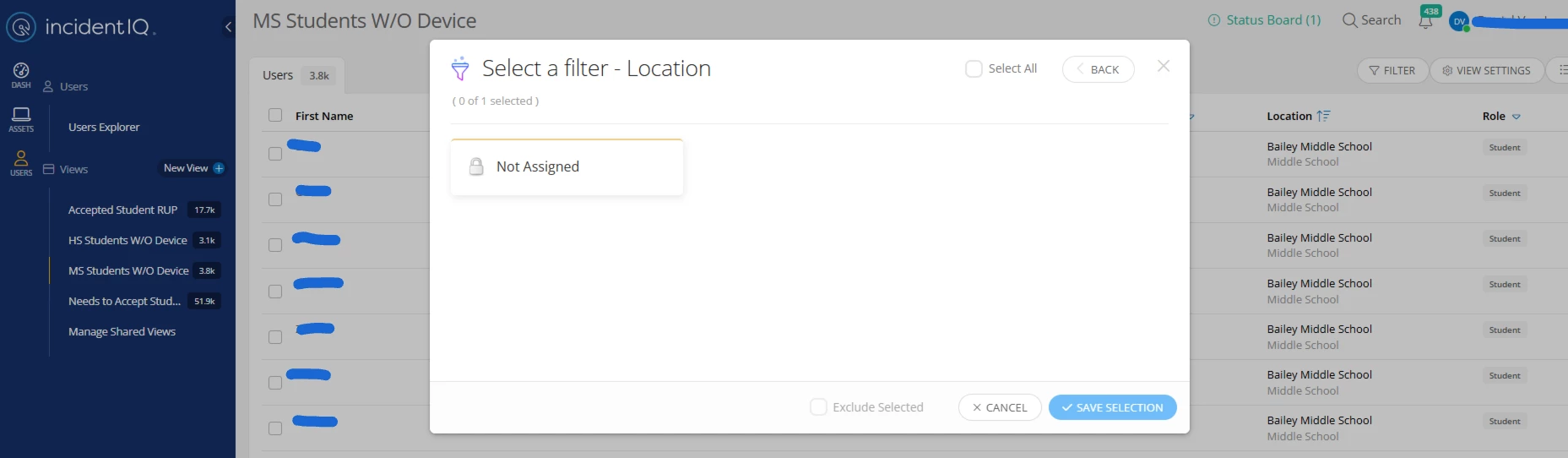
Is this working as intended? Ideally, they should still be able to filter out of the 128 locations they have access to. (Example: I want to filter down to only 1 location in my custom view.)

This screenshot comes from a user with the Staff role assigned. The view they’re using is limited to a specific location types, however, this behavior is repeatable across all users and views we’ve tested within this permissions group.

Our current work around is to have the user export their custom view > import the CVS file into Google Sheets > filter and sort in Google Sheets.

Thank you in advance!

Best answer by RIson_iiQ

The manage Locations and Rooms will allow users to create new locations and rooms. For filtering, this permission is not needed. Just the permission to “View Locations and Rooms Lists and Details”. Please let us know if you have any additional questions or concerns.

Kindest Regards,
Ronald Ison

3 replies

RIson_iiQ
Forum|alt.badge.img+1
  • Employee
  • April 16, 2026

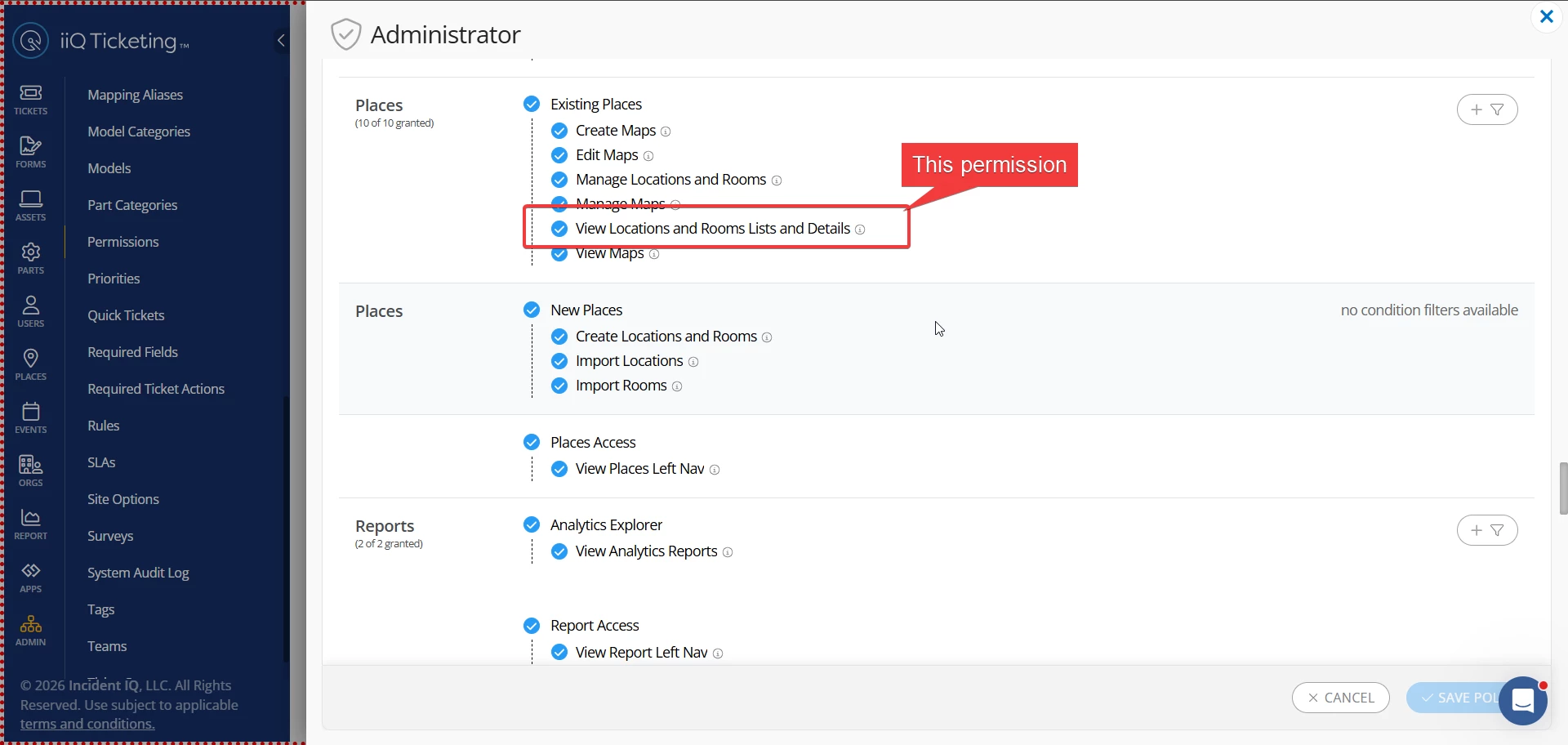
Howdy to you as well. For that permission policy that you have, did you also give those users the permission to "View Locations and Room Lists and Details"? This permission would allow users to view location lists, which should allow them to select those locations in filters. This permission is located in the "Places" section. I’ve attached a screenshot below for illustration.


SWesson 26055cd austinisd
Forum|alt.badge.img

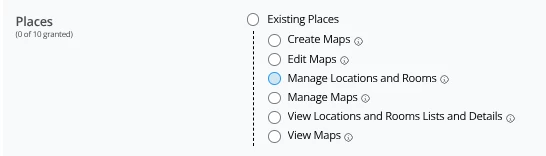
Oh! It doesn’t look like we have that enabled for this group:

Should this be enabled, what all will these users be able to do?


RIson_iiQ
Forum|alt.badge.img+1
  • Employee
  • Answer
  • April 16, 2026

The manage Locations and Rooms will allow users to create new locations and rooms. For filtering, this permission is not needed. Just the permission to “View Locations and Rooms Lists and Details”. Please let us know if you have any additional questions or concerns.

Kindest Regards,
Ronald Ison