Question

assets and categories

  • Jan 28, 2026 1:07 PM UTC
  • 1 reply
  • 35 views

Forum|alt.badge.img+2

I've changed my ticket categories in Devices/ Hardware ( Chromebook to Chromebook (one ticket per chromebook), it worked fine, but when I put in a Model number of a chromebook it went with the old category issue. Example:   I removed all the checkmarks in Issues. So when they (tech Aide) added a model number of their chromebook it went back to the chromebook categories that I removed. How can I fix this? 

1 reply

Emily Jones
Forum|alt.badge.img+10
  • Community Manager
  • Feb 6, 2026 10:56 PM UTC

Hi! ​@FMullen 6130352 longwoodcsd Thank you for submitting your question to our community! 😄

I noticed that your Chromebooks are still associated with the original Chromebook Model category which is associated with those ticket issues. 

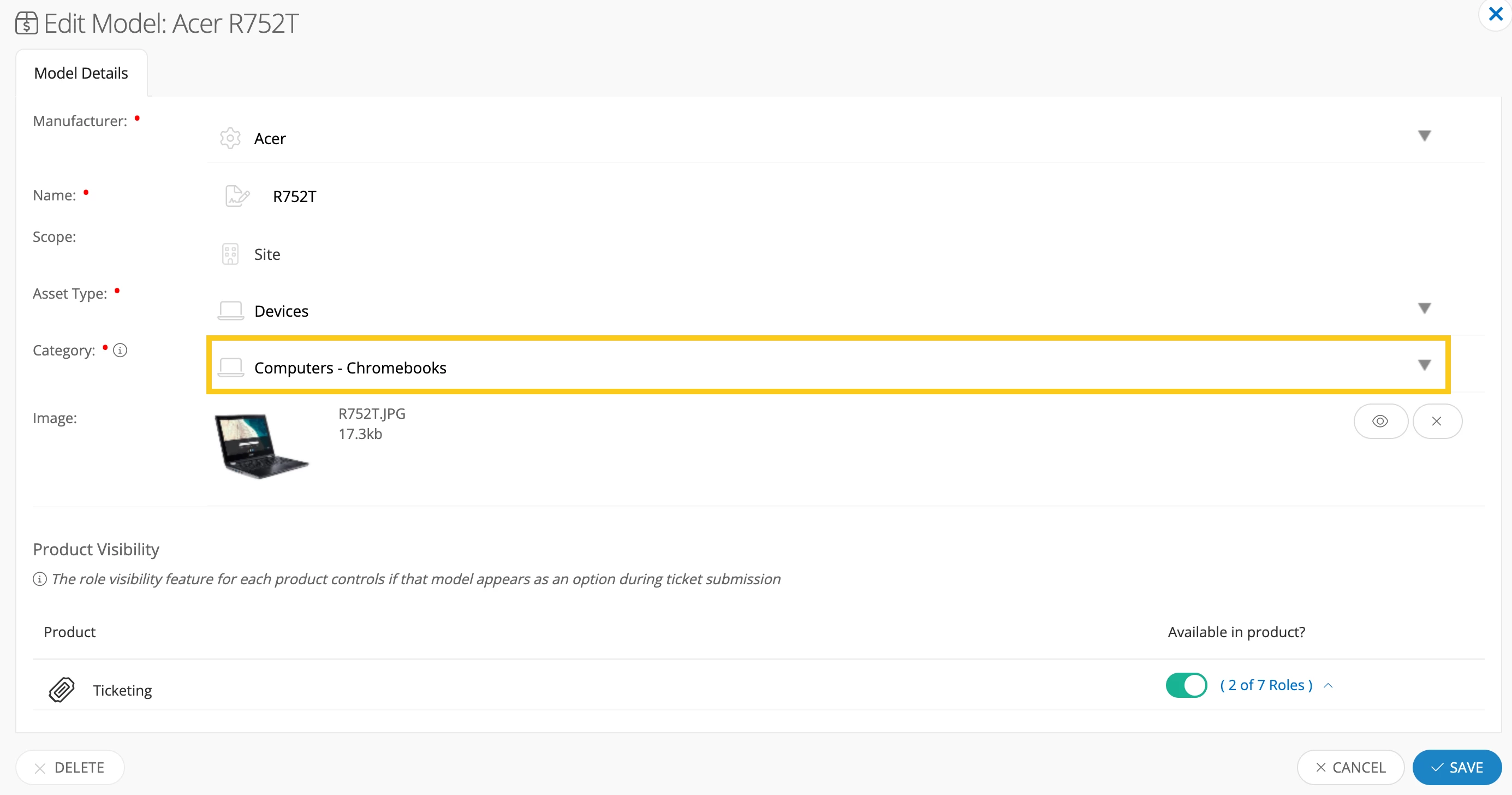
To resolve this you will need to change the model category that these Chromebook models are associated with in the Models page to your new Model Category Chromebook (one ticket per chromebook). 

  1. Navigate to Admin > Models
  2. Select the Model you want to update. 
  3. In the Category section, select the dropdown and choose the correct model category.

Once those models of devices are associated with the correct model category then it should start pulling the correct ticket issues. 

Keep in mind that iiQ default models cannot be edited. In this case, it is suggested to create a custom model so you can then associate it with your custom model category. With this process you would also need to update the devices model to the custom model. 

I hope this helps! Please let me know if you have any additional questions!


Best,