Question

Managing spares by faculty

  • Mar 3, 2026 3:44 PM UTC
  • 3 replies
  • 77 views

Folks

We’re brand new to Incident IQ. I’ve got a question about spares….

Typically, our spares are managed by the grade level teachers. For ex...a student’s laptop is not functioning. The teacher will enter a ticket on behalf of the student. A spare is needed.

As I’m testing this process, (logged in as a teacher to iIQ), I can create a ticket, but I don’t see the assign spare option.

If I create a ticket (I’m the iIQ Admin), once created I have to click “Start ticket” and then I see assign spare.

I’m trying to make this simple for our teachers and need help. Thanks for your time.

3 replies

Forum|alt.badge.img

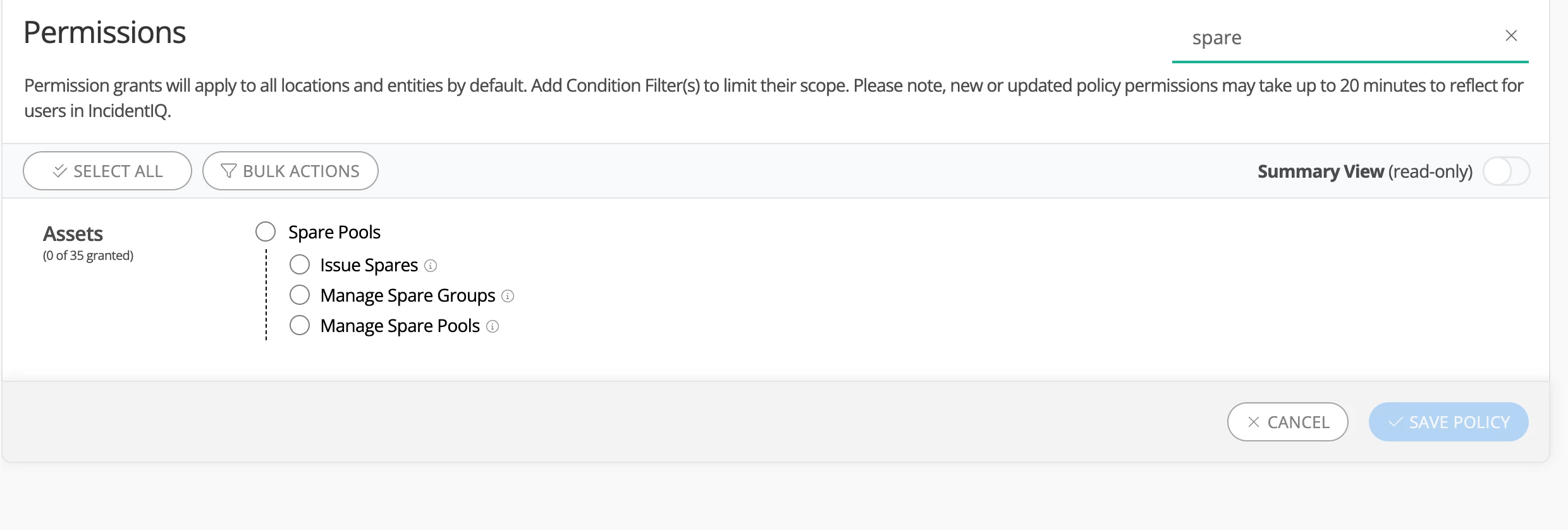
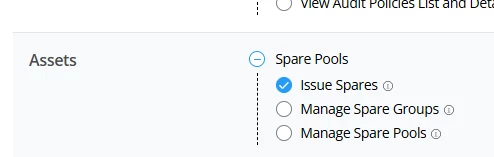
Hey ​@DAdmin 73b69f cityhigh If you would like your teachers or other users to be able to assign spares, you would just need to add the permission below to their permission policy 


Forum|alt.badge.img+5
  • Contributor
  • Mar 3, 2026 4:45 PM UTC

What we did was check out either the grade level lead or each teacher any extras in their classroom cart. We explained they should only be used if they needed a quick loaner until the building level tech got free from their classes and meetings to provide a proper loaner from the pool, checked out via the ticket the teacher put in.  We did it this way to minimize steps teachers needed to do, or mistakes that could be made. 

Alternatively, you can go into your Permissions, and whichever permissions group you’ve placed your staff in, you can enable Issue Spares under the Assets category. 


MCruz_iiQ
Forum|alt.badge.img+2
  • Employee
  • Mar 3, 2026 4:50 PM UTC

​@DAdmin 73b69f cityhigh 
Hello! Please see the following KB Guide on Working with Spare Pool Assets on Tickets once you have enabled the Issues Spares permission:


Working with Spare Pool Assets on Tickets


This may be helpful for teachers to better understand the process when issuing spares through tickets.