Solved

Rule to Disable Chromebook Based on User Role Change

  • December 11, 2025
  • 2 replies
  • 37 views

Forum|alt.badge.img+1

I would like to create a rule that when a user is disabled (their role is removed) their assigned Chromebook is disabled. Is this possible?

Best answer by RSeward_iiQ

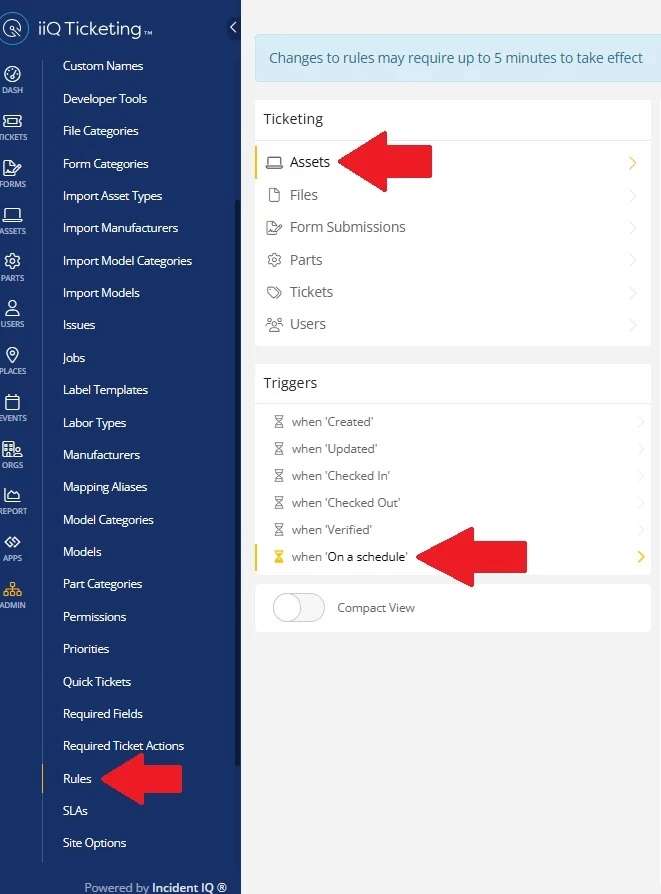
Hi ​@CTate 1435a93 joshuaisd! Thank you for your question. I would try to create an Asset Rule on a schedule that would check for any users who are in a No Access Role(essentially disabled) in iiQ and if they have a device it would disable the device in Google. 


First you would need to make sure that you have Google Writeback turned on in your Google Devices App. Just go into app managment and make sure that the below box is checked. 

 

Once that is enabled you would go to Rules>Assets>On a Schedule


Then use these filters: Schedule(when you want the rule to rune) and Role(No Access) and the Model of the Devices you want disabled. Use the actions Set Device Status in Google(Disable Device) and Push Asset Changes to Google. 
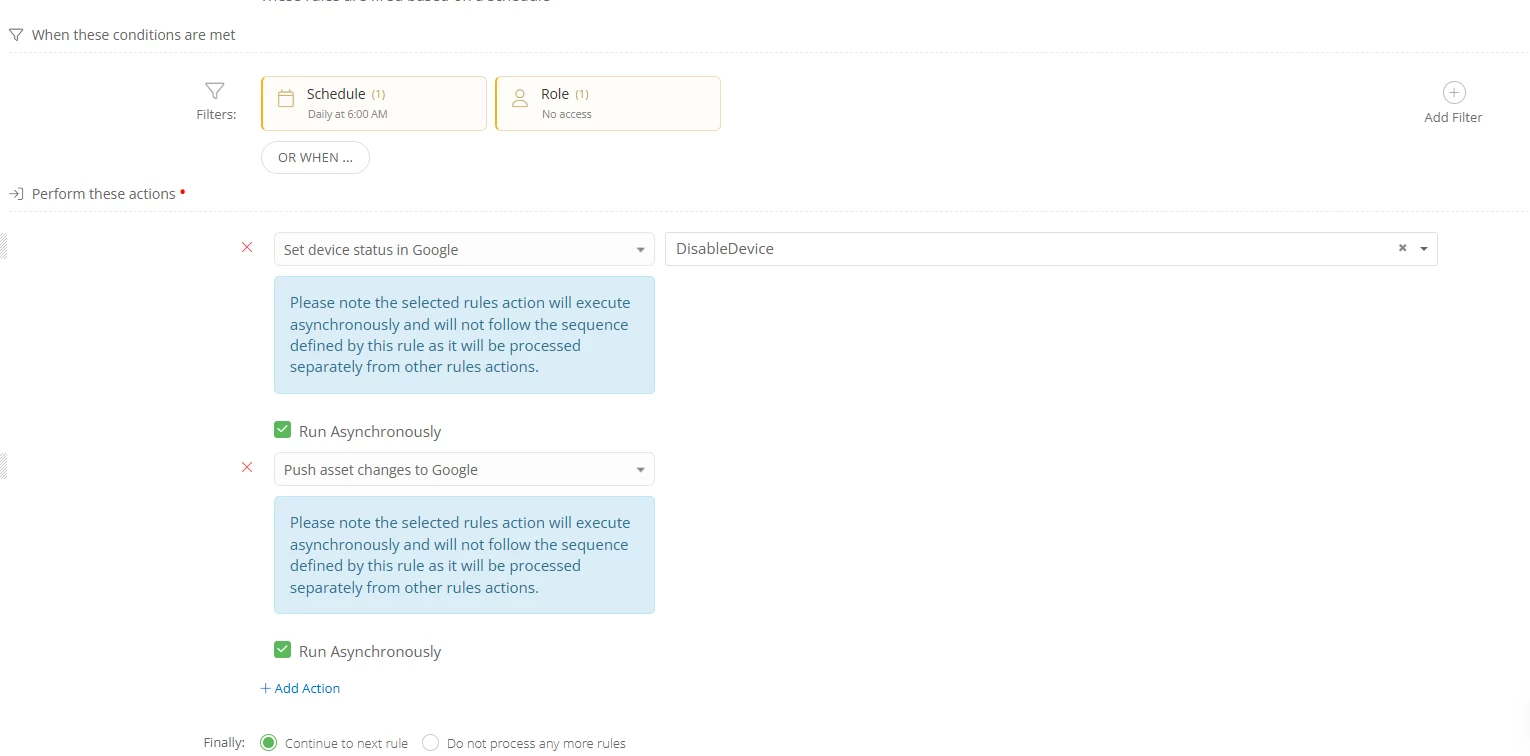
 

This should see every asset that has an owner of a device of those models that is in the No Access role in iiQ will be disabled on Google Side. 


Let me know if that works!

2 replies

RSeward_iiQ
Forum|alt.badge.img+5
  • Employee
  • Answer
  • December 11, 2025

Hi ​@CTate 1435a93 joshuaisd! Thank you for your question. I would try to create an Asset Rule on a schedule that would check for any users who are in a No Access Role(essentially disabled) in iiQ and if they have a device it would disable the device in Google. 


First you would need to make sure that you have Google Writeback turned on in your Google Devices App. Just go into app managment and make sure that the below box is checked. 


Once that is enabled you would go to Rules>Assets>On a Schedule


Then use these filters: Schedule(when you want the rule to rune) and Role(No Access) and the Model of the Devices you want disabled. Use the actions Set Device Status in Google(Disable Device) and Push Asset Changes to Google. 


This should see every asset that has an owner of a device of those models that is in the No Access role in iiQ will be disabled on Google Side. 


Let me know if that works!


Forum|alt.badge.img+1

This worked perfectly. Thank you.