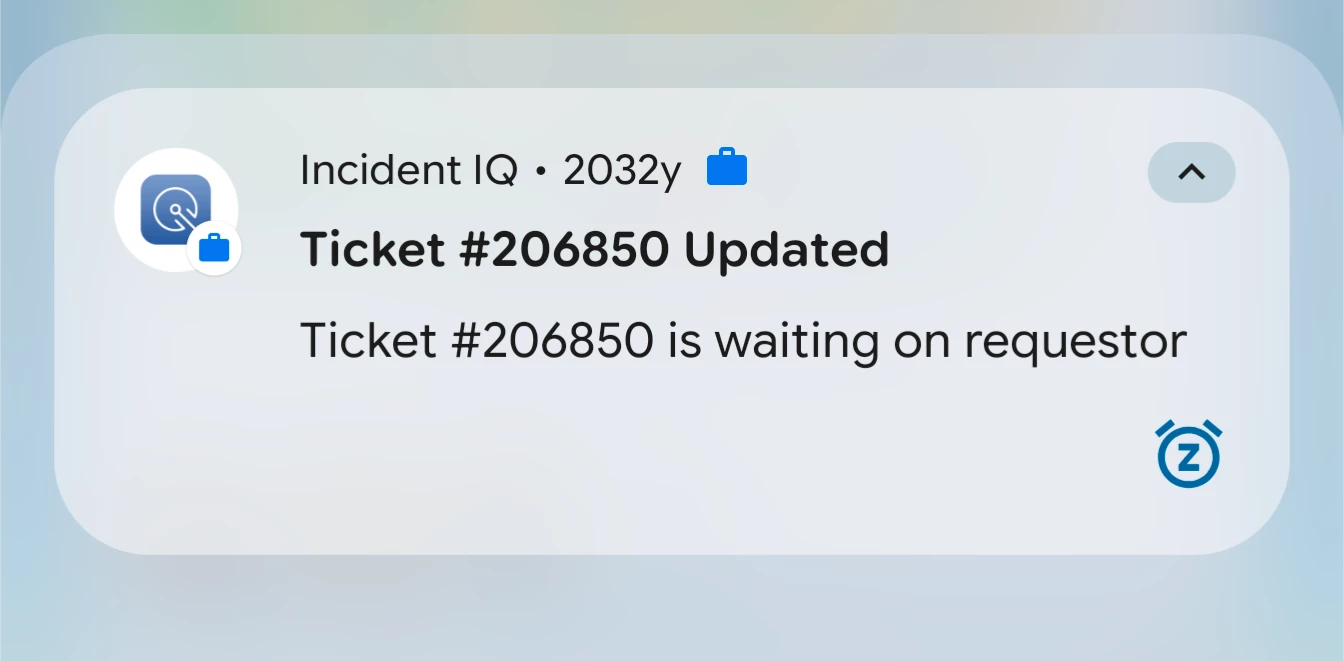
I hope you’re doing great! Did you just start receiving this in the app notification? Also, do you happen to know if other colleagues who have iPhone are receiving “2032y” in the app notification?
I hope you’re doing great! Did you just start receiving this in the app notification? Also, do you happen to know if other colleagues who have iPhone are receiving “2032y” in the app notification?
Regards,
Jas
Yes this is recent that we’ve noticed it saying 2032y in the notifications. I don’t know anyone with an iPhone so I can’t verify that.
Thank you for letting me know! I didn’t get “2032y” in the app notification (I’m using iPhone), could you please confirm if you have the updated versions of the IIQ App and of your phone? If not, could you please update the app and mobile version to see if that removes “2032y” from the app notification?
Thank you for letting me know! I didn’t get “2032y” in the app notification (I’m using iPhone), could you please confirm if you have the updated versions of the IIQ App and of your phone? If not, could you please update the app and mobile version to see if that removes “2032y” from the app notification?
Regards,
Jas
Yes it’s the latest version. Android app version 3.9.6, within iiQ says 3.9.6.26060301.
@etan Sorry that didn’t work! It was worth a try.
Another possibility is a Developer Issue:
App Update / Developer Issue:
If the phone's clock is correct, then there could be an issue in how the Incident IQ Android app passes the notification timestamp (when parameter in NotificationCompat.Builder). Reporting it to your district IT administrator or Incident IQ support will prompt their dev team to fix the epoch conversion.
I would submit a support ticket via iiQ Support Bot as there may be something behind the scenes that may resolve it.