

Solved

Can I create an issue and/or issue category and quickly apply it to multiple models?

  • November 7, 2022
  • 2 replies
  • 226 views

zige
Participant
Forum|alt.badge.img+8

We have three types of devices (“models”).

I want to create custom issue categories and issues that apply to ALL three.

Can I create these and quickly apply them to all three models at the same time? Or do I need to click into each model from the Issues page, click the Issue button next to each model, and click “Add New Issue” for each one?

Thanks.
Best answer by zige

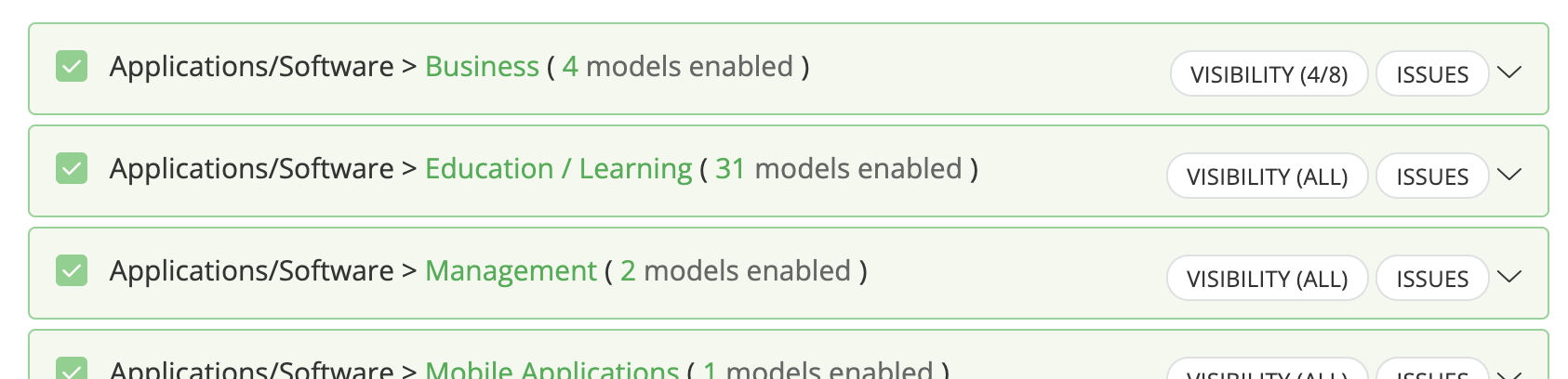
For future searchers, the answer is yes, you can. Simply select the “Issues” button at the right for the entire category.


Only thing I haven’t found out is whether you can apply the issues across model types. For example, you likely will have similarities between “desktop computers” and “laptop computers,” but I’m not sure if you can easily duplicate issues between the two. You may have to manually select the issue category and issues to apply to each.

2 replies

zige
Participant
Forum|alt.badge.img+8
  • Author
  • Participant
  • Answer
  • November 7, 2022

For future searchers, the answer is yes, you can. Simply select the “Issues” button at the right for the entire category.


Only thing I haven’t found out is whether you can apply the issues across model types. For example, you likely will have similarities between “desktop computers” and “laptop computers,” but I’m not sure if you can easily duplicate issues between the two. You may have to manually select the issue category and issues to apply to each.


Kathryn Carter
Forum|alt.badge.img+18
  • Community Manager
  • November 8, 2022

@zige Glad to see you found your answer 😄

You currently have to manually select to apply to each.


