Question

Feedback when denying an event

  • Jun 15, 2026 7:53 PM UTC
  • 3 replies
  • 22 views

Forum|alt.badge.img+3

How can we include feedback when denying an event request submitted by a guest? 

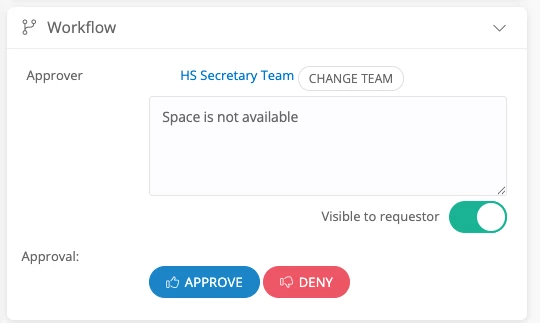
In my testing, I left feedback, checked off “Visible to Requestor”, and clicked “Deny”, but nothing was included in the email, or when the guest logs into the portal.
 

3 replies

Forum|alt.badge.img+4

Hi ​@j_collinswb,

By default, denying an event this way only logs a note within the event details rather than sending an email notification to the user.

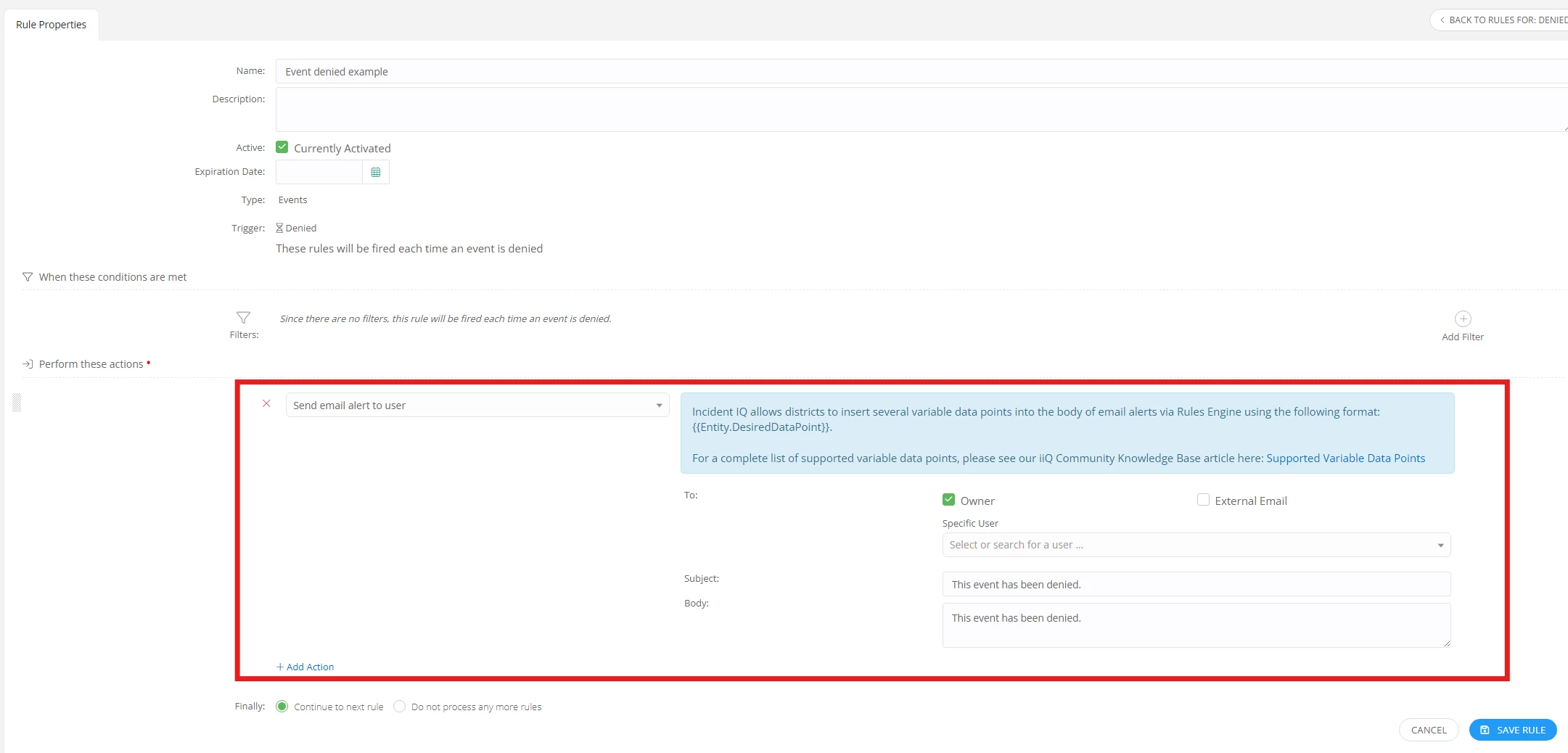
To ensure your users receive an email update when an event is rejected, you can configure this through your Event "When Denied" rules by using the "Send email alert to user" rule action.

Below is an screenshot example of a basic rule using this action.

This rule will fire automatically for any event that gets denied. If needed, you can add additional filters to narrow down the events that trigger this email.

If you have any additional questions, please let me know!


Forum|alt.badge.img+3
  • Author
  • Observer
  • Jun 16, 2026 3:51 PM UTC

Thank you for this.  I created the rule and is working as expected.

However, I cannot find where comments in the Workflow widget are going (see screenshot above).  If comments are left here, where do they go?  


Forum|alt.badge.img+4

Hi ​@j_collinswb,

I am happy to help!

To answer your question, when you leave a comment through the workflow widget the comment doesn’t show in the event details page. Instead, it is automatically logged as an activity update on the associated event ticket's timeline as an entry by the approver.

Please let me know if you have any additional questions!