Not sure if this is possible. I would like to create a rule when a student gets added to a ticket as a On Behalf of to run a rule that removes that user as a follower. Not sure if this can be done by variables or by domain my students have their own sub domain @stu.domain.org
We are doing this is in the younger grades teacher open the ticket for the student and link the student by adding them on behalf of and they don’t need the emails if go back and forth in the ticket with the teacher.
Thanks
Ron
Best answer by CDay_iiQ
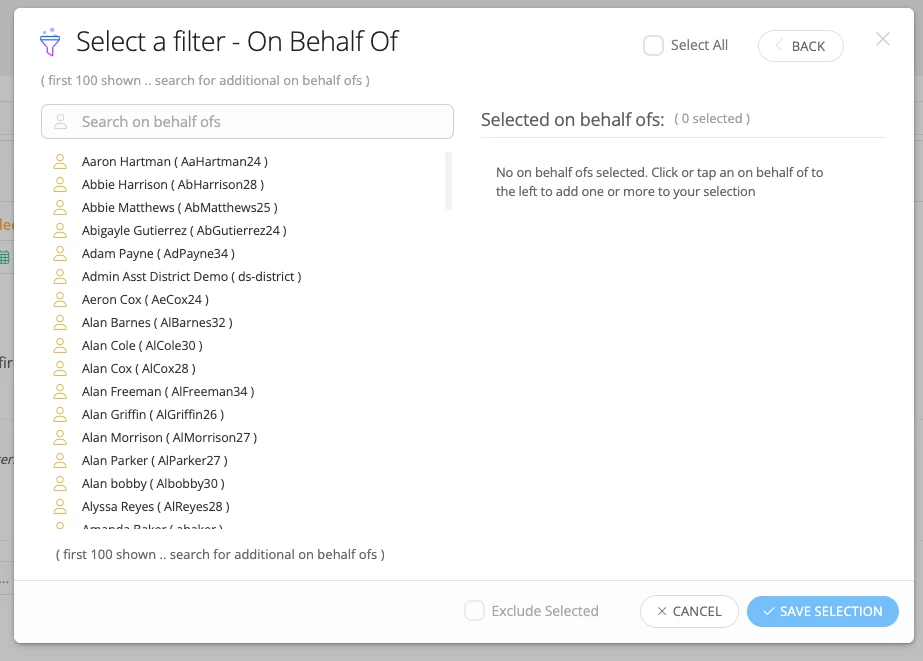
Hi @RWatson ! Thank you for your question. Unfortunately, there is not an exact way to do what you are asking because we cannot filter on “Role” under our “On Behalf of” Filter within Ticketing Rules, you can only select specific users (so you would have to select all of your students):
This would be a great enhancement request! However, I have a couple of work arounds that might help in the meantime:
You can remove all followers from tickets, which would accomplish removing your students as followers, but keep in mind this would remove ANY follower moving forward. You can do this with our rule actions under a Ticket → When Created Rule:
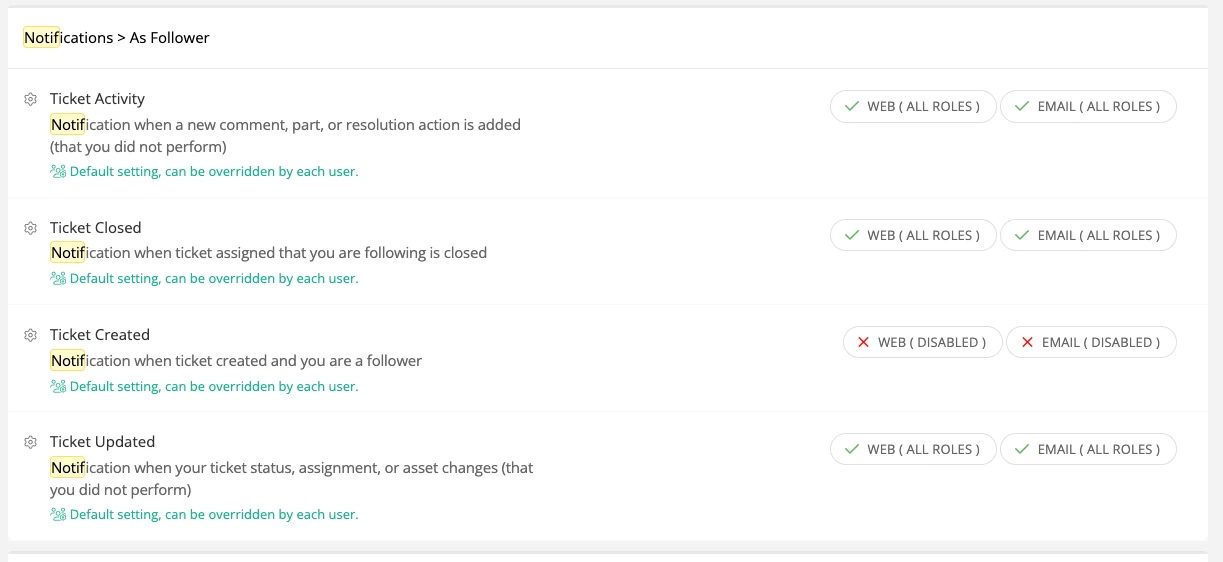
Another option would be to adjust your notifications in site options, so that your students do not get notified about Ticket Activity even if you are followers. You can adjust these by going to Admin → Site Options, and finding the Notifications → As Follower Section:
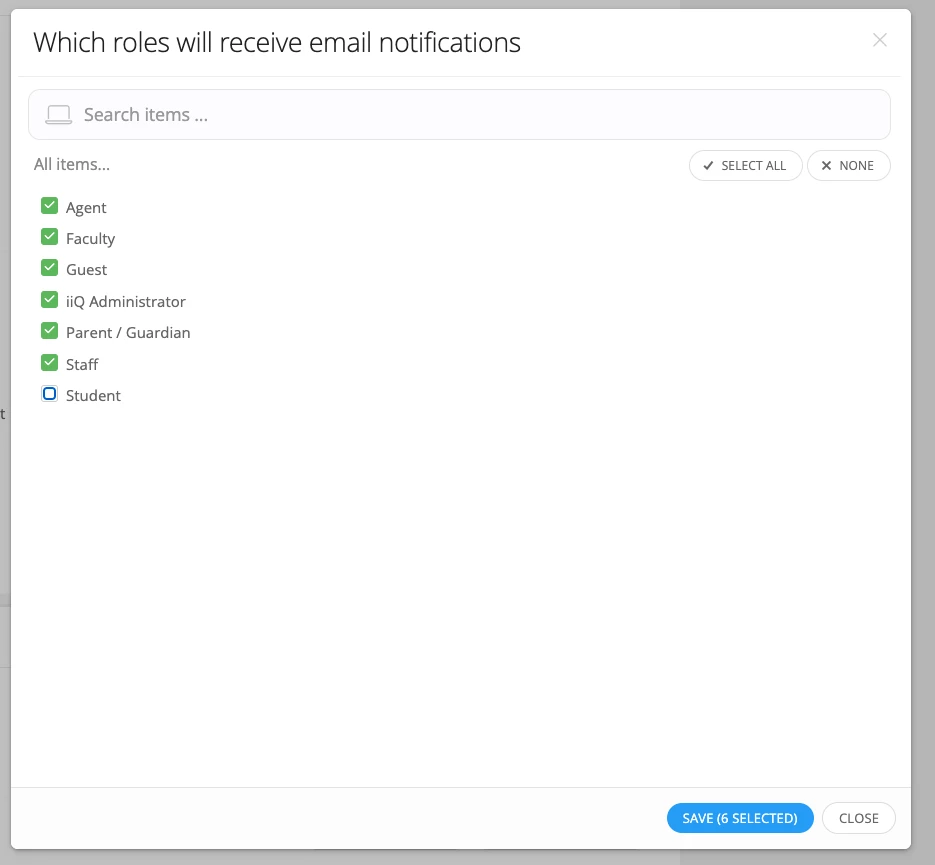
Here, you can adjust the notifications by role, so you can remove the ability for your students to receive notifications by web or email:
I hope this is helpful! If there are additional questions, please let us know!
Hi @RWatson ! Thank you for your question. Unfortunately, there is not an exact way to do what you are asking because we cannot filter on “Role” under our “On Behalf of” Filter within Ticketing Rules, you can only select specific users (so you would have to select all of your students):
This would be a great enhancement request! However, I have a couple of work arounds that might help in the meantime:
You can remove all followers from tickets, which would accomplish removing your students as followers, but keep in mind this would remove ANY follower moving forward. You can do this with our rule actions under a Ticket → When Created Rule:
Another option would be to adjust your notifications in site options, so that your students do not get notified about Ticket Activity even if you are followers. You can adjust these by going to Admin → Site Options, and finding the Notifications → As Follower Section:
Here, you can adjust the notifications by role, so you can remove the ability for your students to receive notifications by web or email:
I hope this is helpful! If there are additional questions, please let us know!