


Yes! You can easily cancel events that you’ve requested. To do this, please follow the steps outlined below:
-
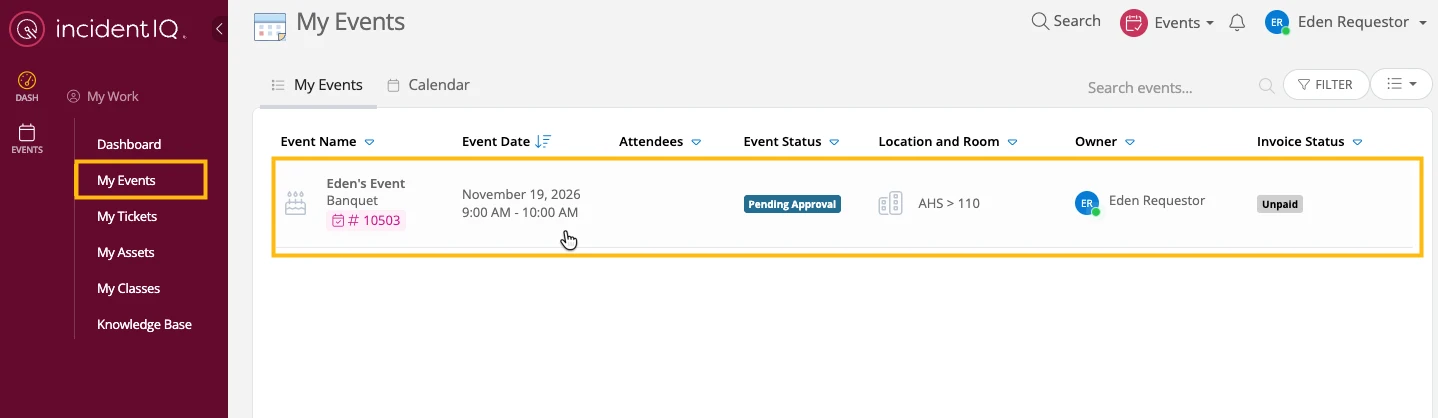
Go to Dash > My Events in the left navigation.
-
Select the event you want to cancel.
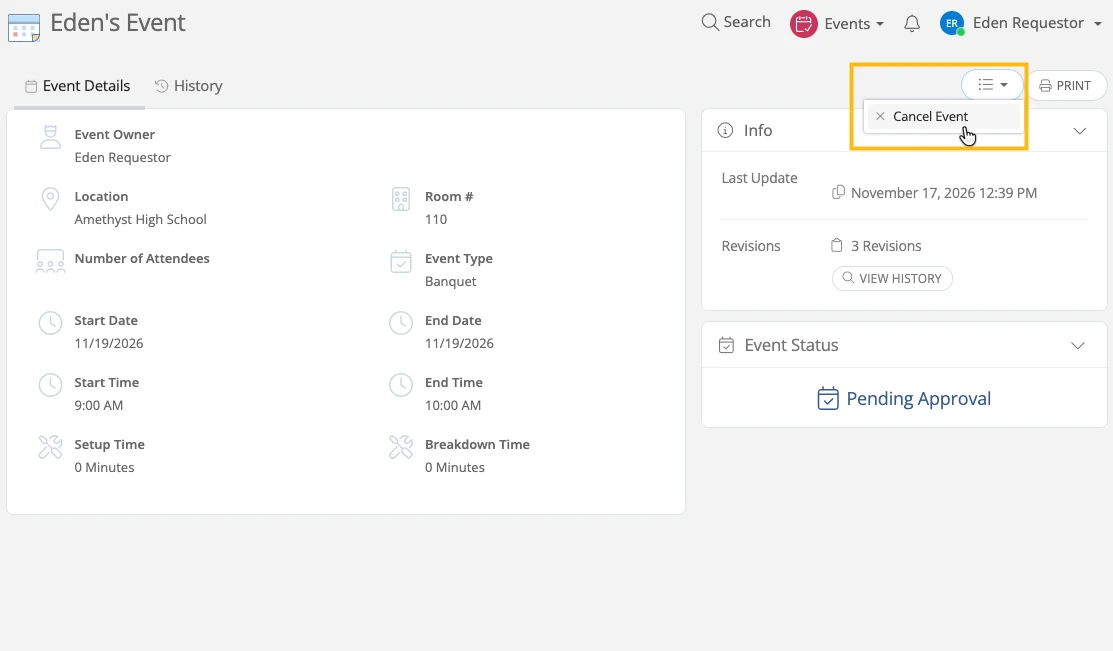
3. Open the More dropdown menu in the top right and select Cancel Event.
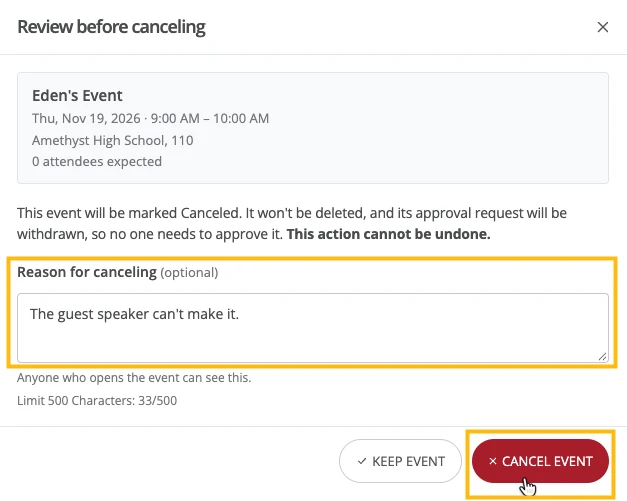
4. Optional: Enter a reason in the Reason for canceling field.
5. Select Cancel Event.
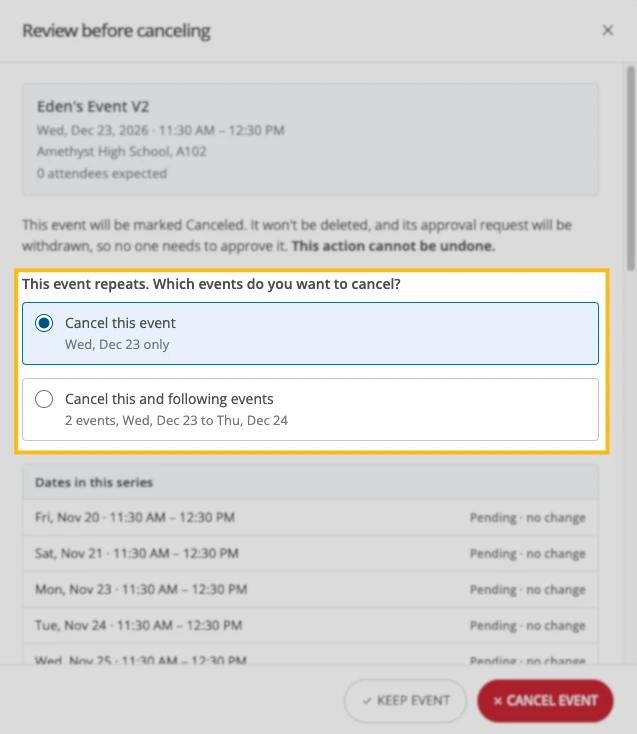
When you cancel an event that is part of a recurring series, the Review before canceling window asks which dates to cancel:
-
Cancel this event; it only cancels the date you opened.
-
Cancel this and following events; cancels that date and every date following it in the series.
What if I don’t see Cancel Event?
The Cancel Event option appears only for events that are Pending Approval. You can’t cancel an event yourself if it is Approved or Conflict Pending. In that case, contact your district’s event coordinator or iiQ Administrator, and they can cancel it for you.
