Question

Assigning a Team based on Custom Field

  • May 13, 2026 4:36 PM UTC
  • 4 replies
  • 35 views

Forum|alt.badge.img

Morning!  I’m looking for a solution based on odd routing. 


We’d like to start a blank Ticket at our Technology Center, and somehow have it automatically route to a Team based on a Custom Field (dropdown?) or a tag or something in the creation of the ticket.  Perhaps a “On Behalf Of” that will grab the Team they are a part of...

The ticket isn’t an asset, but it starts at Technology, so it goes to that TEAM. 

Rig​​​​​​ht now, the only solution is to submit and start the ticket and manually change the ticket to a specific Team.

Anyone have a work around?​

4 replies

JDhanjal_iiQ
Forum|alt.badge.img+6

Hi ​@JSchlaudraff ,


I hope you’re doing great! Could you please confirm if you’d like every ticket that starts at Technology location goes to a specific team?


I look forward to hearing from you!


Regards,

Jas


Forum|alt.badge.img
  • Author
  • Observer
  • May 13, 2026 6:34 PM UTC

No just a specific Issue Type. 


But if it starts here, I’d like for it to somehow know route to a specific Team upon creation. 

I start a ticket...something changes its routing and it goes to Team A.

I start another ticket a while later (same Issue Type), something changes its routing, but this one goes to Team B.

Perhaps a custom field, or a tag.  So I could route these tickets to different Teams based on a dropdown or something when creating the Detail of the ticket.


JDhanjal_iiQ
Forum|alt.badge.img+6

Hi ​@JSchlaudraff 

Thank you for sharing the additional information! Based on the additional information, I found that one of the following things can be done in order to assign a team:


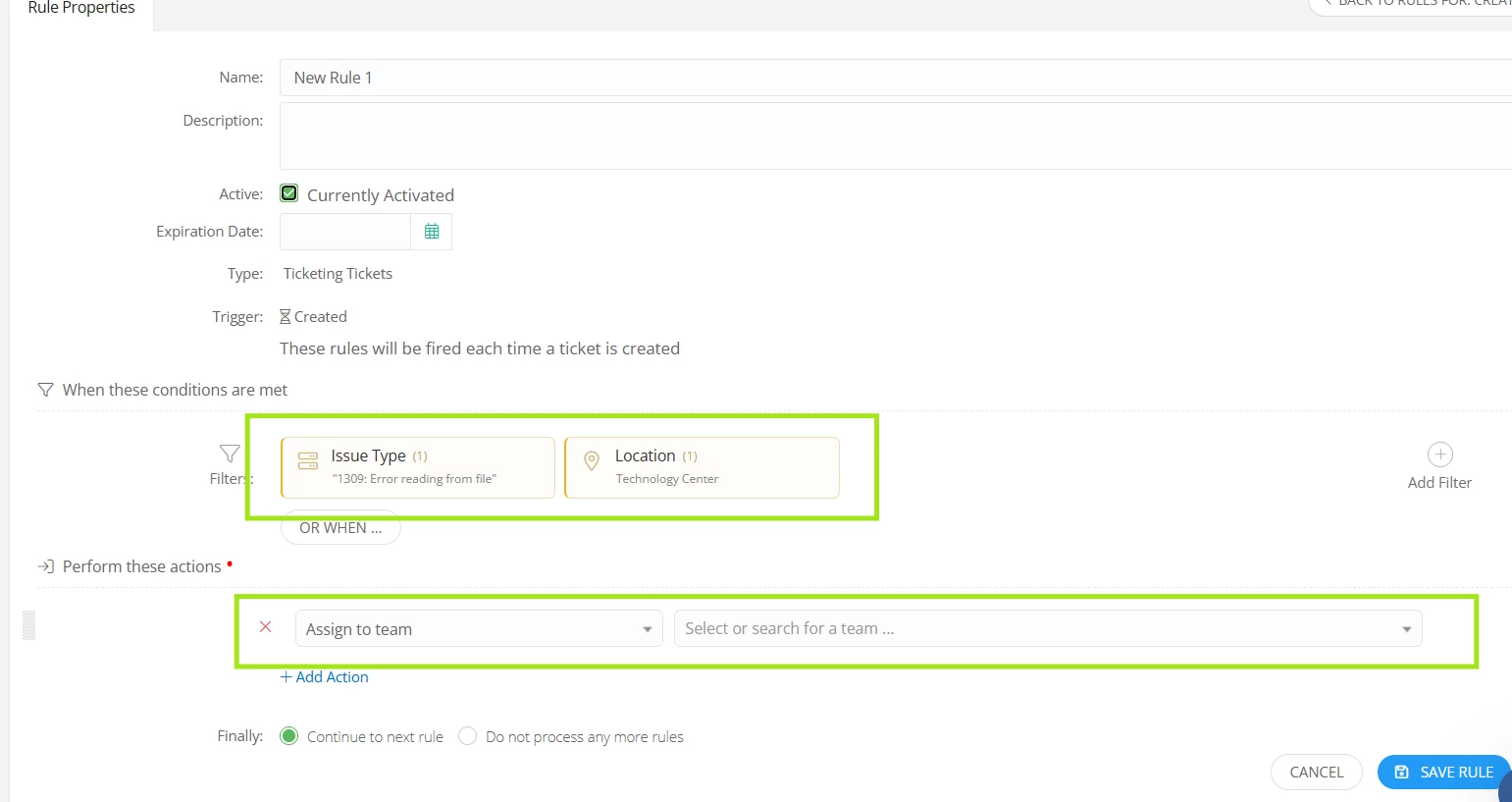
  1. If you’d like the ticket with a specific Issue Type created at Technology to route to a specific Team, you can create a rule under “when ‘Created’ “. The filters you need to add will be “Issue Type: (Specific Issue Type)” and “Location: Technology”. The action will be “Assign to Team: Team A”. So whenever a ticket with a specific Issue Type is created at Technology, the rule will assign the ticket to Team A (screenshot of an example rule attached below.) 


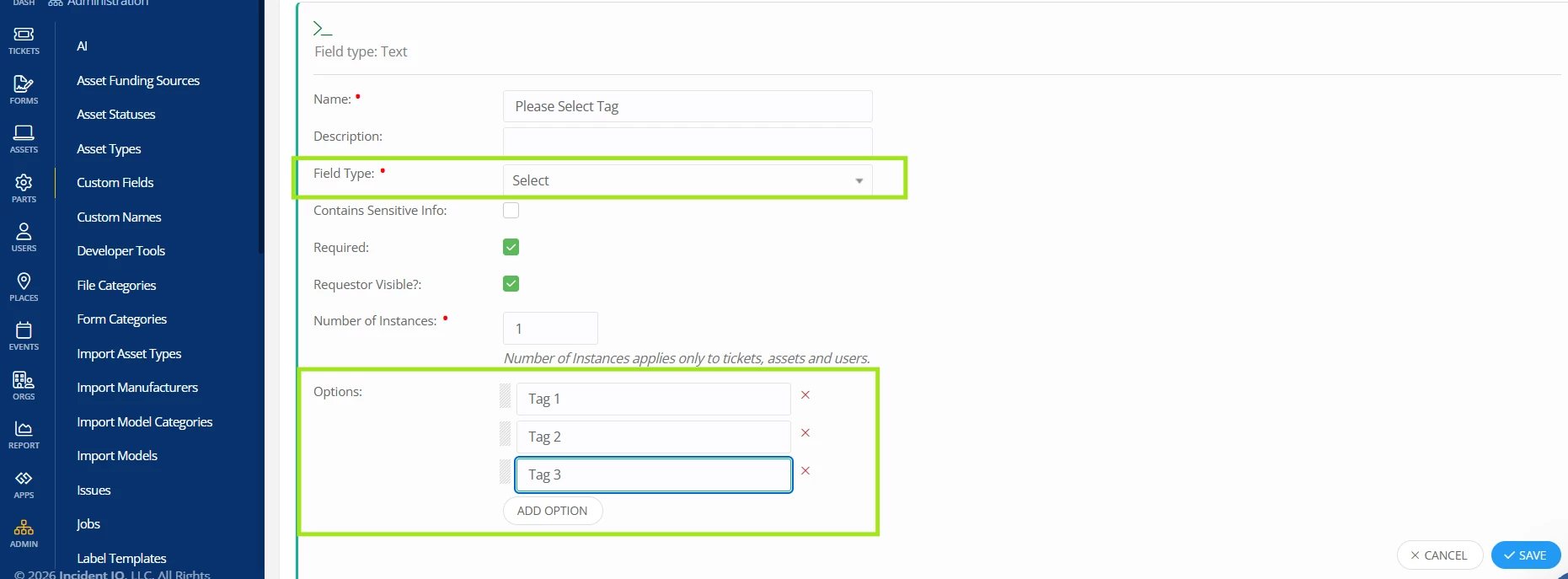
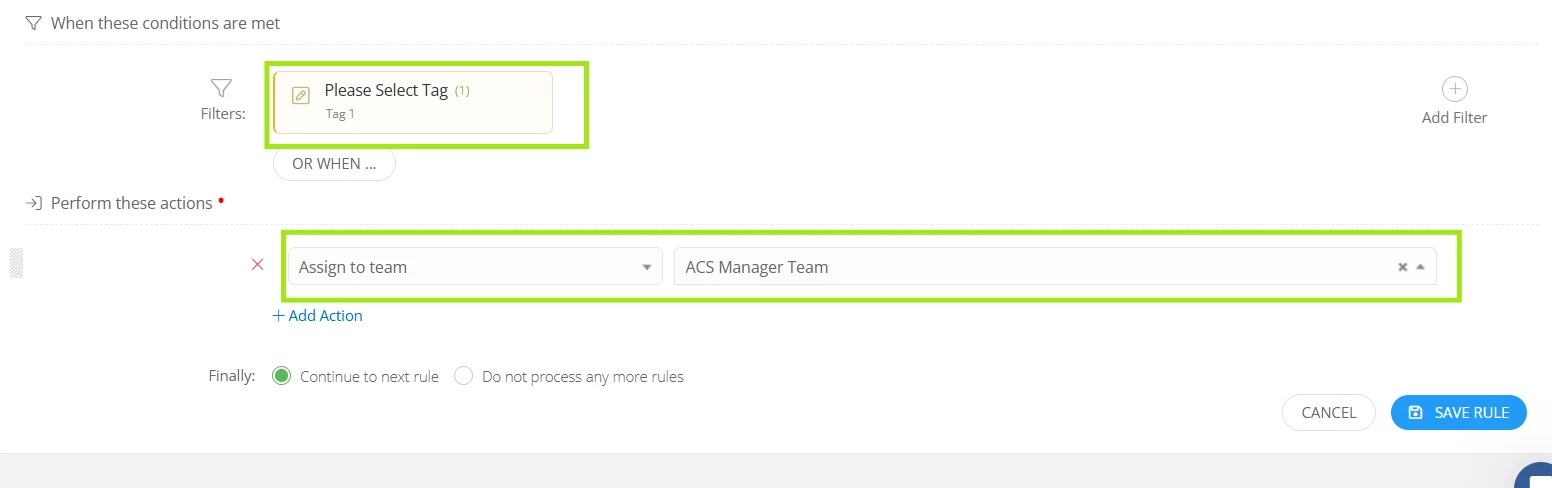
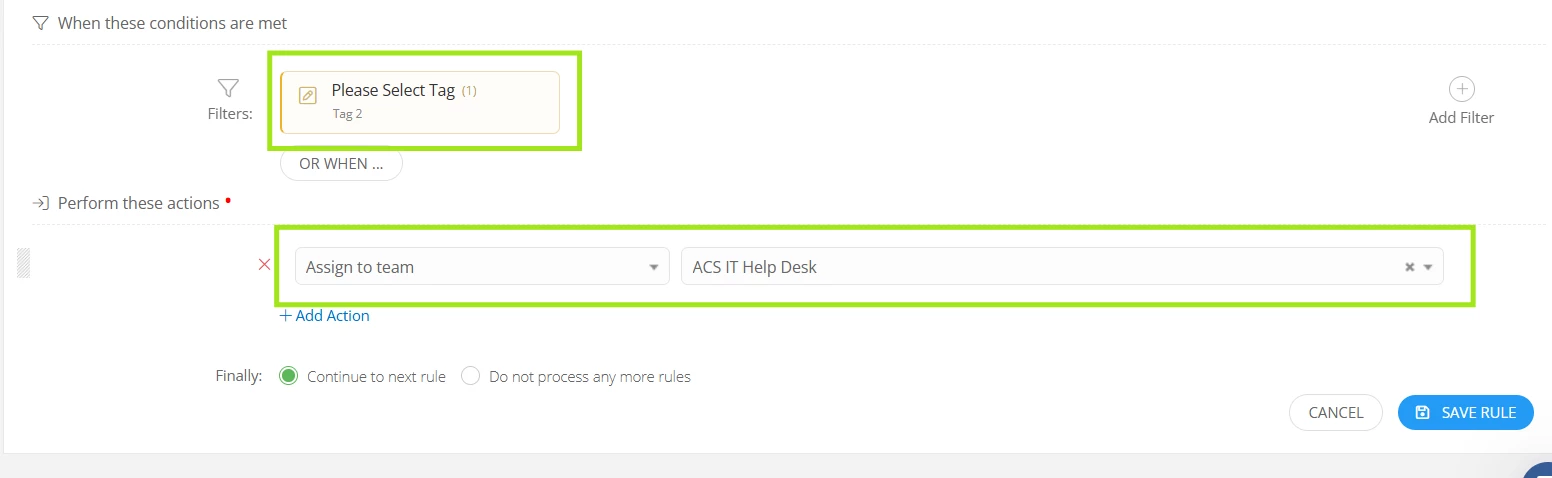
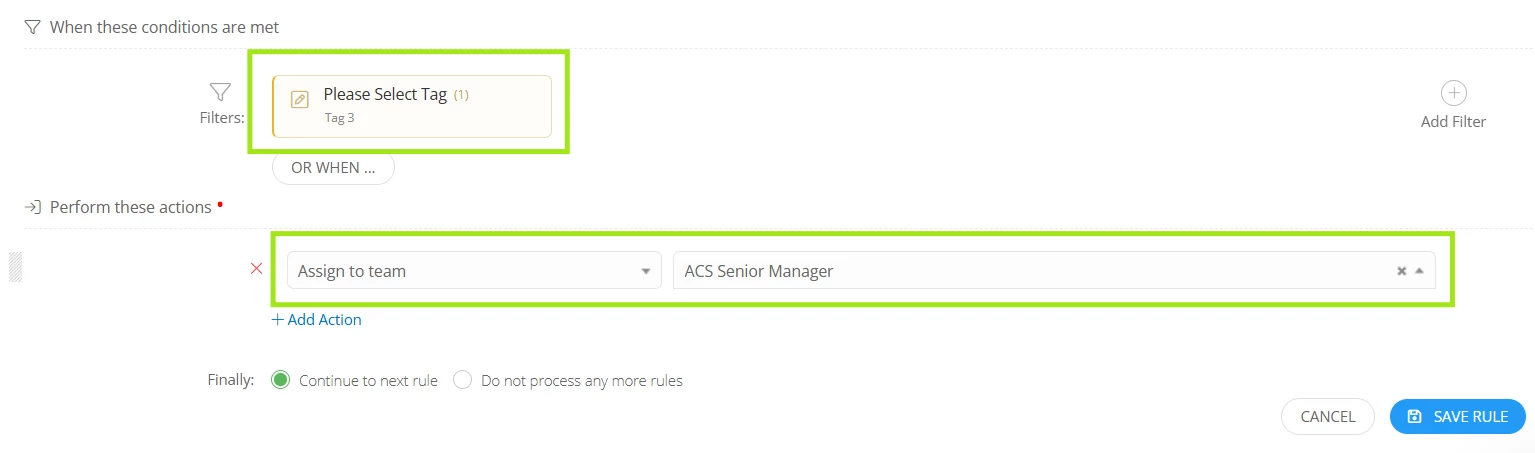
  1. If you want to assign tickets to the teams based on the custom field options, you can create a custom field, for example, “Please Select Tag” with the field type “Select”. You can add the options to appear in the dropdown list. A single rule can’t assign tickets to different teams based on the custom field options. So you would need to create a separate rule for each custom field option in order to assign the ticket based on the custom field option. You would need to create multiple rules, for example if there are three options in the custom field, Tag 1, Tag 2, and Tag 3; and if you’d like the tickets to be assigned to Team A, Team B, and Team C, respectively, you would need to add the filter “Please Select Tag: Tag 1”, and action “Assign to team: A”. The same needs to be done for the other two custom field options. So in this way, a ticket can be assigned to a team based on the option the submitter selects on the custom field. I’ll attach a few screenshots for your reference.


Currently, tags can only be added manually or via rule to the ticket. Submitter can’t select a tag when creating a ticket and there is no field type related to “Tag” that can be used when creating a custom field. So having a custom field with the “Select” field type, adding the options and creating separate rules for each custom field option as shared above could be a good workaround. I hope this helps! If you have any questions or concerns, please let me know. May you have a great rest of your day!


Regards,

Jas


Forum|alt.badge.img
  • Author
  • Observer
  • May 13, 2026 8:56 PM UTC

But I’d have to create a rule for each Team, based on the way you’ve got it, correct?

LOTS of Rules for 56 campuses, plus department buildings..