Question

Change Default Page Size in New Views

  • Aug 6, 2026 8:24 PM UTC
  • 5 replies
  • 37 views

Forum|alt.badge.img


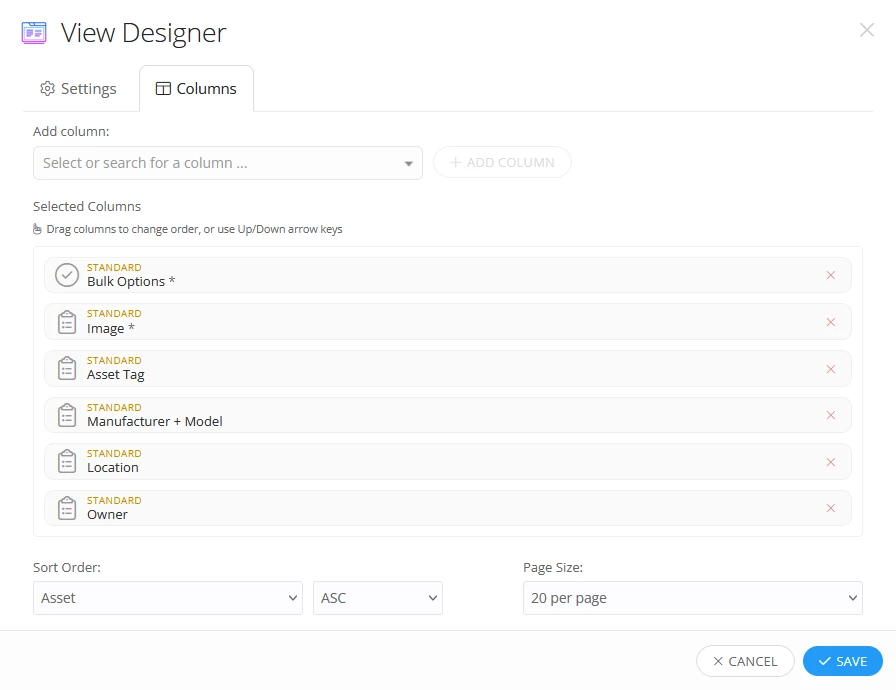
Currently the default page size when creating a New View is 20 per page. There are settings available to change default page size for Assets, Rules and Tickets but there is no option to change the default for Views. 

I understand that I can manually change the page size in each View. I am currently managing about 150 Views with 40-1000+ items in each view. My preference is to set the default at 200. I never want to see less than 200 at a time if that many exist in my search parameters. My colleagues and I would like the option to choose the default page size in new views. 

 

5 replies

JDhanjal_iiQ
Forum|alt.badge.img+6

Hi ​@APage 447f3ef mdusd ,


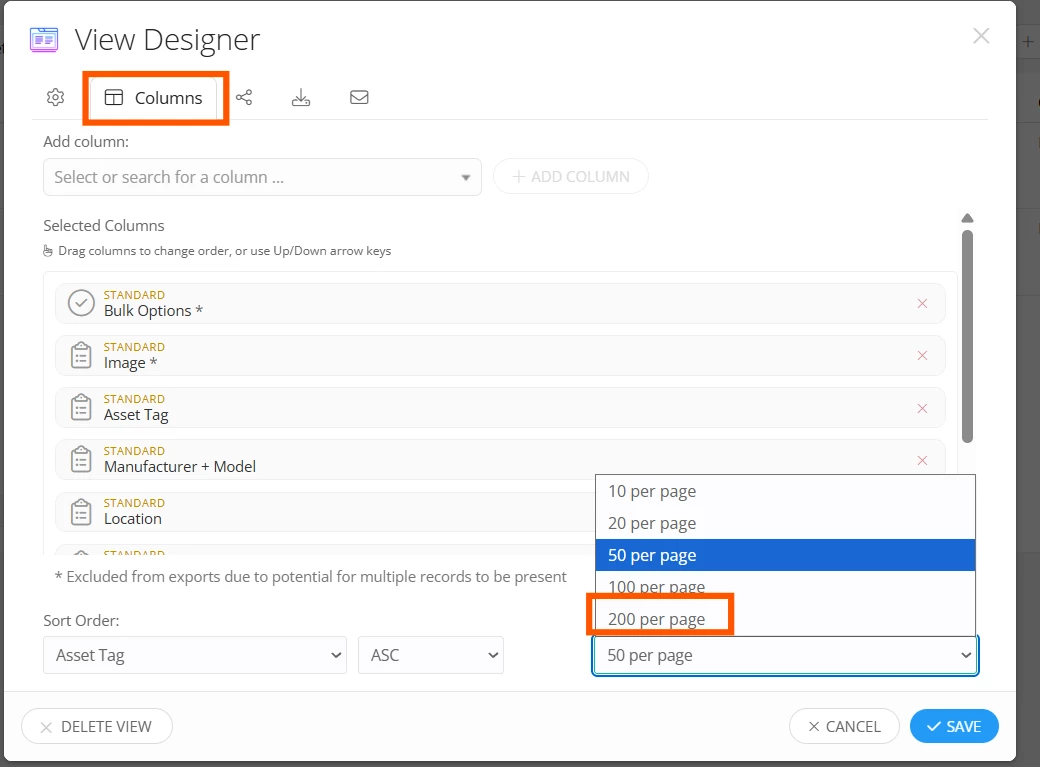
I hope you’re doing! Though there is no option to change the default page size for Views, you can save the number of items per page by selecting the “Page Size” under the “Columns” tab for each view, and it will be saved as the page size for that view. 


You can share adding a default page size setting for views as an idea on our “Idea Exchange” page by clicking on the link below:

https://community.incidentiq.com/ideas

Our product team will review the idea and all the updates will be posted there.

As a workaround, you can select “200” as the page size under the “Columns” tab whenever you open an existing view or create a new one. The system will save 200 items per page for those views. If you have any other questions or concerns, please let me know. May you have a great rest of your day!


Regards,

Jas


Forum|alt.badge.img

Thank you. I am aware of how to change it manually on each view. If I do not change it, the default is 20.  I am asking for 200 to be the default with the option of changing it to less if needed. I understand this may not be everyone’s preference which is why it would be nice to have this option available in settings. 


Kathryn Carter
Forum|alt.badge.img+18

​@APage 447f3ef mdusd Here are some additional settings to check out:

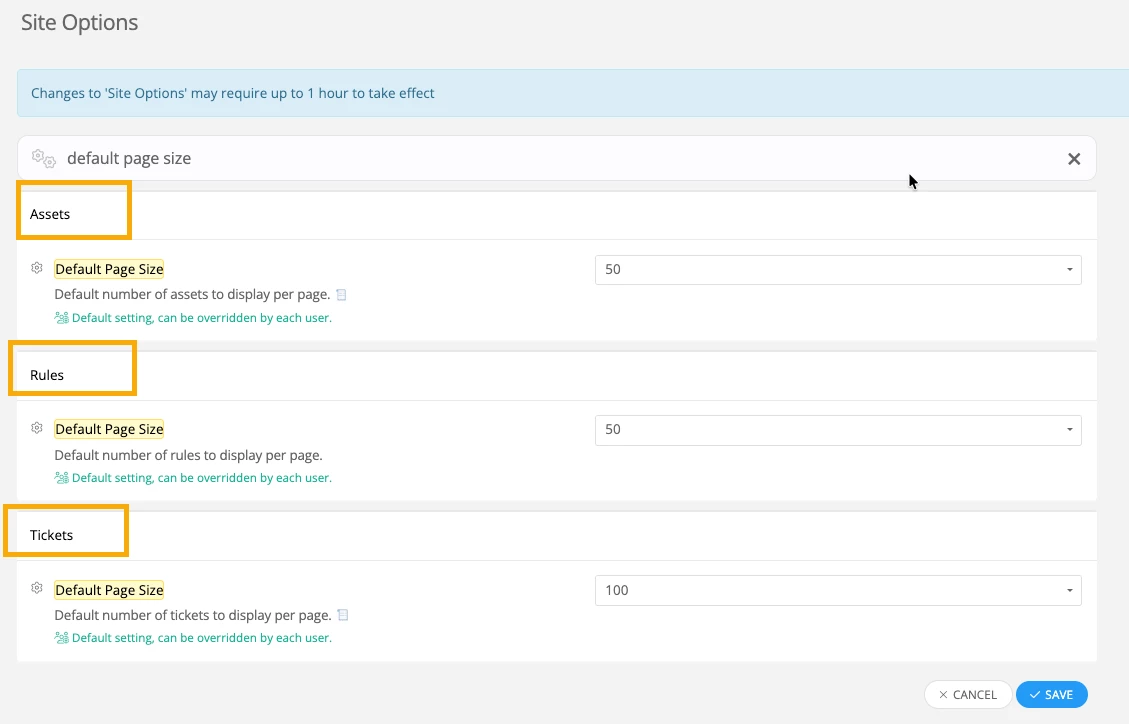
  1. Within Site Options, you can set the default page size for Tickets, Assets, and Rules. 


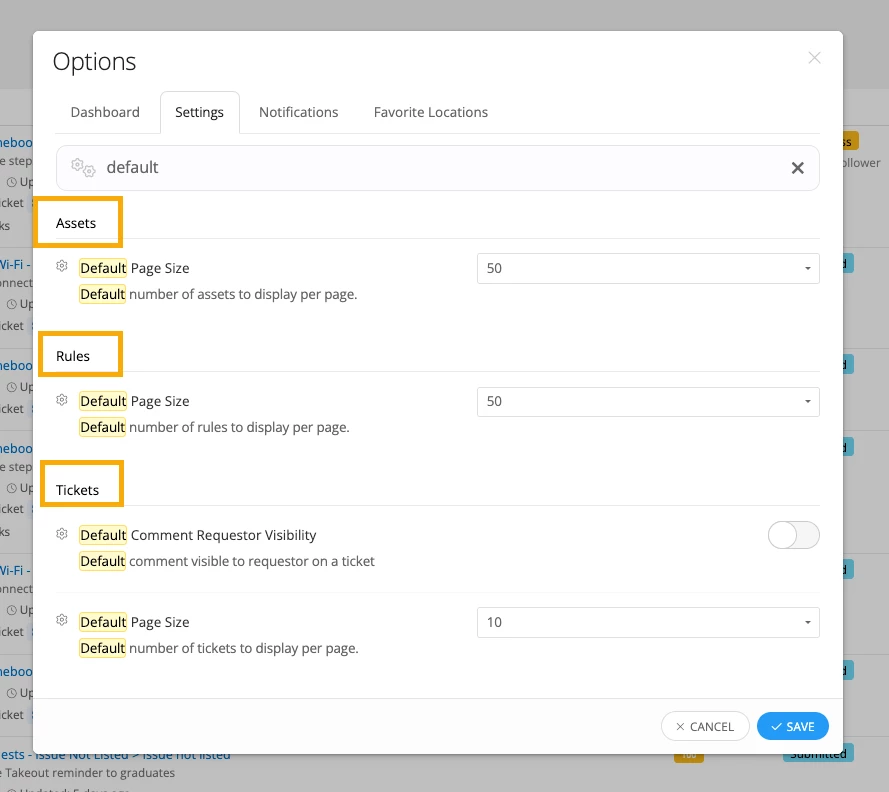
  2. Within Options on the dashboard, you can set the default page size for Tickets, Assets and Rules. 

I hope this helps as well! 


Forum|alt.badge.img


Currently the default page size when creating a New View is 20 per page. There are settings available to change default page size for Assets, Rules and Tickets but there is no option to change the default for Views. 


Thank you for your reply. As mentioned in my original post, I am aware of the settings for Assets, Rules and Tickets. I have changed all of those settings to 200 per page. And yet, when I create a New View, I have to manually change that setting on every view. While I know how to do that in the column settings, it is cumbersome to change it every time. 

Again, I am requesting to add a setting. In the same area as you mentioned Assets, Rules and Tickets, I would like to see an option to set Views at a default of 200 per page. 

Is there anything else I can clarify about the feature I am requesting? 


Kathryn Carter
Forum|alt.badge.img+18

​@APage 447f3ef mdusd I have submitted this idea on your behalf for this enhancement