I have to change the way my default campus is sorted every time I view my campus. Is there a way to change the default view for how they are sorted on my dashboard.

Solved
How do I change the way my tickets are sorted? The default view is is not by ticket number in descending order
Best answer by VCollins_iiQ
Hi
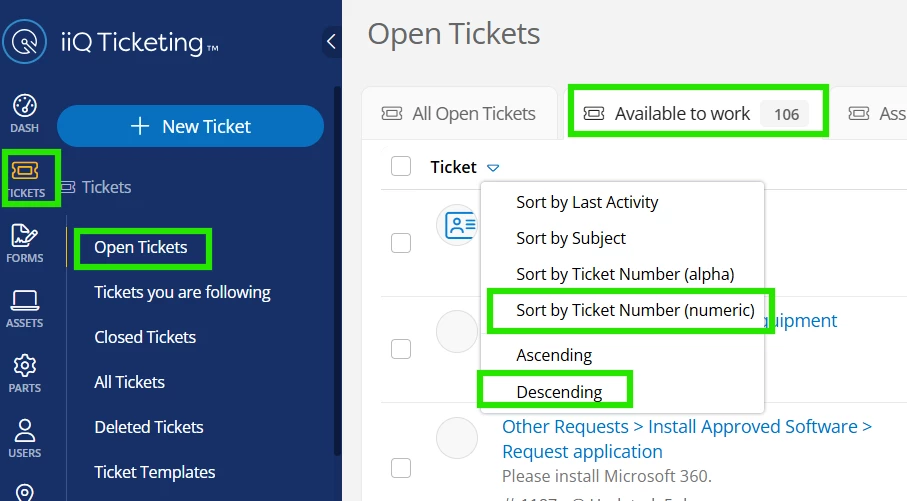
Also, when viewing open tickets, you can click on the column and sort any number of ways and, in the example below, you can see I highlighted sorting by ticket number desc. After choosing to the sort option, the next time you go to tickets - Open Tickets, it should remember how you last sorted it.
The next example shows you how you can choose to default the sorting of a custom view.
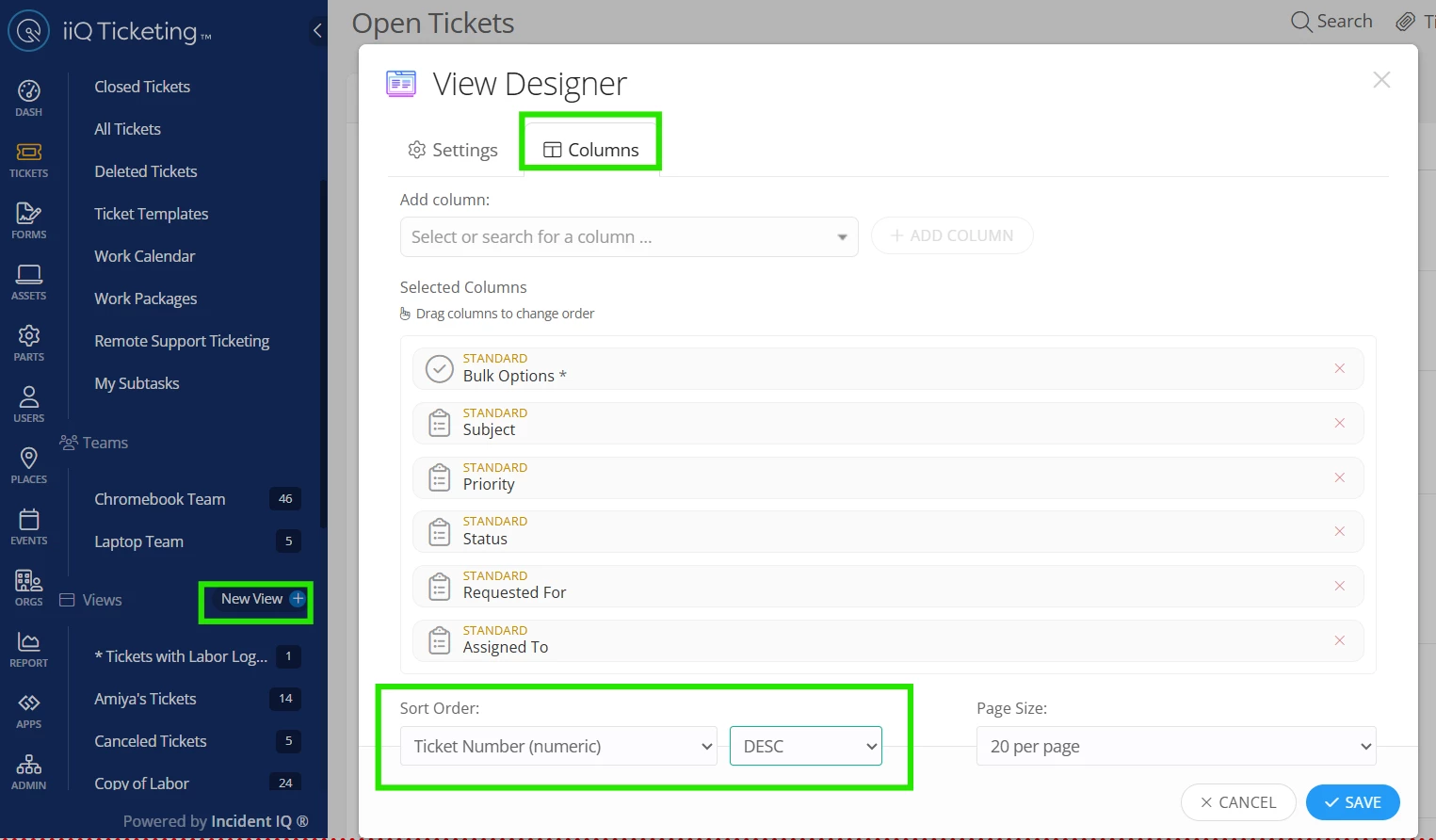
You can read more about custom views here:


Enter your E-mail address. We'll send you an e-mail with instructions to reset your password.
