Solved

Notification when I assign tickets to myself?

  • May 20, 2026 5:32 PM UTC
  • 2 replies
  • 19 views

Forum|alt.badge.img+2

I’m looking to automatically add tickets to a separate to-do list outside of iiQ that would be triggered using email notifications. I currently receive notifications when I am assigned a ticket by someone else, but I’ve noticed I don’t receive any if I assign them to myself/start work. Does anyone know of a way that I’d either be able to get notified of these tickets or add them to a Microsoft To-Do list?


Thank you!
Best answer by JDhanjal_iiQ

Hi ​@CGravitt 380201d ecasd ,


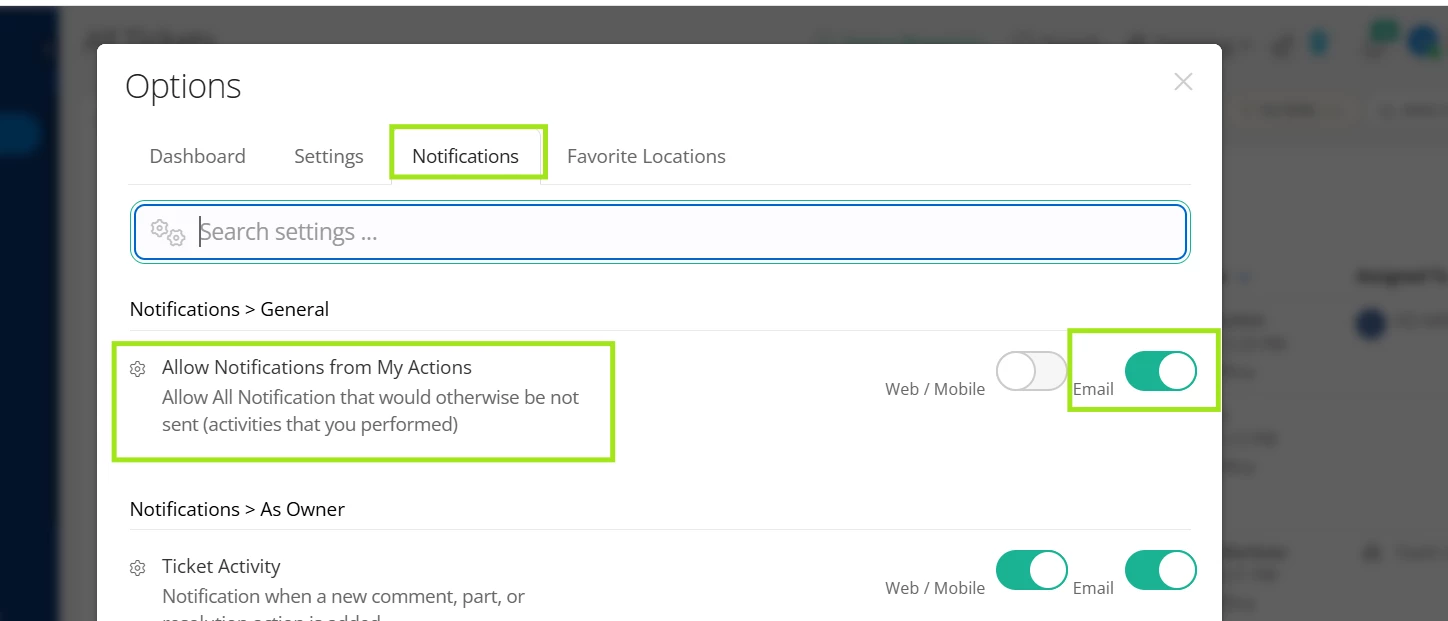
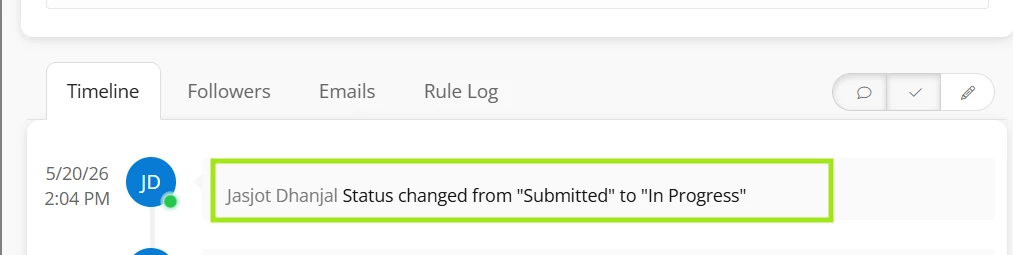
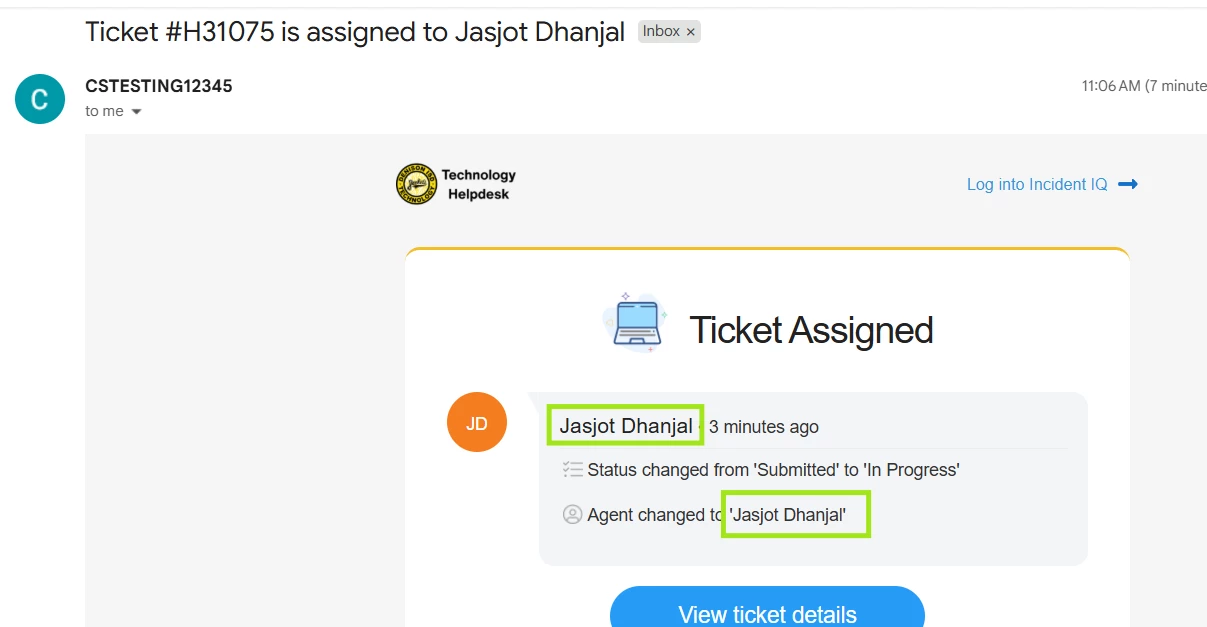
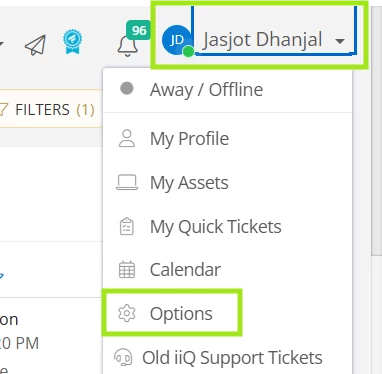
I hope you’re doing great! You can click on your Name on the right-hand side. You can then click on “Options” and under the “Notifications” tab, you can toggle ON the email option for the “Allow Notifications from My Actions” notification setting. This will send you email notifications for the actions you perform, including assigning a ticket to yourself. I tested this and toggled ON this setting for my account, assigned a ticket to myself and I received an email notification for that. I’ll attach a few screenshots for your reference.


I hope this helps! If you have any questions or concerns, please let me know. May you have a great day ahead!


Regards,

Jas

View original

2 replies

JDhanjal_iiQ
Forum|alt.badge.img+6
  • Employee
  • Answer
  • May 20, 2026 6:17 PM UTC

Hi ​@CGravitt 380201d ecasd ,


I hope you’re doing great! You can click on your Name on the right-hand side. You can then click on “Options” and under the “Notifications” tab, you can toggle ON the email option for the “Allow Notifications from My Actions” notification setting. This will send you email notifications for the actions you perform, including assigning a ticket to yourself. I tested this and toggled ON this setting for my account, assigned a ticket to myself and I received an email notification for that. I’ll attach a few screenshots for your reference.


I hope this helps! If you have any questions or concerns, please let me know. May you have a great day ahead!


Regards,

Jas


Forum|alt.badge.img+2

Hi ​@CGravitt 380201d ecasd ,


I hope you’re doing great! You can click on your Name on the right-hand side. You can then click on “Options” and under the “Notifications” tab, you can toggle ON the email option for the “Allow Notifications from My Actions” notification setting. This will send you email notifications for the actions you perform, including assigning a ticket to yourself. I tested this and toggled ON this setting for my account, assigned a ticket to myself and I received an email notification for that. I’ll attach a few screenshots for your reference.


I hope this helps! If you have any questions or concerns, please let me know. May you have a great day ahead!


Regards,

Jas

Of course I scrolled directly past that option when I checked my notification settings! Thanks for the help, that worked like a charm :)