
Is there any way that we can remove the users having to put in student grade level when submitting a ticket? Some tickets are not for students and it would be helpful to not have to have it on there. I know about editing custom fields but it seems like Student Grade Level is on there automatically.

Solved
Removing Grade Level From Tickets
Best answer by Emily Jones
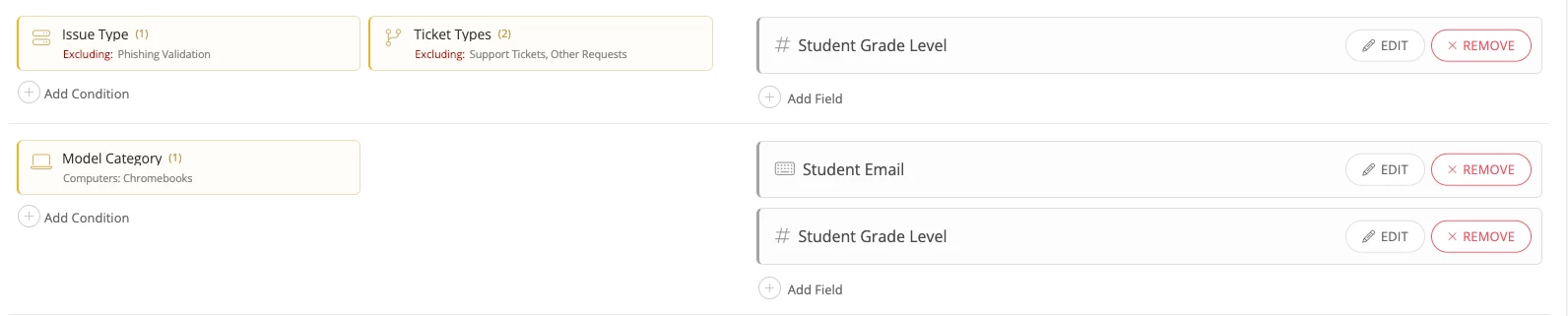
After taking a look I see you have the Student Grade Level custom field applied to several different issue category/type of tickets in the CF page. It is also appears to be set to “Required”.
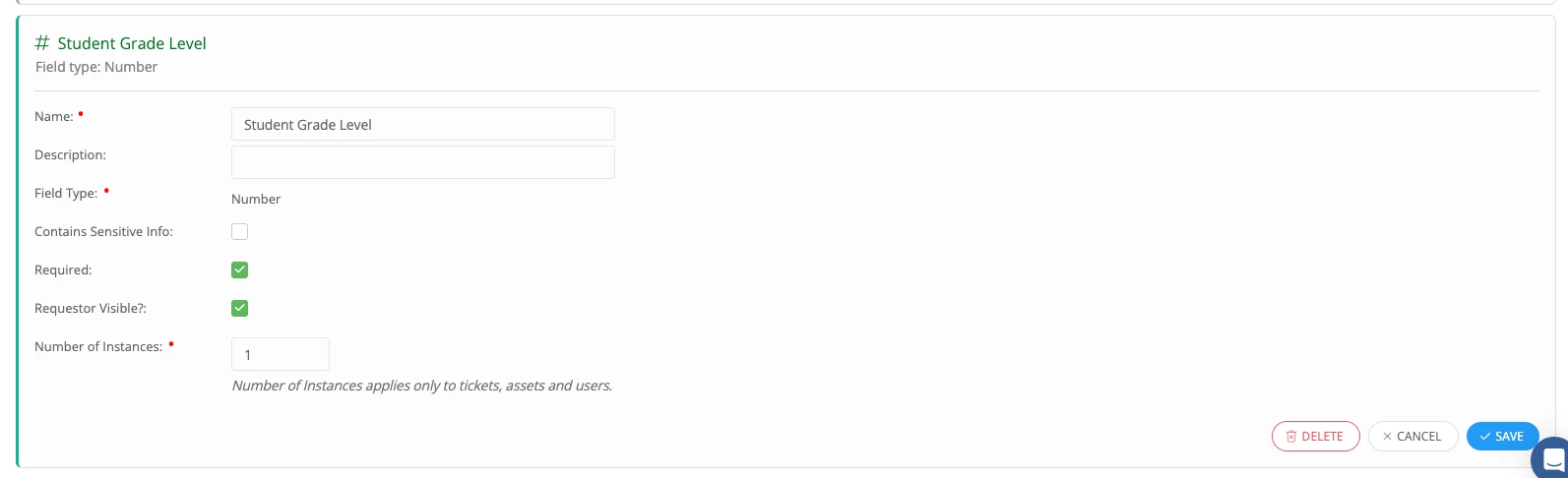
If you do not want this field to be required you can edit the field definition and uncheck the Required setting to make this an optional field.
Alternatively, if you want to leave it required but remove it from certain tickets, I suggest looking at the Tickets tab in your Custom Fields page and remove the field from the condition sections you do not want it to show up for.
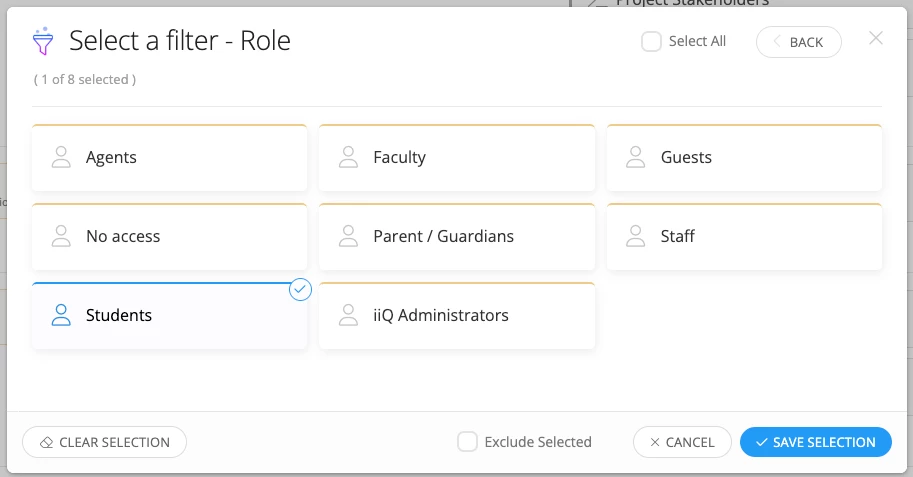
You can additionally add the condition filter for “Role = Student” to prevent the field from showing up to users who are not in the student role.
I hope this helps! Let me know if you have any further questions.
Best,
Emily


Enter your E-mail address. We'll send you an e-mail with instructions to reset your password.
