Solved

Schedule Daily Report

  • April 23, 2026
  • 4 replies
  • 26 views

I wanted to see if there’s a way to schedule daily reports for tickets. I’ve been asked to figure out a way to give my department lead a daily report of our team’s open tickets. I know how to create the report, but I want to know if there’s a way to schedule one to be created daily and emailed. Thanks!

Best answer by KellenH_iiQ

Good morning ​@EGimenez 590058f jusd 


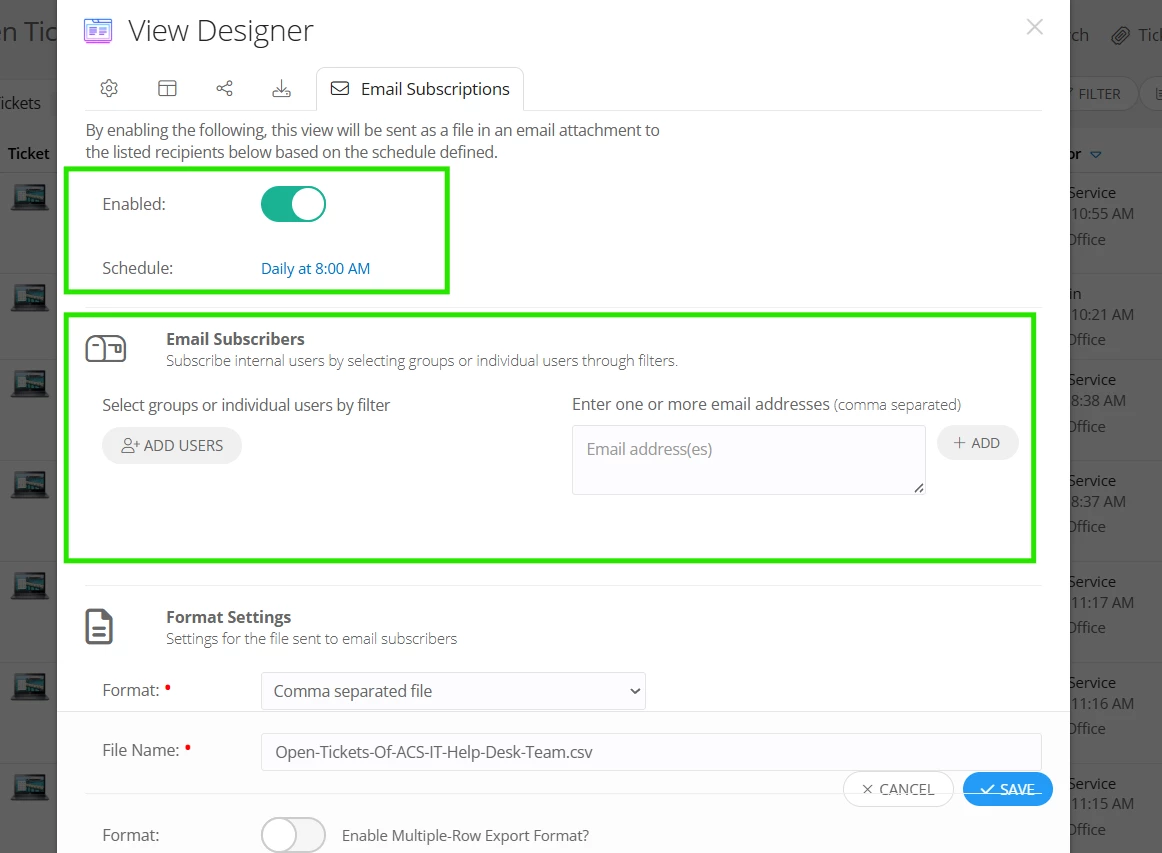
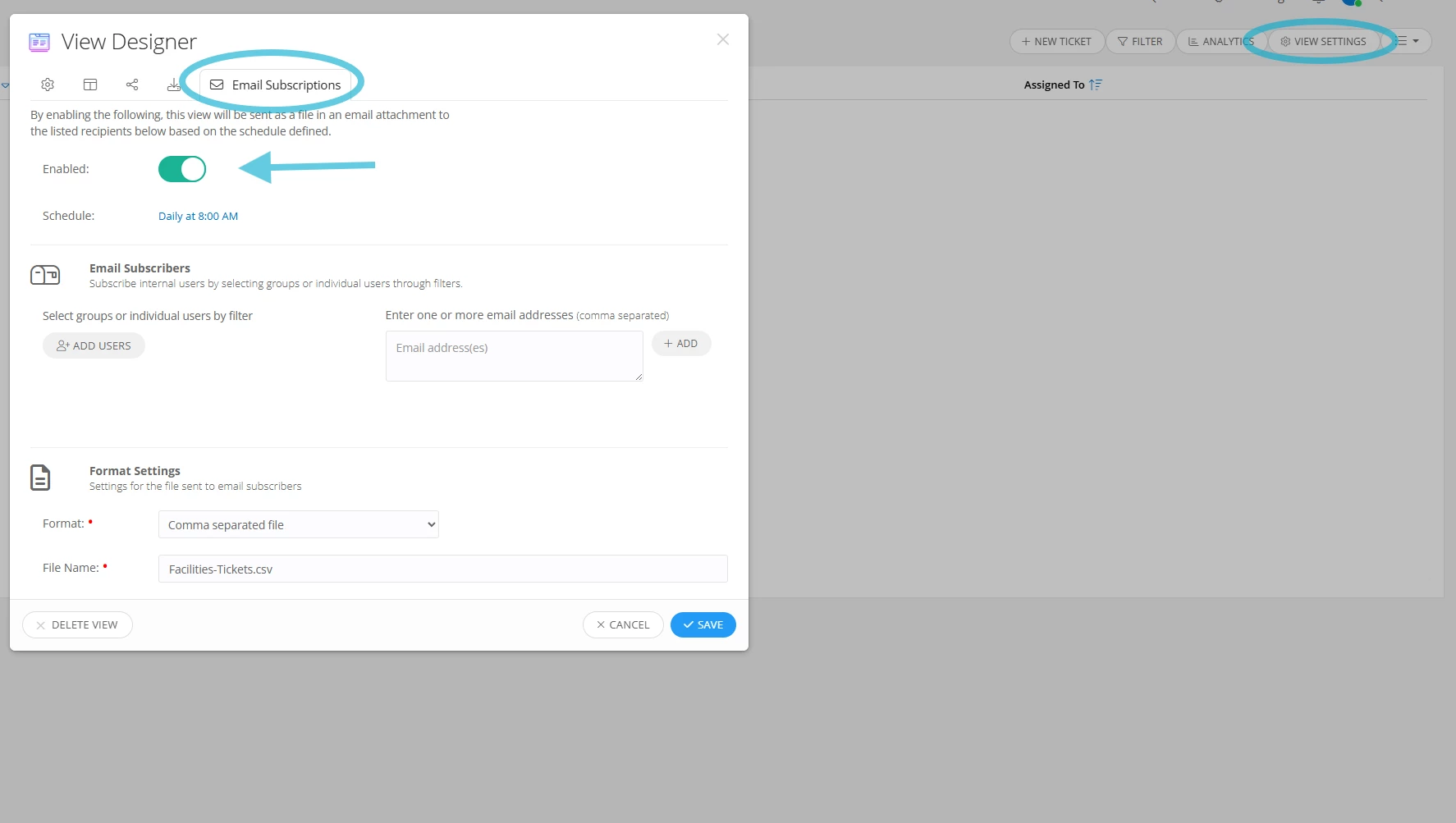
This is definitely achievable! Once you create a view of what tickets fall into the parameters you are looking for, you have the ability within the View Settings to go into the last tab and toggle on Email Subscriptions! There you can set how often and to whom it is going to, I will add a screenshot below for clarity as well! Hopefully this helps! 


4 replies

KellenH_iiQ
Forum|alt.badge.img+1
  • Employee
  • Answer
  • April 23, 2026

Good morning ​@EGimenez 590058f jusd 


This is definitely achievable! Once you create a view of what tickets fall into the parameters you are looking for, you have the ability within the View Settings to go into the last tab and toggle on Email Subscriptions! There you can set how often and to whom it is going to, I will add a screenshot below for clarity as well! Hopefully this helps! 



Forum|alt.badge.img+2
  • Employee
  • April 23, 2026

Hi ​@EGimenez 590058f jusd ,


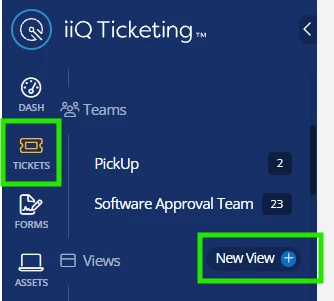
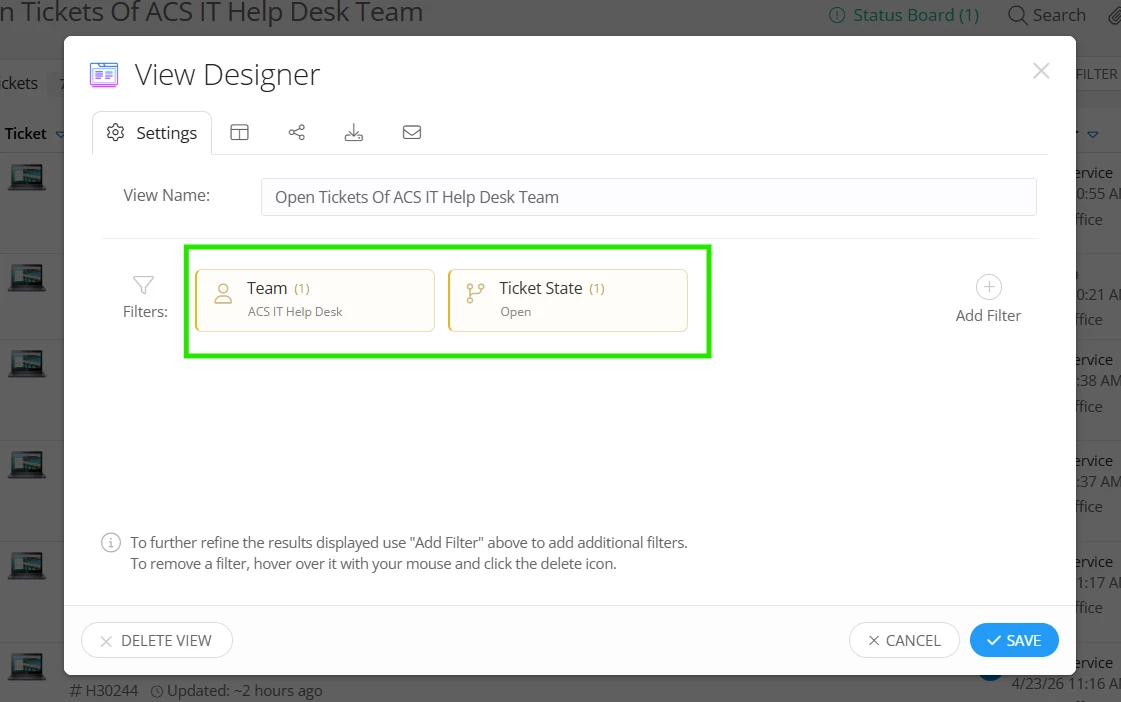
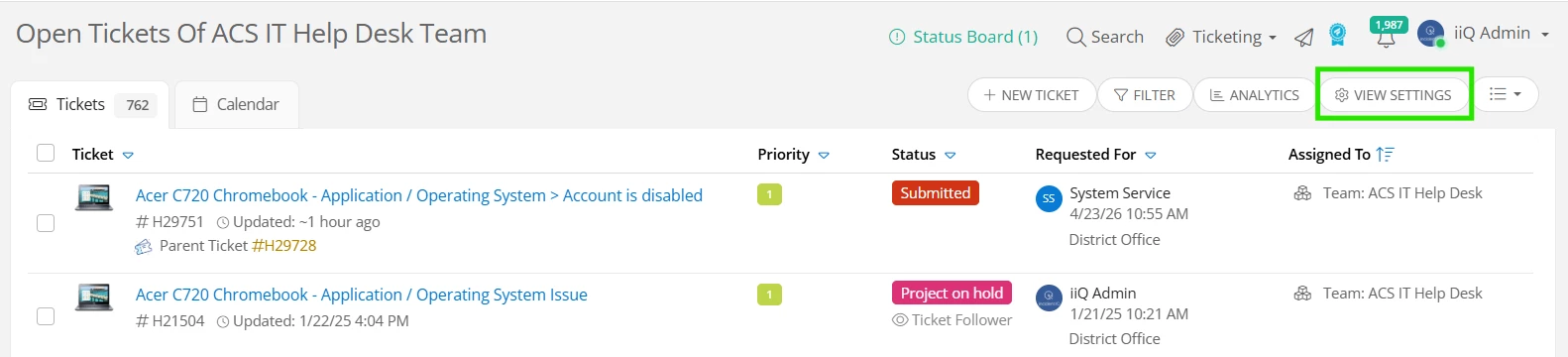
I hope you’re doing great! You can create a ticket view by navigating to Tickets > New View +. A new window will appear and you can add filters, “Team: Your Team”, and “Ticket State: Open” by clicking on “+ Add Filter”. Once the view is created, you can click on “View Settings”. You can then click on the mail icon, and here, you can schedule the time to export the CSV file of your team’s open tickets and select the users to whom you’d like to send the file to. You can add your email address if you’d like to receive the file as well. I’ll attach a few screenshots for your reference.


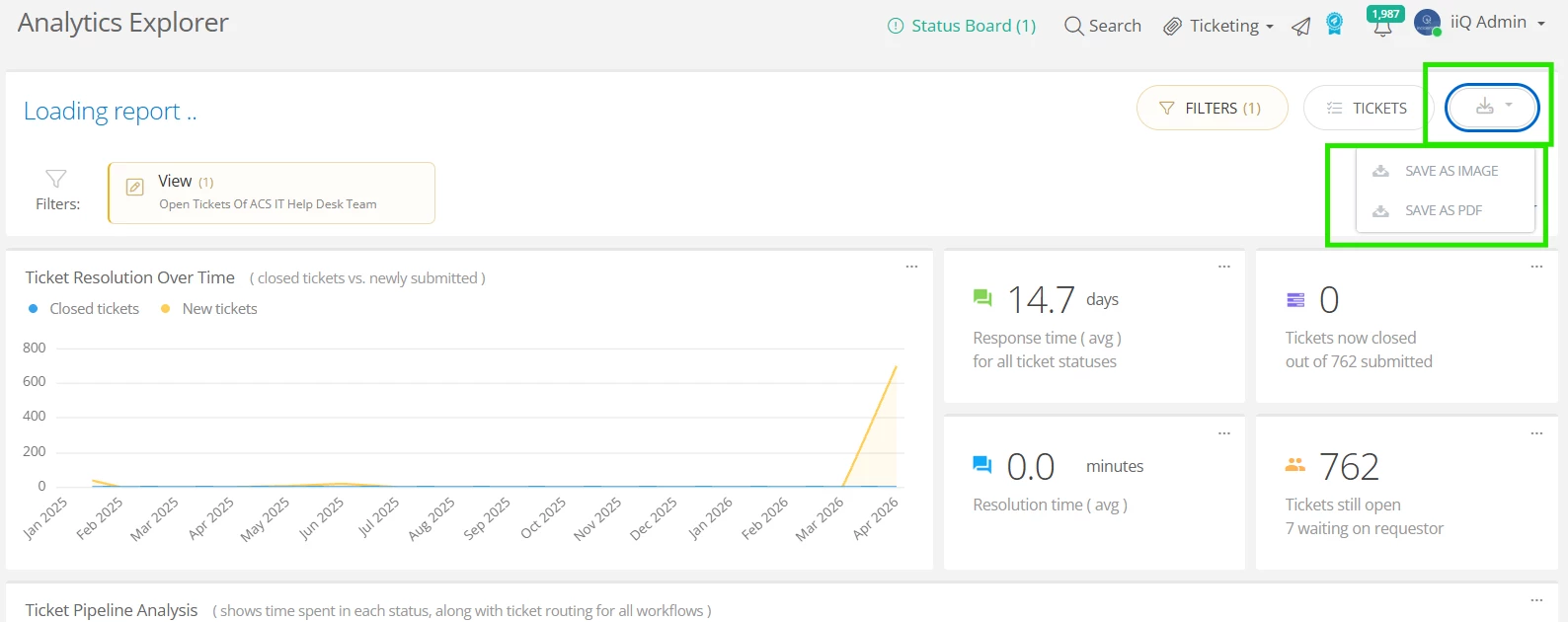
I hope this helps! If you’re looking to schedule an export of analytic report of the tickets, that’s not currently supported at the moment. The analytic report can be saved as an image or a PDF file.


If you have any questions or concerns, please let me know. May you have a great day ahead!


Regards,

Jas


@KellenH_iiQ & ​@JDhanjal_iiQ 

Thank you both for the instructions! I had already created the custom view, so I will give these next steps a try and let you know. Thanks again!


KellenH_iiQ
Forum|alt.badge.img+1
  • Employee
  • April 23, 2026

@EGimenez 590058f jusd 

Great news! Let me know how it goes, or if you get hung up anywhere!