Solved

Teams Question

  • Jan 12, 2026 5:37 PM UTC
  • 2 replies
  • 25 views

Forum|alt.badge.img+5

If a team resolves the ticket does all the agent get credit on the team for resolving the ticket? 


Thanks

Ron

 

Best answer by LWoods_iiQ

Thanks for submitting your question ​@RWatson!
 

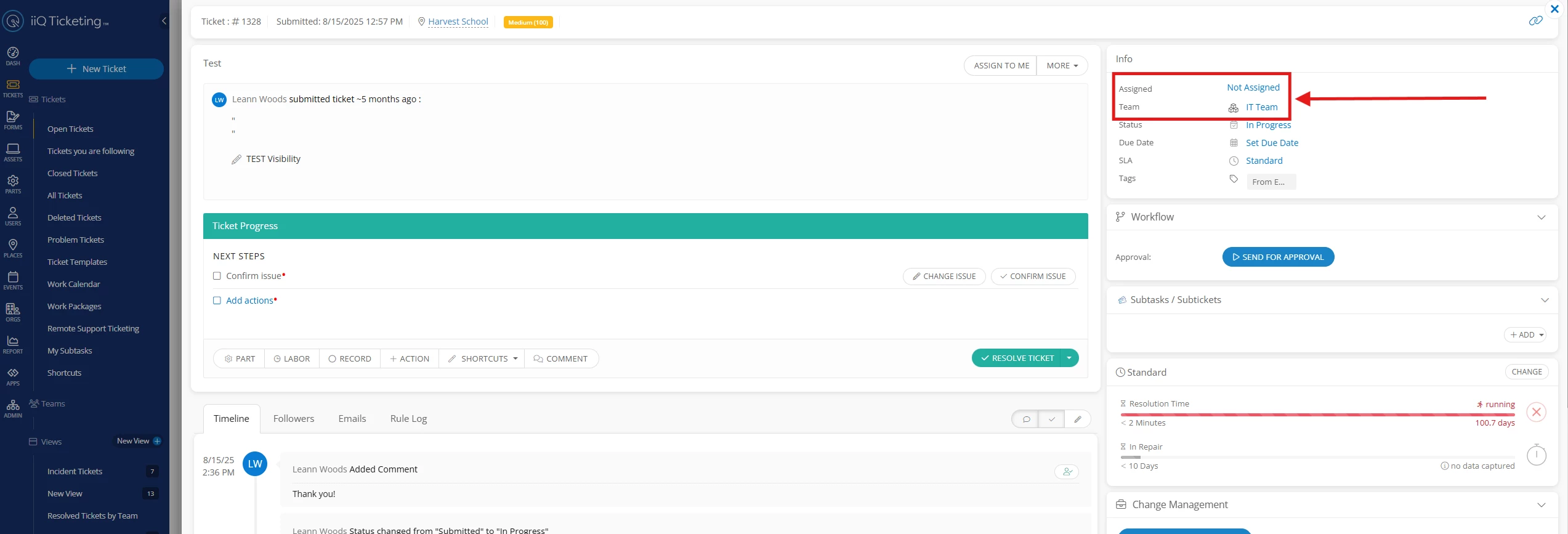
An individual user has to resolve a ticket. If the ticket does not currently have an assigned to agent, then the user that resolves the ticket automatically gets assigned to the ticket. As you can see in the screenshots below as an example. 


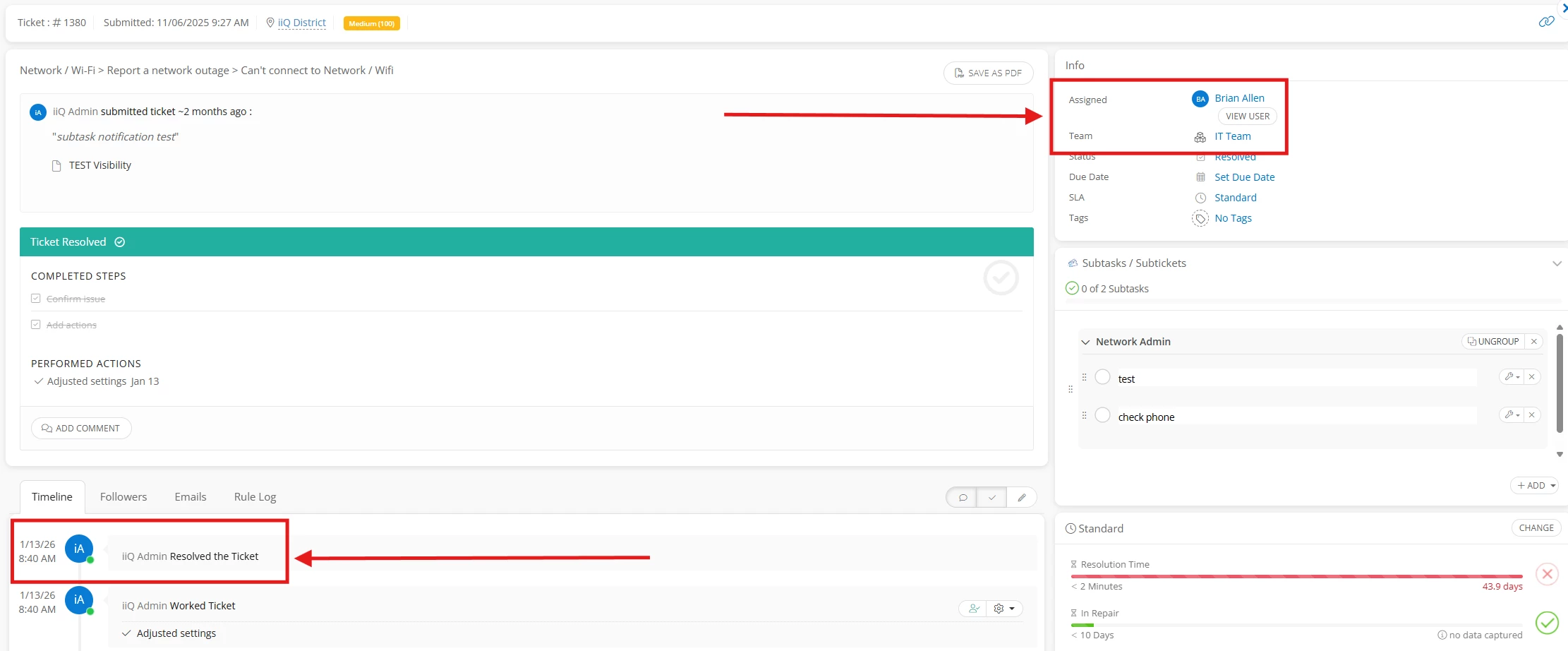
If the ticket already has an assigned agent, you will see in the timeline of the screenshot below, the agent that resolves the ticket gets the ticket resolution credit even if it is assigned to a team.


However, depending on what kind of analytics you are looking for, here are a couple of options that might be beneficial for what you are looking for.

  1. There is the functionality within Reports to filter by team.


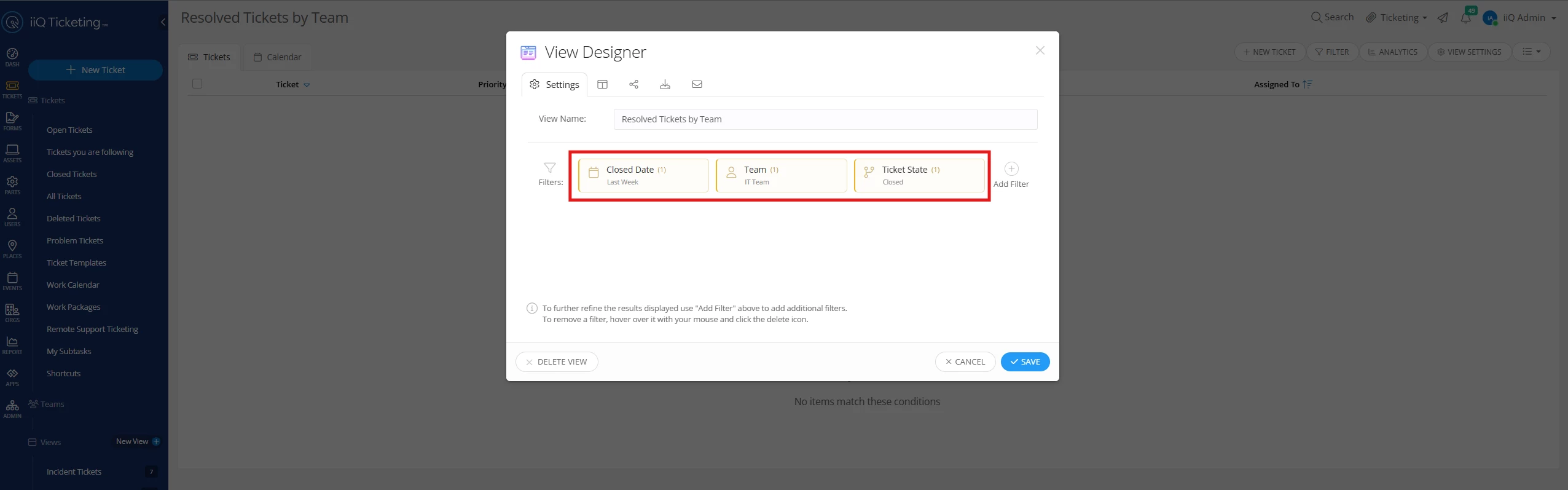
  2. Another option is to create a view for the team’s resolved tickets to see the analytics behind how many tickets the team closed rather than per individual. Filters you can include are a closed date range, the specific team and then the ticket state of closed.


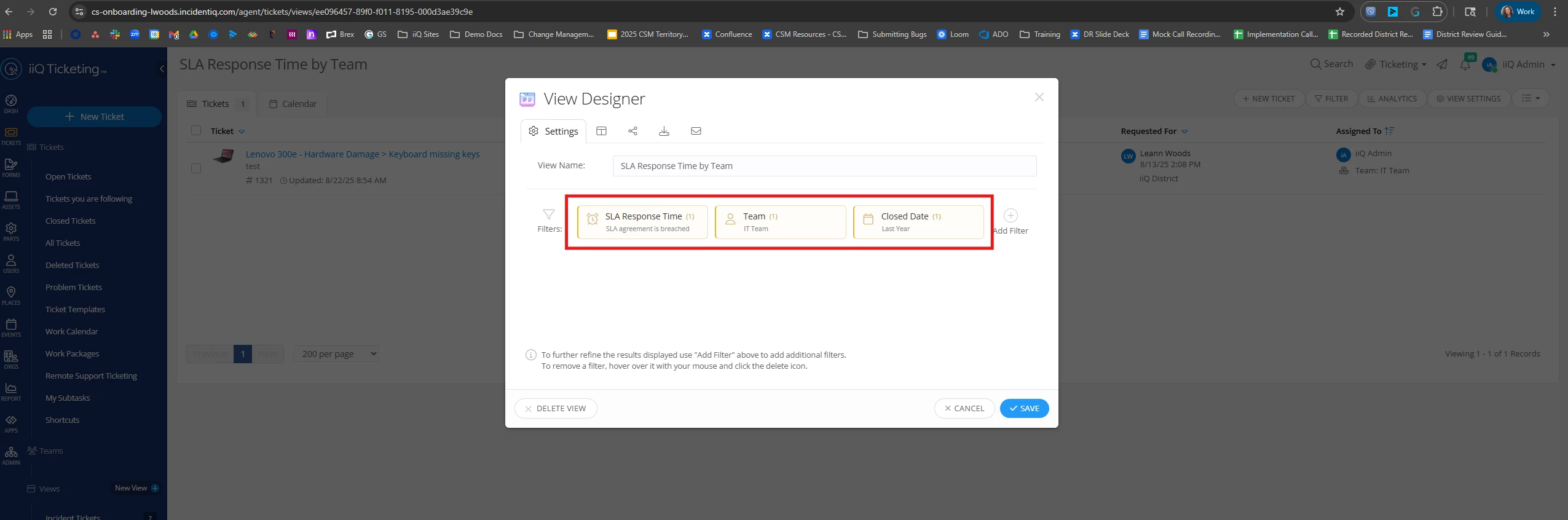
  1. A third option, while maybe not exactly what you are looking for is to create an SLA based on response time if you don’t already have one. A custom view can be created with the filters for SLA Response time is breached, team and close date range.


​​​​​​

Hopefully this answers your question and gives you some additional ideas! 

Thank you!

View original

2 replies

LWoods_iiQ
Forum|alt.badge.img+10
  • Employee
  • Answer
  • Jan 13, 2026 2:27 PM UTC

Thanks for submitting your question ​@RWatson!
 

An individual user has to resolve a ticket. If the ticket does not currently have an assigned to agent, then the user that resolves the ticket automatically gets assigned to the ticket. As you can see in the screenshots below as an example. 
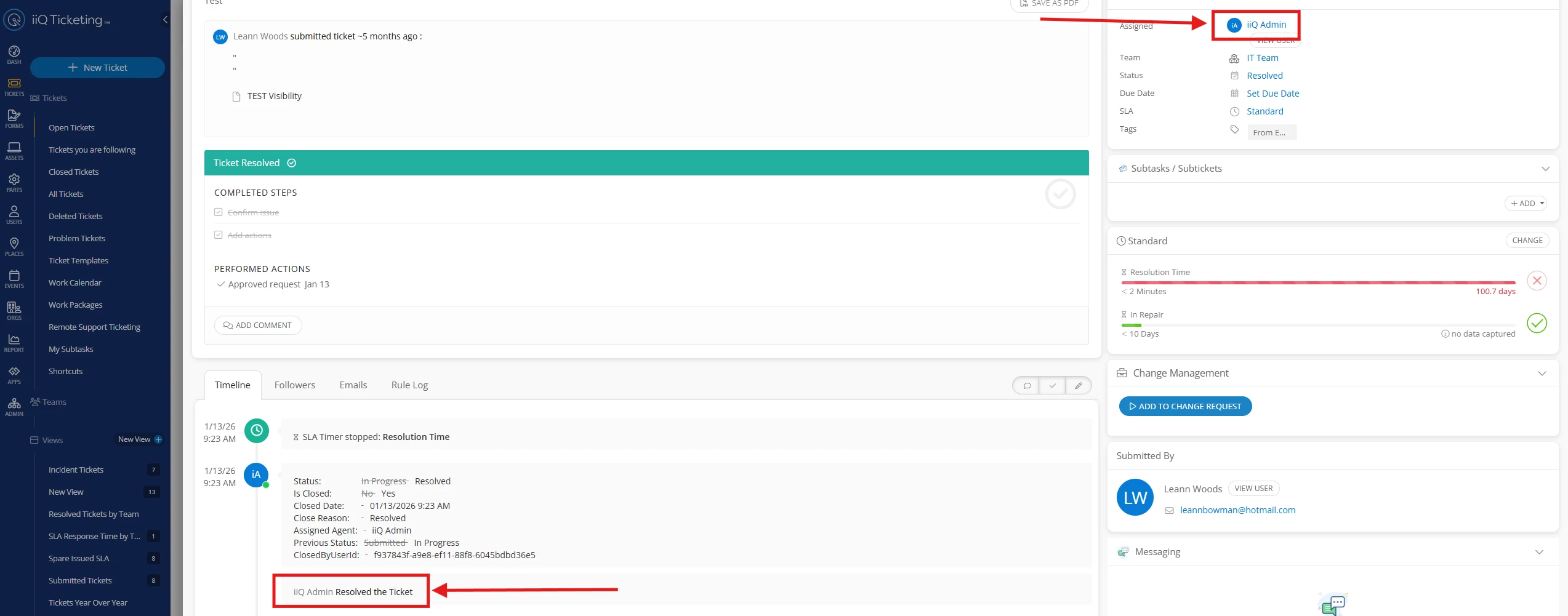


If the ticket already has an assigned agent, you will see in the timeline of the screenshot below, the agent that resolves the ticket gets the ticket resolution credit even if it is assigned to a team.


However, depending on what kind of analytics you are looking for, here are a couple of options that might be beneficial for what you are looking for.
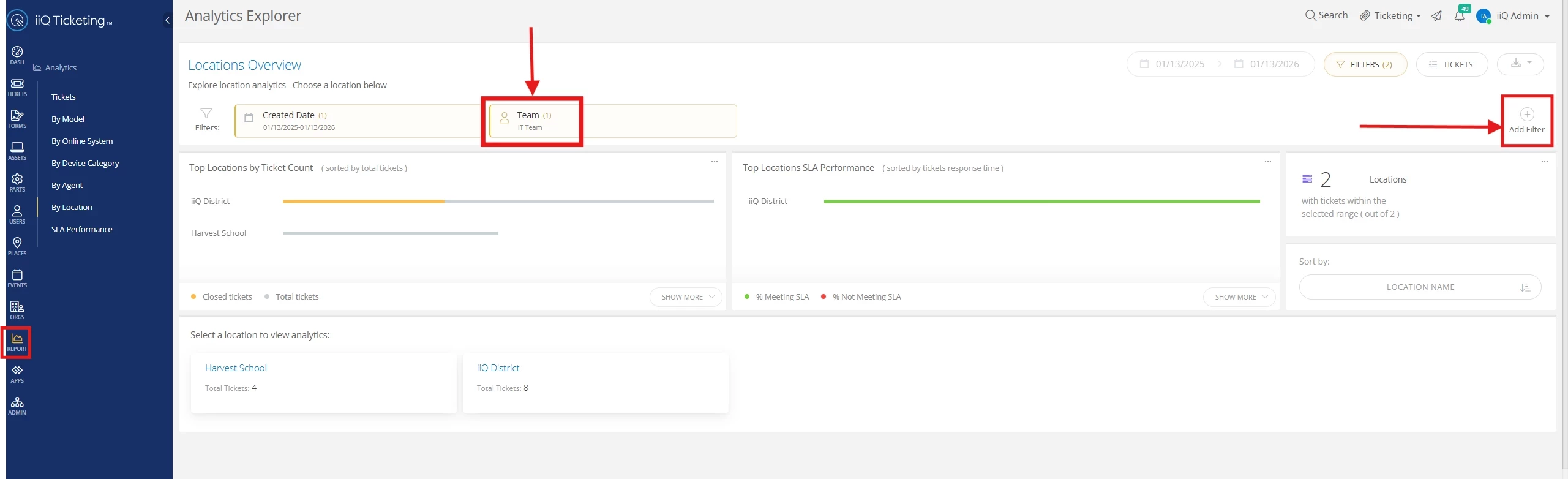
  1. There is the functionality within Reports to filter by team.


  2. Another option is to create a view for the team’s resolved tickets to see the analytics behind how many tickets the team closed rather than per individual. Filters you can include are a closed date range, the specific team and then the ticket state of closed.


  1. A third option, while maybe not exactly what you are looking for is to create an SLA based on response time if you don’t already have one. A custom view can be created with the filters for SLA Response time is breached, team and close date range.


​​​​​​

Hopefully this answers your question and gives you some additional ideas! 

Thank you!


Forum|alt.badge.img+5
  • Author
  • Contributor
  • Jan 13, 2026 2:37 PM UTC

Thanks for sharing this great info.