Question

Ticket Template


Forum|alt.badge.img+2

I am creating a Ticket Template to be use by all members of the staff. IIQ does not have a sharing option to share with all staff without creating a team. There are only two options either share ticket template via the user (with this option, i have to add each user individually) or share via team and teams are setup for IT Staff only. I tried setting up a team for all staff but teams max out at 100 users. Is there a way to share ticket template with users based on the user role instead. 

7 replies

Forum|alt.badge.img+17
  • Specialist
  • October 16, 2026

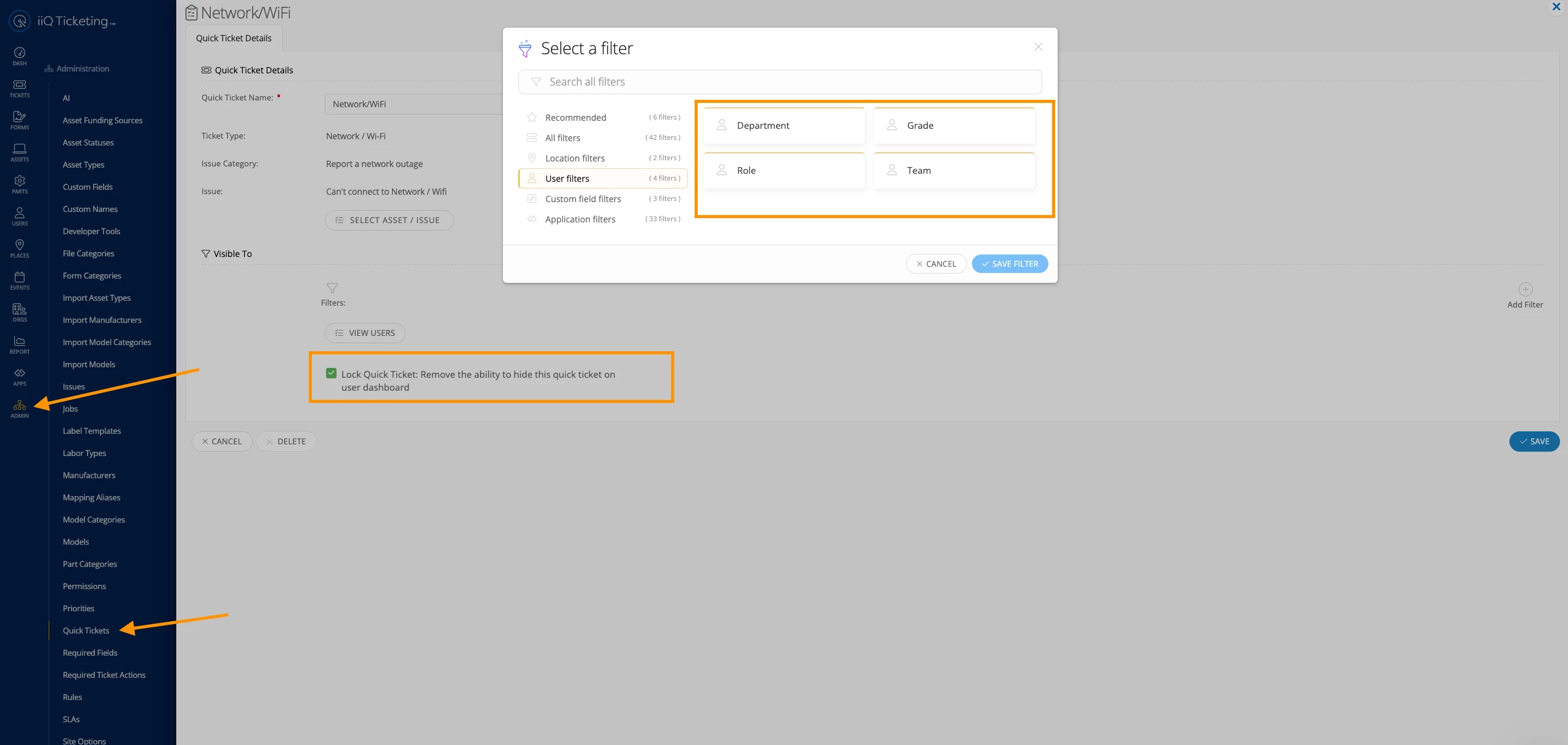
If there’s no need for them to change the location or requestor on the ticket during creation, you can utilize a Quick Ticket for that purpose. Those are a lot cleaner IMO


Forum|alt.badge.img+2

With Quick Ticket, users still need to answer prompts and provide information. I want this standardize to make it much easier for users with the prepopulated/prefilled options that ticket template provides. 


DDonaldson_iiQ
Forum|alt.badge.img+3

​@SCarr 380222e wsd, that is correct, you can only share Ticket Templates with users or teams, but this would be an enhancement request! And ​@jclark is right, I was also going to say utilizing Quick Tickets would be much easier and you can even lock it on the users dashboard to easily submit a ticket!


Forum|alt.badge.img+2

​@DDonaldson_iiQ, Agreed that Quick Tickets being locked to the user dashboard is beneficial from an accessibility standpoint. However, Ticket Templates provide a significantly better experience for our staff because they can prepopulate nearly all required information, including category, issue type, subject, description, and other required fields.


From our experience, this results in much more consistent and standardized ticket submissions, while also reducing the amount of information that staff need to enter themselves. As a result, we receive more complete and accurate ticket details, which improves routing, troubleshooting, and overall efficiency.


Our challenge is that Ticket Templates can only be shared with individual users or teams. With approximately 650 staff members, managing template access in this manner is not scalable, especially with team membership limits.


Being able to share Ticket Templates based on user roles, groups, or all end users would provide a much more manageable solution and allow us to continue using the feature that best meets our operational needs.


We will go ahead and submit this as an enhancement request. Thank you for considering the feedback.


DDonaldson_iiQ
Forum|alt.badge.img+3

​@SCarr 380222e wsd  thank you for providing these additional details! I can totally see how sharing Ticket Templates with other roles would make quality of life easier. We appreciate your feedback.


Kathryn Carter
Forum|alt.badge.img+18

​@SCarr 380222e wsd Thank you for submitting your question to our community and for your feedback! 😄  I just wanted to link the Ticket Template idea here for others searching. 


EStapf_iiQ
Forum|alt.badge.img+14

​@SCarr 380222e wsd When looking at your original request something stood out to me. It said you couldn’t make a team of staff because it was more than 100. I work with our largest districts and have teams of thousands of people!
I have a way for you to do this in bulk if you’d like to!

Ensure you have the Team created that you’d like to add your Staff members.
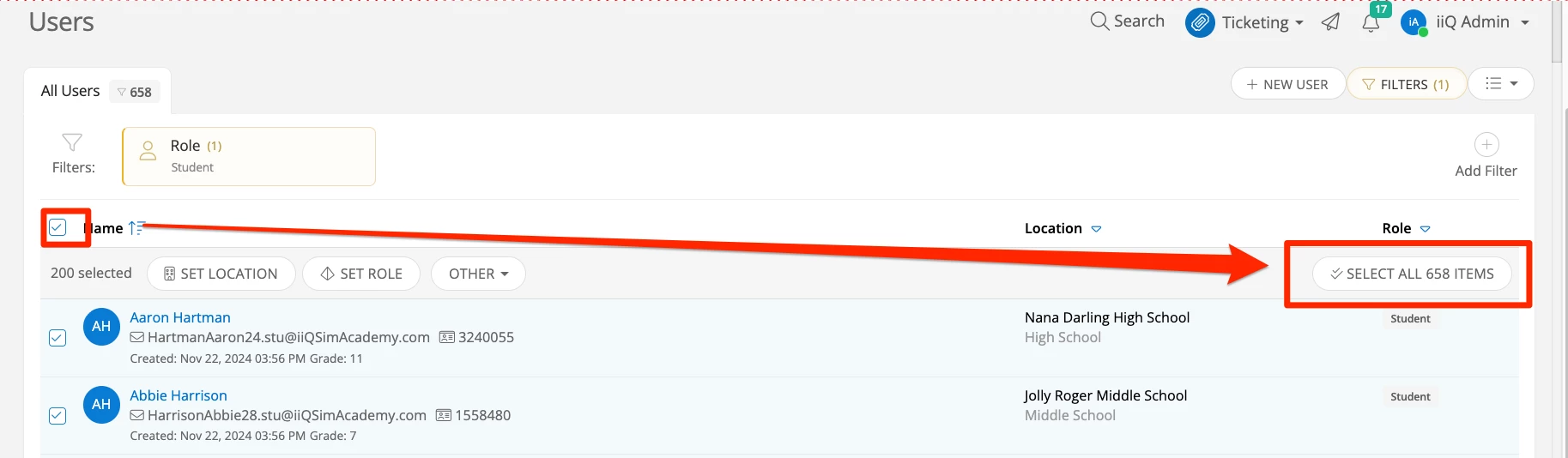
Next, navigate to Users > User Explorer  > Staff and click the box in the upper left hand corner to select all users on the page. Then click on the right side that says ‘Select all x Users’ (I’m going to show this with my student role because I have over 600 of them):

Users > Bulk Select > Select All

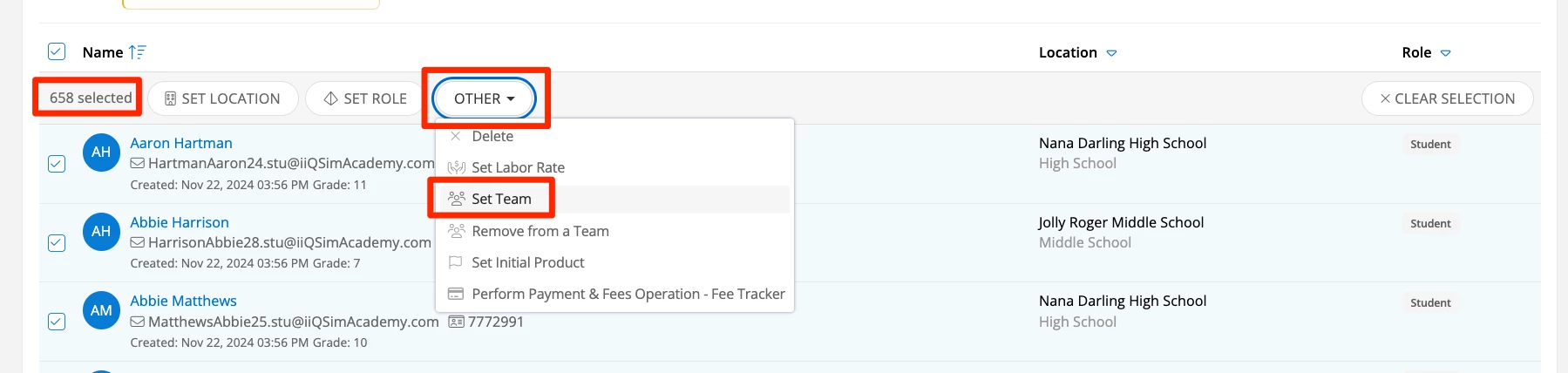
Then you’ll navigate to the ‘Other’ drop down menu and choose ‘Set Team’:

Other > Set Team

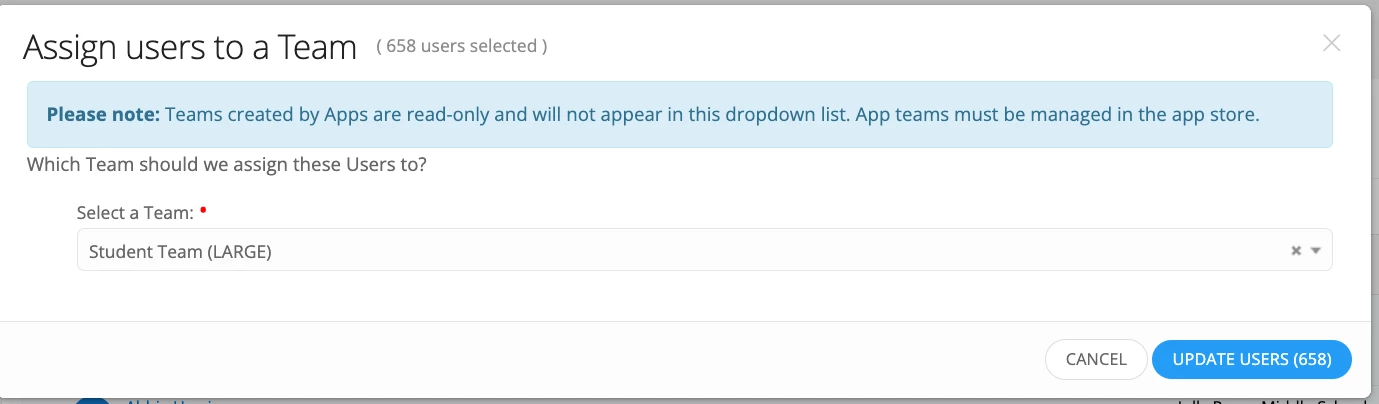
Next choose the already created Team off the drop down list and click ‘Update Users’:

Update Users to Team

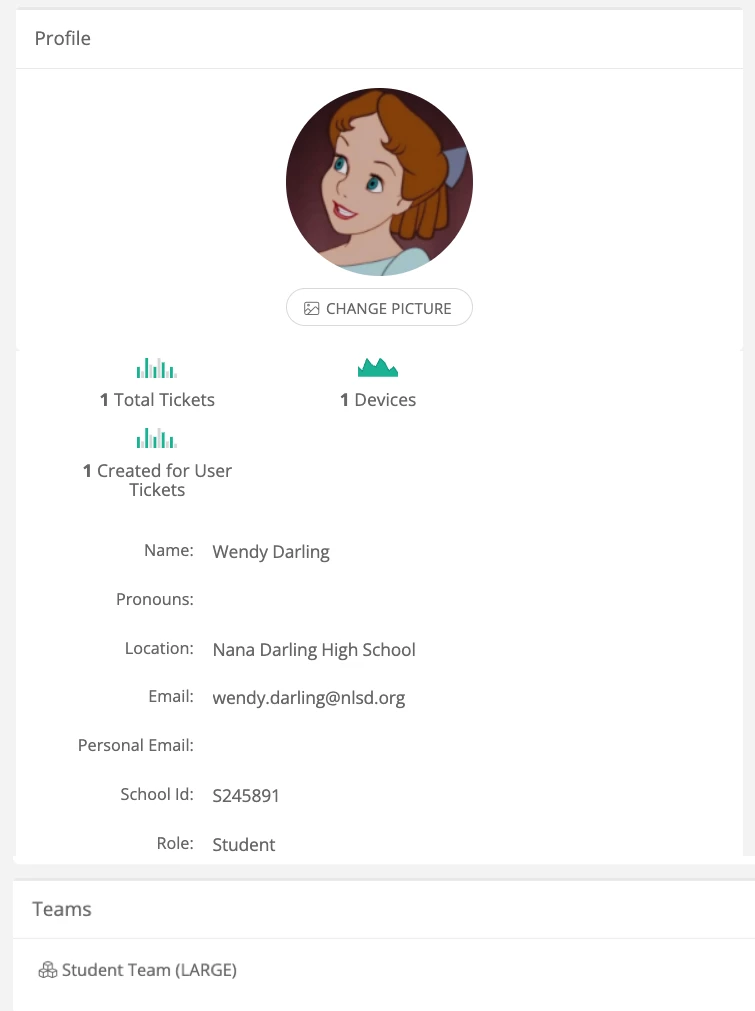
This will run a job that adds all these users to a team so you can quickly and easily share you template with the team. 

Wendy now on Team


You could also use Group to Teams mapping within your SSO if you’d like to take the manual upkeep out of the process. You can learn more about that within your specific SSO KB guide, but I’ll link the Google SSO one here to point you in the right direction:
 

and a general link to all SSO KBs can be found HERE.
Hope this helps!