We have a third party app that sends a email to IQ support to open a ticket when x happens (like the camera is offline). We would like to turn off all email notifications for that guest accounts so that IQ doesn’t send any emails to that email account. Is that possible.
Thanks
Ron
Best answer by JDhanjal_iiQ
Hi @RWatson ,
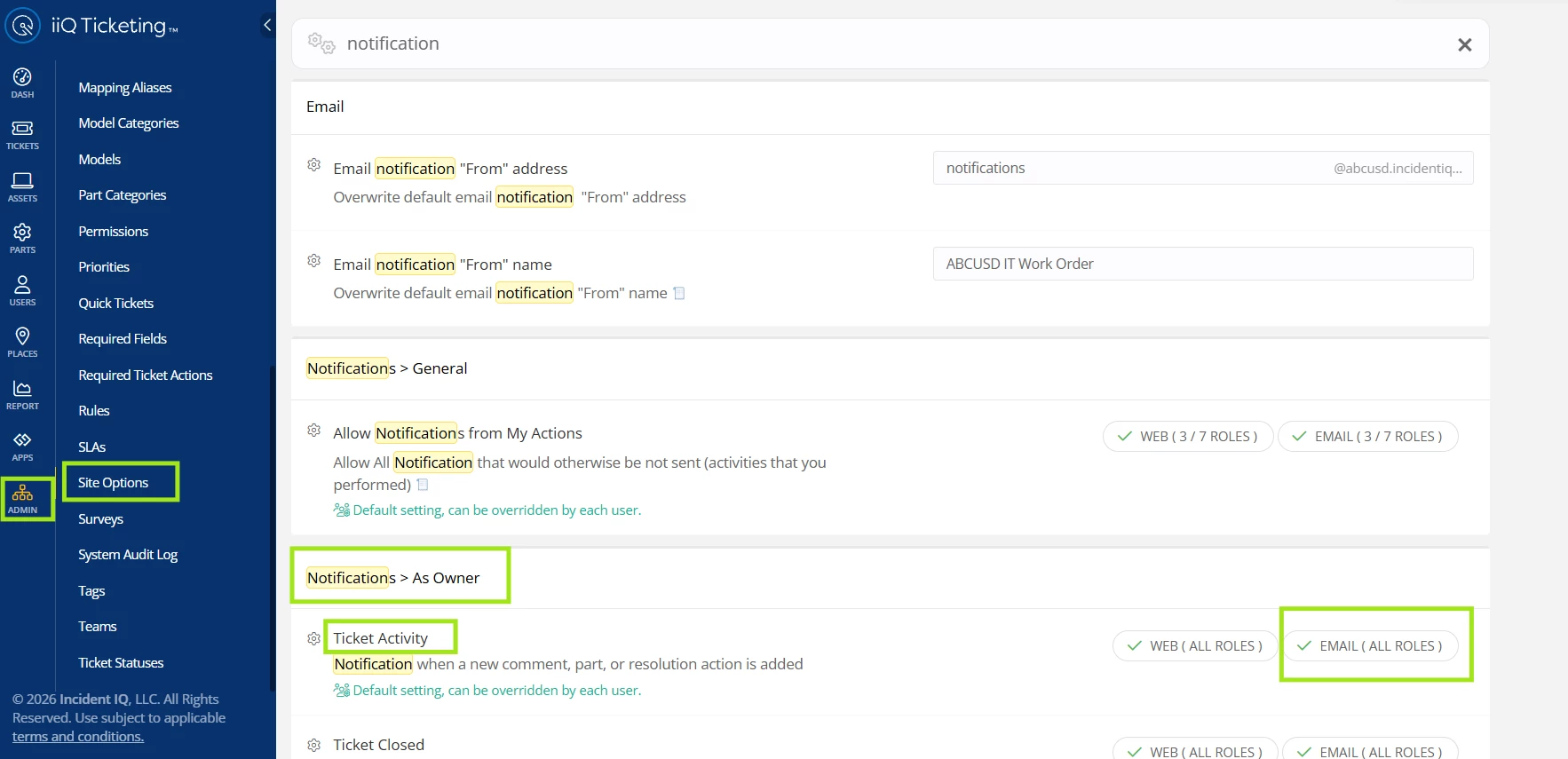
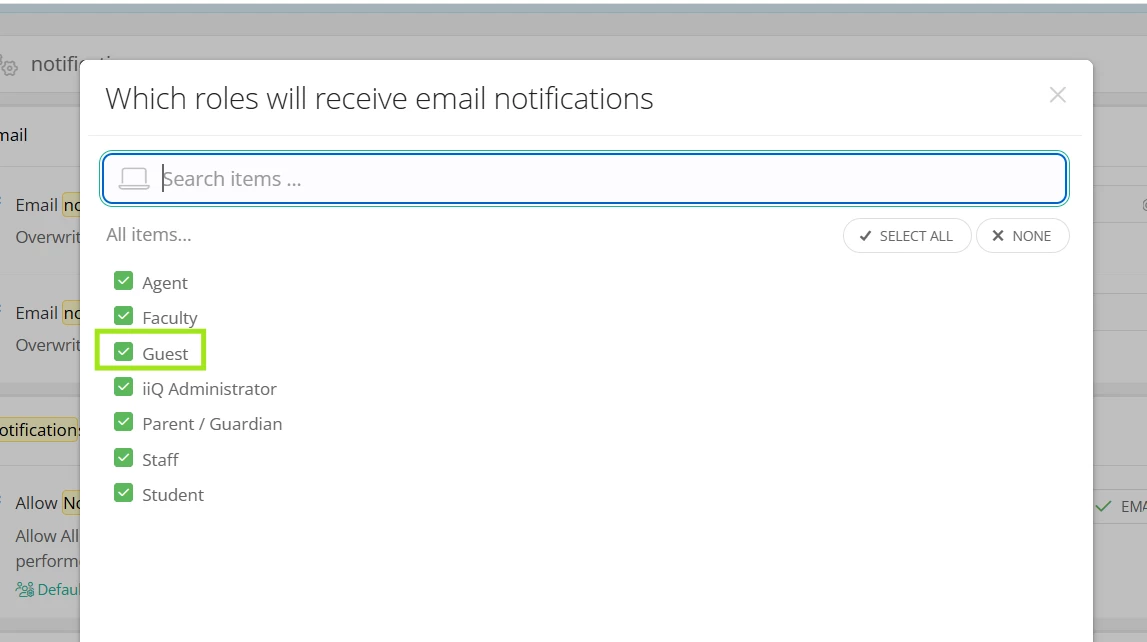
I hope you’re doing great! To turn off notifications for the guest users, you can navigate to Admin > Site Options > Notifications > As Owner, and exclude the “Guest” role for “Email”. I’ll attach a few screenshots for your reference.
However, if there is a specific guest account for whom you’d like to turn off the email notification, feel free to reach out to IIQ, share the user’s account and we’d be more than happy to turn off the notifications for that specific account.
I hope this helps! If you have any questions or concerns, please let me know. May you have a great day ahead!
Hi @RWatson , Thanks for your question. From the left navigation , select ADMIN > SITE OPTIONS then scroll Notifications section and remove the Guest role from the notifications. Note this will turn off notifications for all guest users.
If you would like to only have email notifications to turned off for this user you could have them edit their profile to configure their notifications or with access to that account you could do it yourself.
Thanks for the reply. I need it to stay on for other guest so turning it off for all guest is not an option.
As far as the second option “edit their profile” Its a service account so I don’t have access to that email and when I edit the user in IncidentIQ I don’t see a spot to reset their password so I can log in as them to turn the notifications off
I hope you’re doing great! To turn off notifications for the guest users, you can navigate to Admin > Site Options > Notifications > As Owner, and exclude the “Guest” role for “Email”. I’ll attach a few screenshots for your reference.
However, if there is a specific guest account for whom you’d like to turn off the email notification, feel free to reach out to IIQ, share the user’s account and we’d be more than happy to turn off the notifications for that specific account.
I hope this helps! If you have any questions or concerns, please let me know. May you have a great day ahead!