Solved

Using Avery 5160 Label Issues. Help

  • May 18, 2026
  • 4 replies
  • 16 views

Forum|alt.badge.img+4

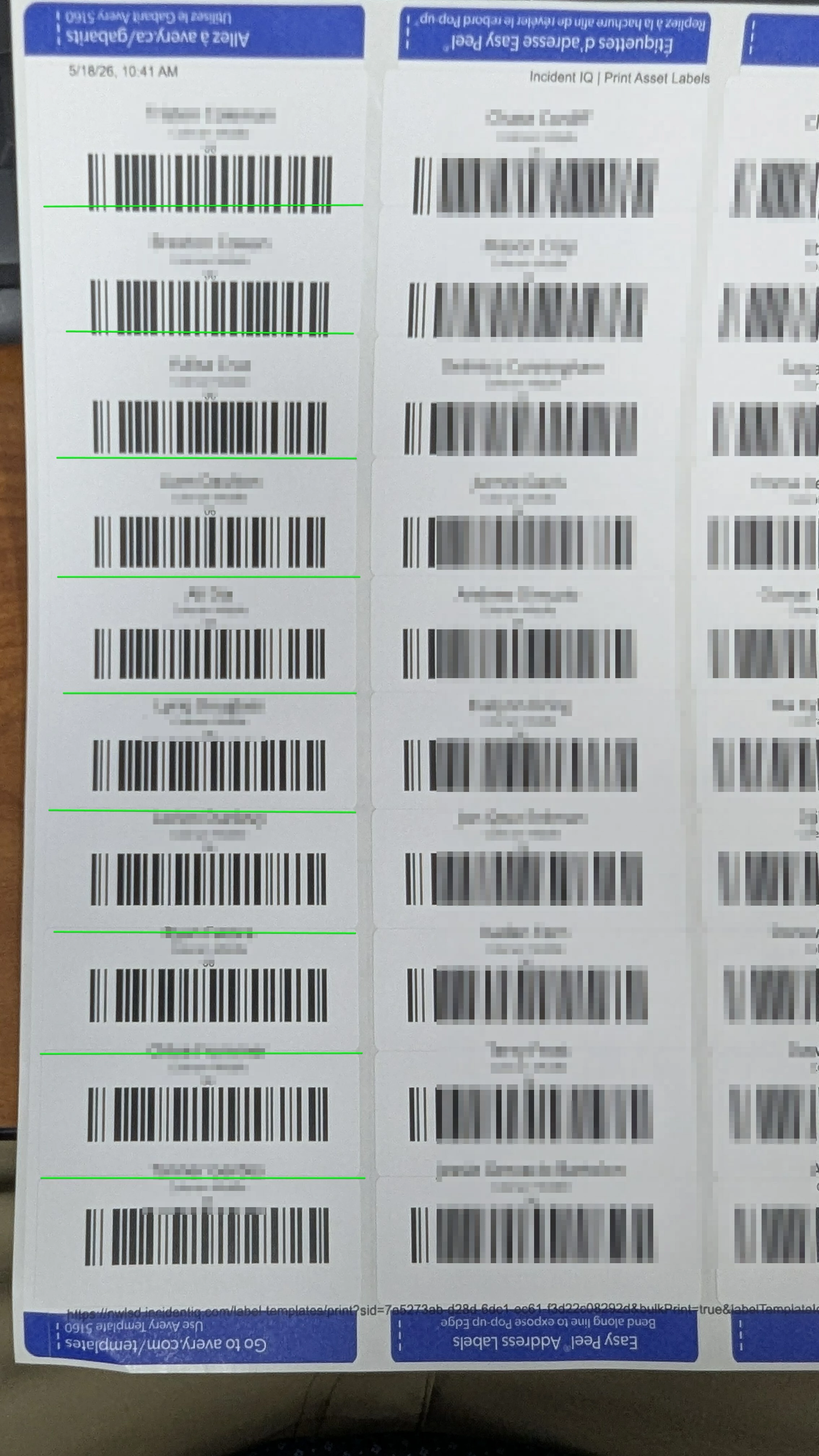
Anyone else have issues with printing standard Avery 5160 Labels?  We created a template with exact label dimesions of 1” x 2.625” and it continues to not space correctly vertically or evenly. The labels run off to the next label..  This is very frustrating. It makes the module unusable.  Is there a trick we are missing to make them come out right?

Best answer by mfischer

@JDhanjal_iiQ  Please disregard my issue, it turns out that when printing a PDF it defaults to “Fit to Page”  causes the misalignment.. Changing setting “Actual” size resolves my issue.

4 replies

Forum|alt.badge.img+3

Hi ​@mfischer ,


I hope you’re doing great! My name is Jas and I’m a part of the IIQ Support team. Could you please share a few screenshots of the Asset Label settings, preview, and an image of the printed labels? That would help me in my investigation. 


If you have any questions or concerns, please let me know. May you have a great day ahead!


Regards,

Jas


Forum|alt.badge.img+4
  • Author
  • Contributor
  • May 18, 2026

@JDhanjal_iiQ 

See image below.

The only labels that are aligned correctly are in the middle of the page. “Green line indicates label cut off”

Also the header and footer prints on the labels. These are Avery 5160 Easy Peel Labels


Forum|alt.badge.img+4
  • Author
  • Contributor
  • Answer
  • May 18, 2026

@JDhanjal_iiQ  Please disregard my issue, it turns out that when printing a PDF it defaults to “Fit to Page”  causes the misalignment.. Changing setting “Actual” size resolves my issue.


Forum|alt.badge.img+3

Hi ​@mfischer ,


Glad to hear that changing the setting to “Actual” size resolved the issue! If you have any other questions or concerns, please let us know. May you have a great rest of your day!


Regards,

Jas