We are using storage tracking for the first time and I just found where I could set some rules up for next year. This year, we just checked them in and In Storage was sporadically setting. Most of them stayed In Service. Yesterday I created a view and set everything that was in a storage location to “In Storage”. This morning, almost all of them have been changed back to In Service. Am I missing something?

Solved
Checked In Chromebooks Status


Best answer by JDhanjal_iiQ
Hi
I hope you’re doing great! After further investigation, I found that in the “General Settings” tab in the Google Devices app, under the “Update Asset” setting, the “Set asset status” is currently set to “In Service”, meaning that if an asset exists in IIQ, this setting will update it and also set its status to “In Service”. This is why the Google Devices sync is changing the status to “In Service” whenever a device matches an existing asset in IIQ. I’ll attach a screenshot for your reference.
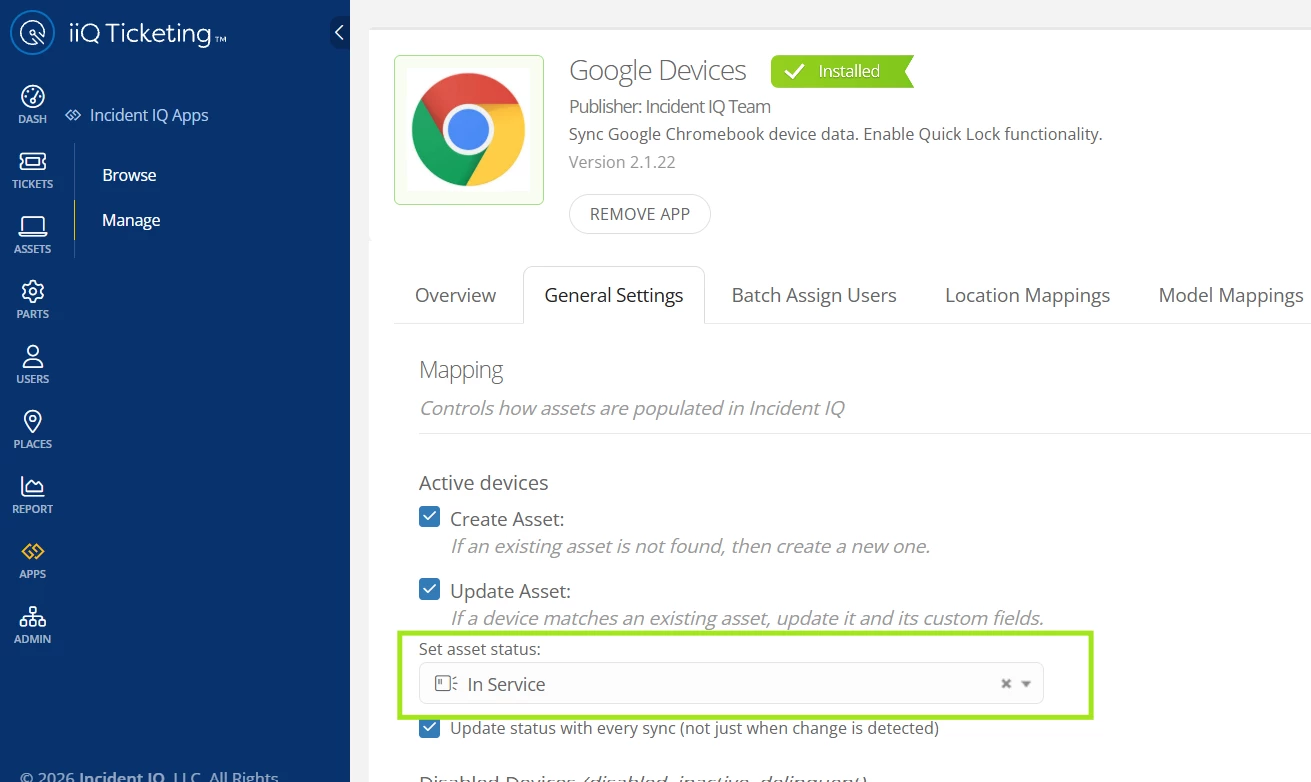
To prevent this, you can navigate to Apps > Manage > Google Devices > General Settings, and remove the “In Service” status. I hope this helps! If you have any questions or concerns, please let me know. May you have a great day ahead!
Regards,
Jas


Enter your E-mail address. We'll send you an e-mail with instructions to reset your password.
