How do you keep record of the condition of student devices? I want to be able to record if a device is in Excellent, Good, Fair, or Poor condition to help me figure out which devices need to be replaced early or reassigned to lower grade levels. We have the assets module but I don’t see an option to document asset status in the verification. Am I missing it or is it not a feature. Does anyone have a workaround for this?

Solved
Documenting Asset Condition
 +2
+2Best answer by JDhanjal_iiQ
Hi
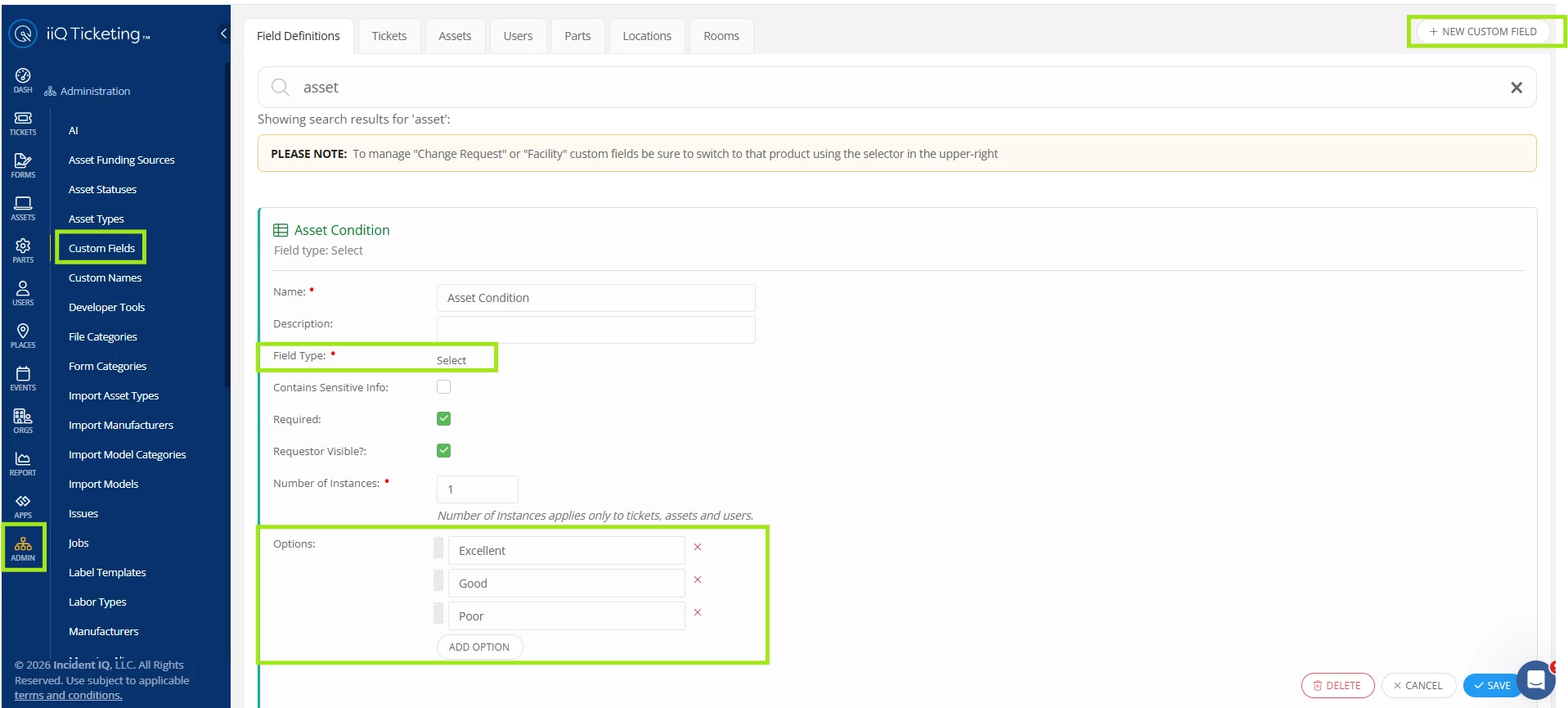
I hope you’re doing great! I’d like to share a workaround of documenting asset’s condition by creating a custom field. You can navigate to Admin > Custom Fields. Here, you can click on “+ New Custom Field” and create a custom field to document asset’s condition, with the field type “Select” and options such as “Excellent”, “Good”, and “Poor” etc. I’ll share a screenshot of the custom field.
Once the custom field is created, you can click on the “Assets” tab, and then on “+Add Field With New Conditions”. Here, you can search for the custom field and add it. If you would like this custom field to appear on all assets, you don’t need to add a condition, but if you want this custom field to appear on a specific model or model category, you can add conditions by clicking on “+Add Condition”.
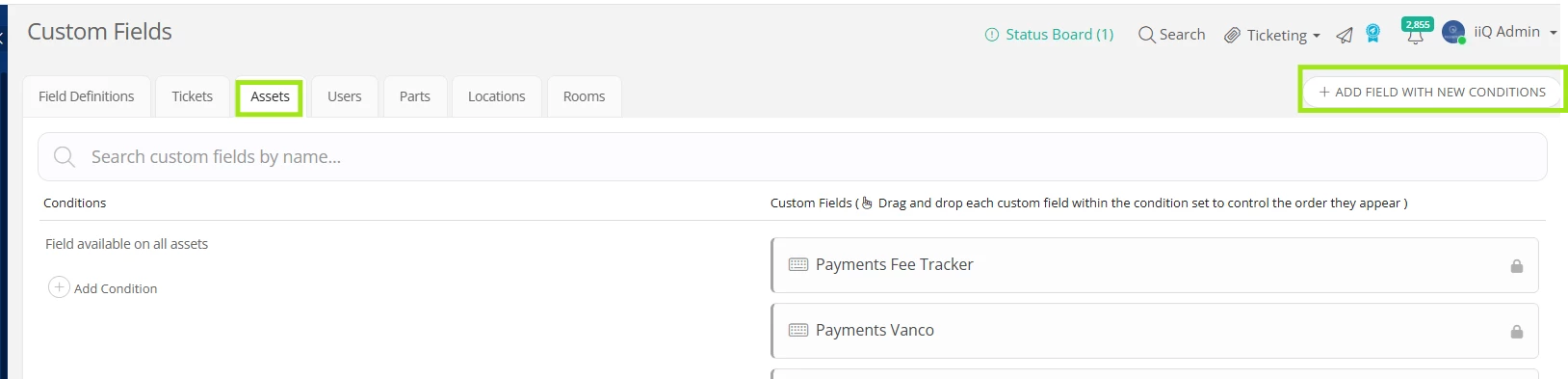
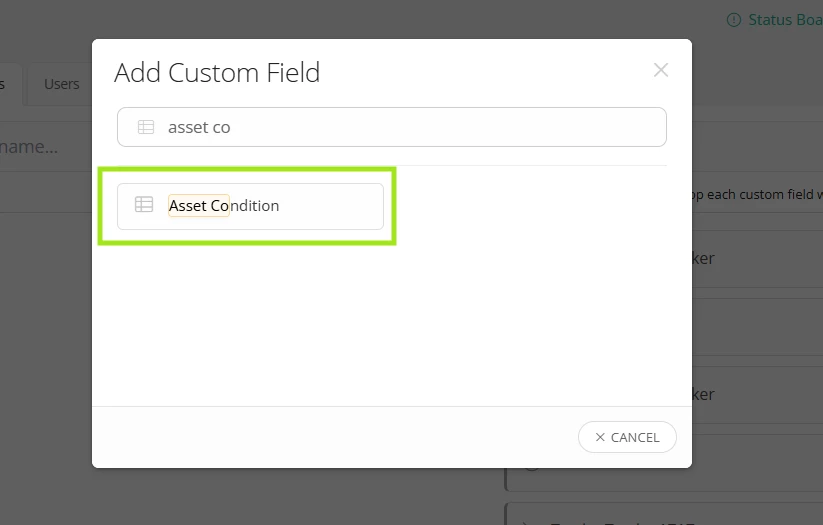
Once added, the custom field will appear on the asset’s profile page and you can update the field by opening the asset’s profile, and clicking on “Options” and then on “Edit Asset”.
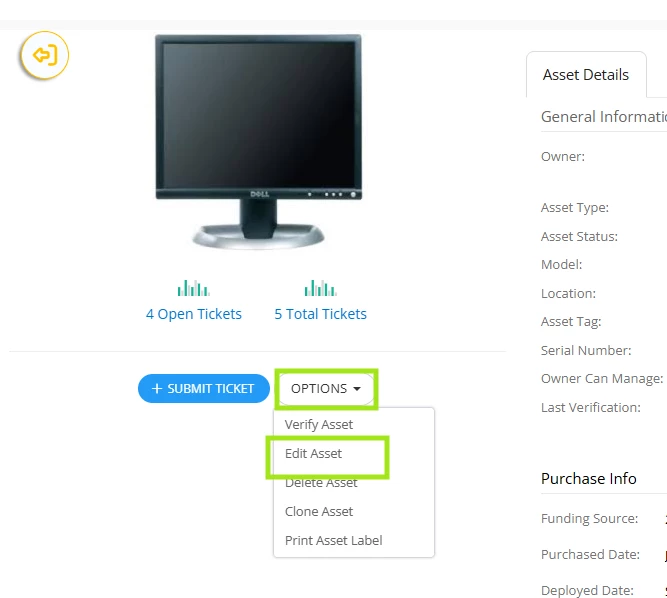
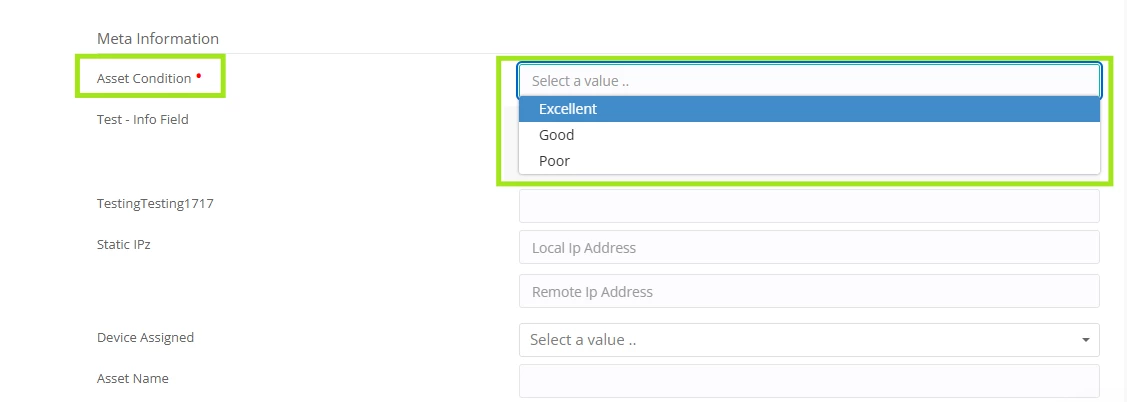
You can update the custom field individually from the asset’s profile page or in bulk if the condition of the assets appears to be the same by selecting them.
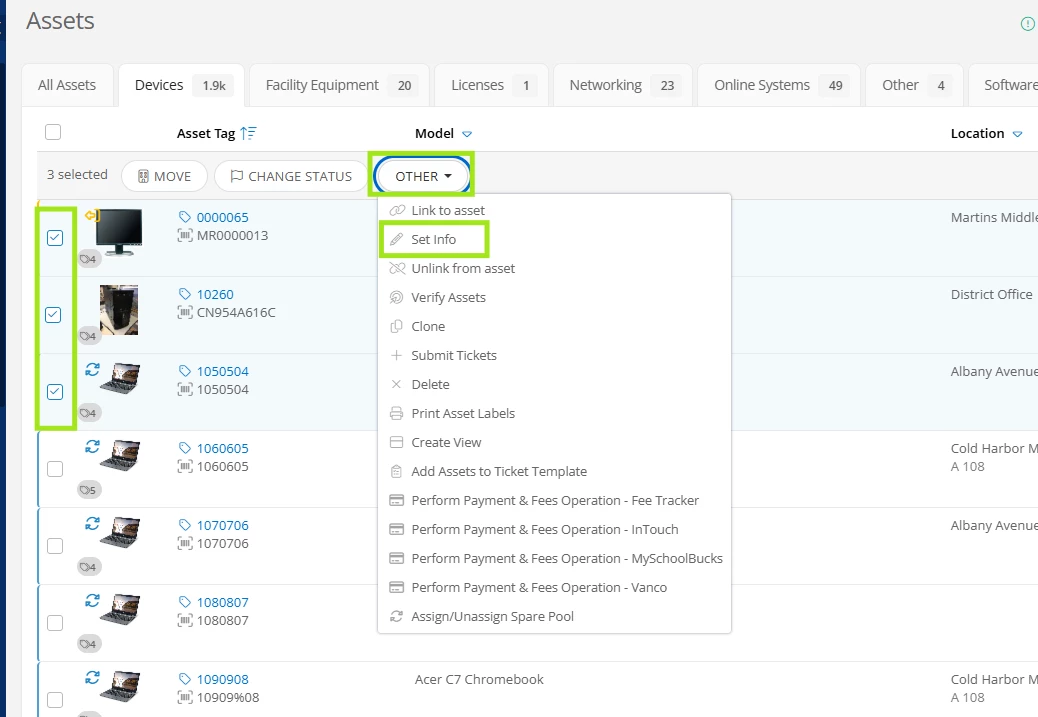
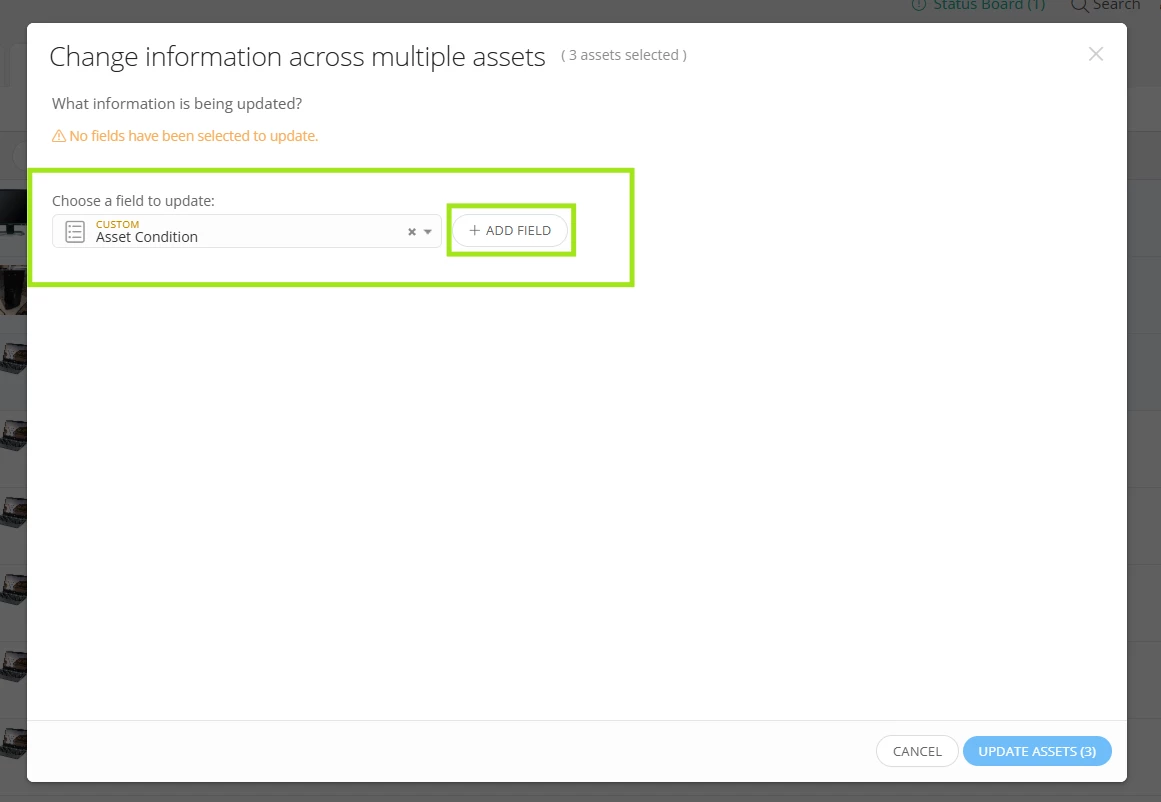
Once the assets are selected, you can click on “Set Info” and select the “Asset Condition” custom field.
I hope this helps! If you have any questions or concerns, please let me know. May you have a great day ahead!
Regards,
Jas


Enter your E-mail address. We'll send you an e-mail with instructions to reset your password.
