



It’s that time of year again. The sun is out, seniors are dreaming of graduation, and tech departments everywhere are bracing for the "Great Device Roundup". If your previous end-of-year process involved "hoping kids bring them back" and realizing three months later that you're missing half your fleet, this one is for you.
I recently sat down with Cameron Holland from Liberty Hill ISD to talk about how they’ve turned the chaos of device collection into a streamlined, real-time science using Incident IQ Custom Views.
The Problem: The "Tell and Hope" Method
Before moving to their current workflow, Liberty Hill ISD faced a common challenge: a lack of visibility. They would ask students to turn in devices, but they wouldn't know exactly who was missing until it was far too late to track anyone down.
“I don’t think that there was a process beforehand. And that was the problem… then months later, when it’s too late, we’re like, well, cool, we’re still missing X amount” — Cameron
The Solution: The "Shrinking List" Strategy
Liberty Hill ISD now uses Custom Views to provide a live, ticking countdown of every device that still needs to be collected. Here’s how they do it:
1. Build the "Starting Line"
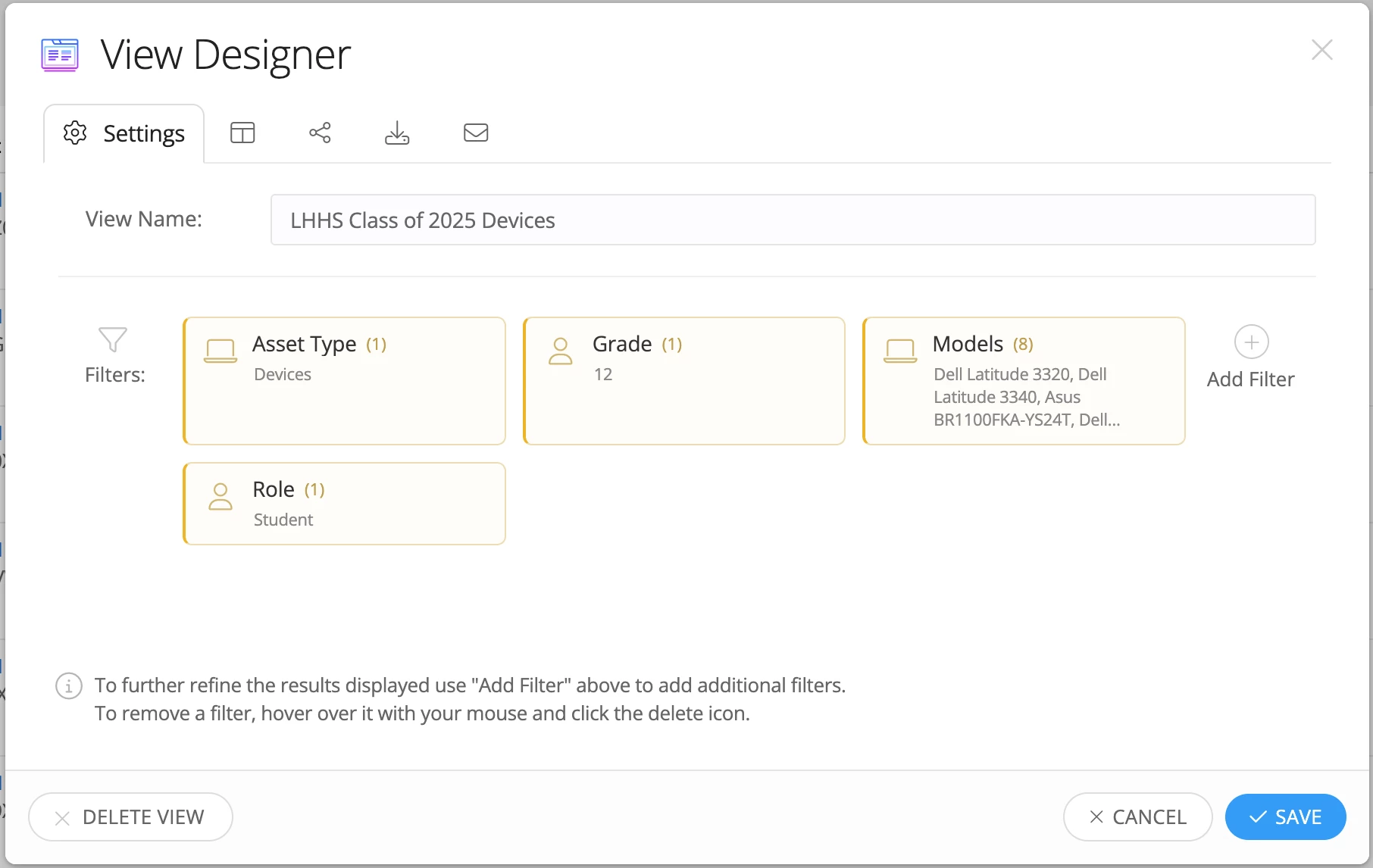
Before collection even begins, Cameron creates a Custom View under Assets.
- Filters used: Asset Type, Grade, Models and Role.
- The Result: A clear number of exactly how many devices are in the wild (e.g., "400 devices").
2. Real-Time Tracking
The "magic" happens during the collection events. As technicians use the batch check-in tool to process devices, they update the asset's location to its summer storage room.
- Active Updates: Because the Custom View only shows "Checked Out" devices, the list automatically shrinks every time a device is scanned in.
- Instant Visibility: Techs don't need to run a new report; they just look at the view and see the number drop from 400 to 350 to 50 in real-time.
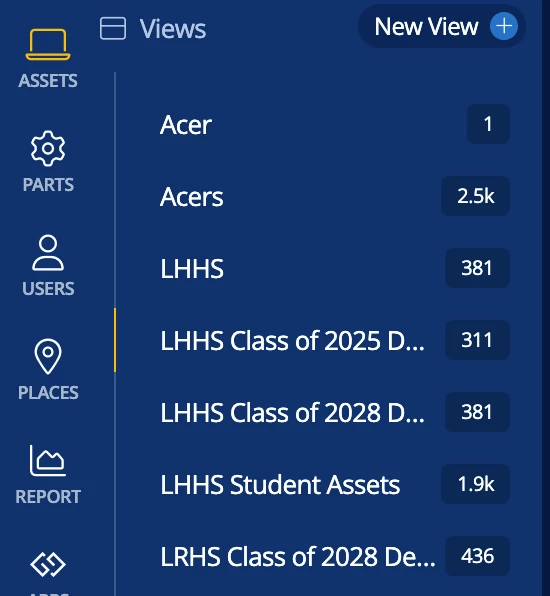
"I love it because it's a running number... I don't have to rerun a report or anything. I can see it actively going down." — Cameron
3. Collaboration with Campus Admin
The week of graduation (or the final deadline), the remaining names in that Custom View become the "must-find" list.
- Sharing with Teams: Cameron shares these views with a "Team" that includes assistant principals and administrative assistants.
- Data Export: They export the final list of students into a Google Sheet so administrators can hold diplomas or contact parents immediately.
Pro-Tips for Success
- Automate the Inbox: You can set these Custom Views to be exported and emailed to principals on a schedule (like every morning at 8:00 AM), so they have the latest "missing list" without even logging into Incident IQ.
- Summer Inventory: By selecting the storage room during batch check-in, you are essentially doing your summer inventory at the same time you collect the device.
- Flip it for the Fall: This process works in reverse! During back to school season, Liberty Hill ISD creates a view of students without devices and watches the number tick up as they successfully deploy their fleet.
By moving from reactive reporting to active monitoring, Liberty Hill ISD has ensured that "missing devices" are a thing of the past.
