Is it possible to customize the automated email that is sent to users once their ticket has been marked as resolved? I would like to personalize the message slightly to add a more thoughtful touch to my ticket closure notifications.

Solved
Custom Closed Message

Best answer by jmaynard_iiQ
Hi
While it isn't currently possible to modify the default "Ticket Resolved" system notification, you can achieve a personalized touch by using a Rule and by utilizing Variable data points.
You can set up a custom rule to send a separate email notification to requestors when a ticket is closed. This allows you to craft your own message and use variable data points to automatically pull in specific details (like the requestor's name or ticket number) to customize the message and subject how you see fit.
For help with setting up your custom message, you can find the documentation on using data variables in rules here:
I’ve also included a screenshot below of a basic configuration to get you started. Keep in mind that you can always add additional conditions to further refine exactly when this email is sent.
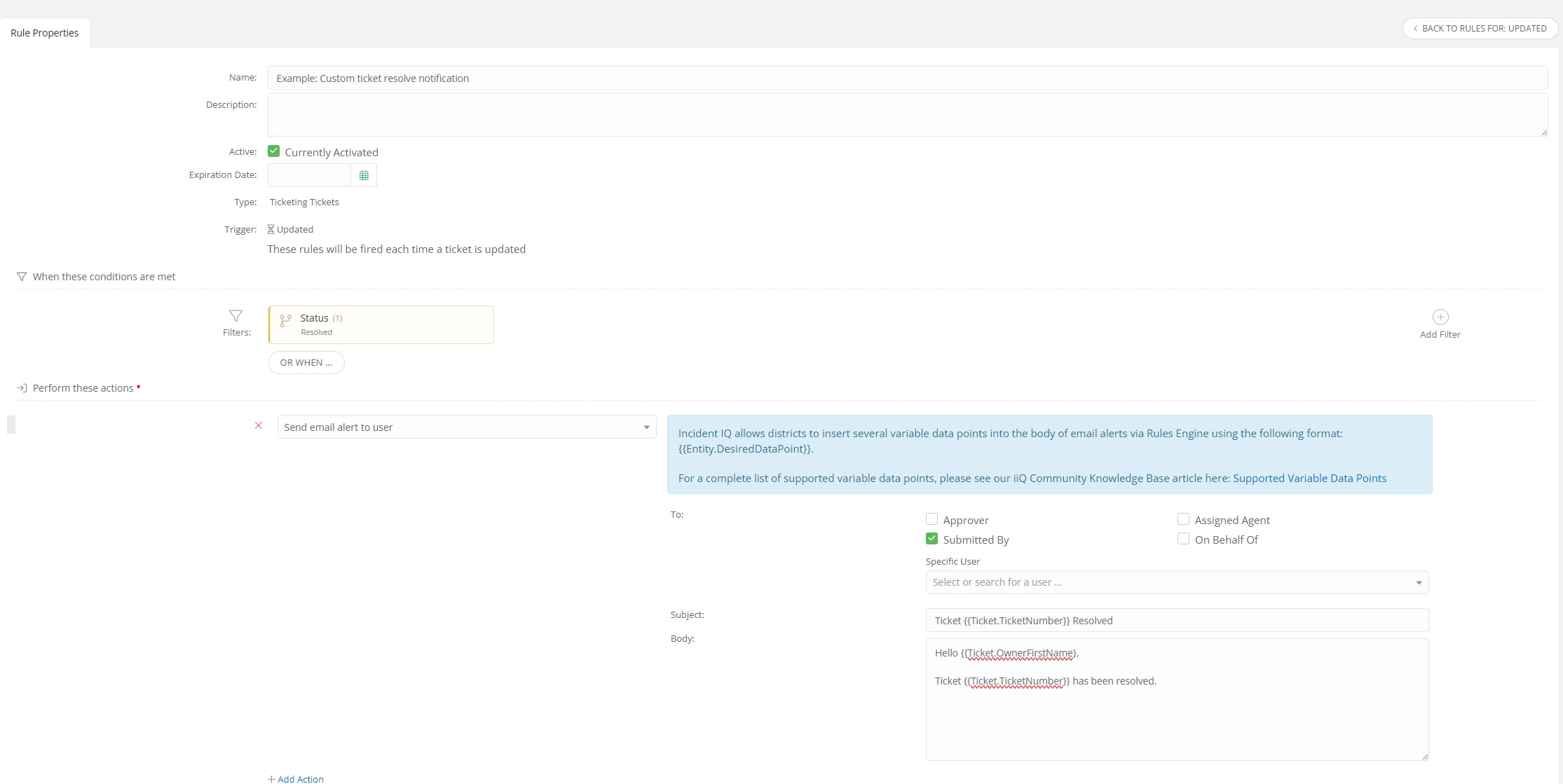
That said, If this method doesn't quite hit the mark for your team, I know our team would still love to hear any other ideas you have for enhancing our default email notifications! Please don’t hesitate to submit any ideas you have for enhancements to our Idea exchange:
https://community.incidentiq.com/ideas
If you have any follow up questions, please don’t hesitate to let me know!

Enter your E-mail address. We'll send you an e-mail with instructions to reset your password.
