
Solved

Flagging tickets where the requestor has responded

  • April 29, 2026
  • 2 replies
  • 40 views

Forum|alt.badge.img+2

I am trying to help some of our tier 1 technicians help track tickets that were waiting on requestor where the requestor has responded. Right now the ticket just shifts back to in progress but sometimes that can create issues where they miss that email/status change.


Is anyone out there using any creative rules or other ways to keep better tabs on tickets where requestors have responded already? I tried out using a ticket update rule where it looked for any update on a ticket where if it was Waiting on Requestor it would flag it, but that might cause issues when internal updates/comments are added to tickets by a technician.


Best answer by DWallis 434c1d brooklyn

Similar post: https://community.incidentiq.com/tickets-32/rule-for-when-requester-replies-6004?tid=6004&fid=32

2 replies

Forum|alt.badge.img+5

Similar post: https://community.incidentiq.com/tickets-32/rule-for-when-requester-replies-6004?tid=6004&fid=32


Forum|alt.badge.img+1

Hello there!

So I see that this is a difficult thing to produce due to the limitations of filtering rules and not having the ability to select role groups within “requestor” or “submitted by” filters. And the inability to select “none” or “all” within user teacher filters. As well as the inability to create is/not or if/then/else logic within filters. So I attempted to create an alternative!


This has not been tested, but I feel confident in it!


Requirements:

Create a tag titled “Response Received”
 

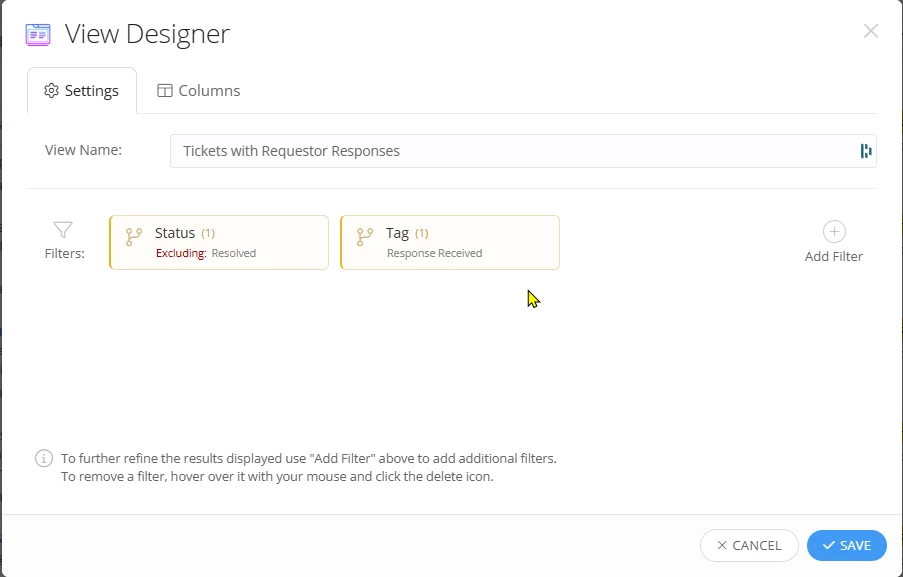
Create a custom view titled “Tickets with Requestor Responses” (Or what you’d like) and use the filters

  • “Workflow filters > Status > Excluding: Resolved”
  • “Workflow filters > Tag > Response Received”


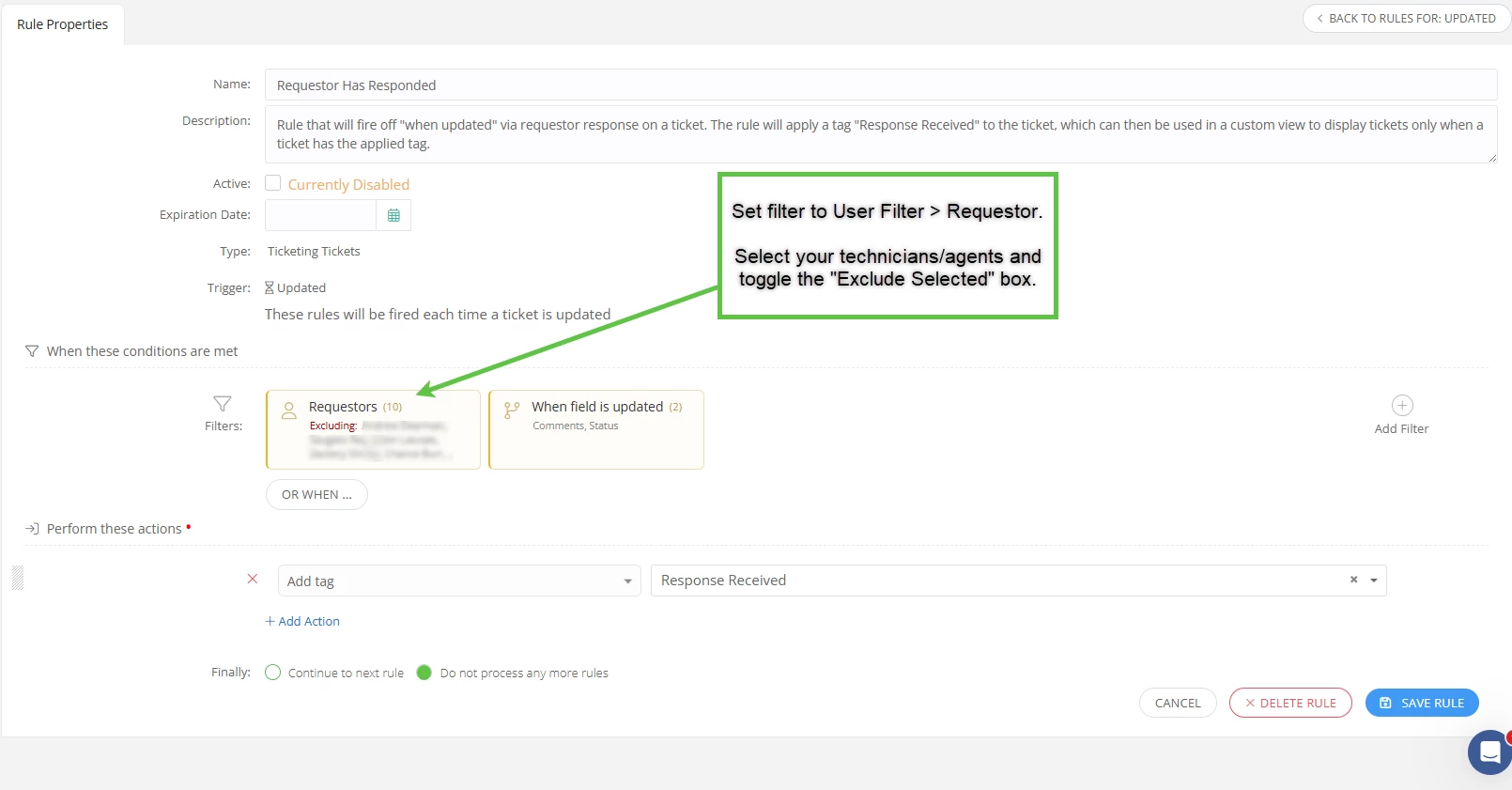
Then you will need to go to your rules and apply the following conditions


  • “User filters > Requestor > Excluding: *manually select your agents*”
  • “Workflow filters > When field is updated > Comments, Status”
     

Then you will need to apply the following actions to perform

  • Add tag > “Response Received”


Lastly, select “Do not process any more rules” as we want this to be a one off rule, and not trigger more rules.


I have added screenshots for reference, let me know if this works out for your team!


Custom View Filters:

Custom view filters


Rule properties for ticket “when updated”:

Rule for requestor has responded