
Solved

Rule for when requester replies

  • April 8, 2025
  • 4 replies
  • 154 views

Forum|alt.badge.img

Our agents wanted a rule / status change when a requester replies to a ticket. I created a custom status “Waiting on Agent” with the workflow stage “In Progress”.


I created a rule that should trigger when a requester comments, the status changes to ‘Waiting on Agent”.
However it seems that I can’t get the role to filter out when an agent comments (however, if they select “waiting on requester” it will change the status).


I do the help desk, and assign tickets to other agents. So if I commented, it will say “waiting on agent” (which is not what I wanted for the rule).


Here is the original rule I had:
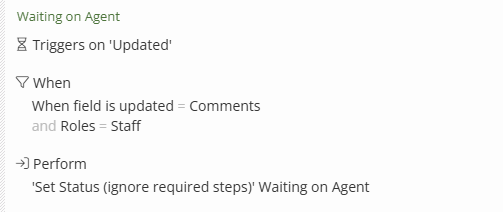


I made a copy changing the status (only close if required steps) and excluding agents instead)
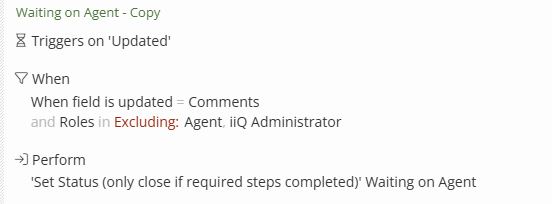


None of these seem to prevent the rule from triggering when an agent comments. Is there a piece I’m missing in my  rule condition or is this related to the custom status workflow stage “in progress” somehow?


Any advice is appreciated!

Best answer by jclark

There’s not currently a way to do this. I’ve requested this in the past - more filters for who left the comment.

This is a need for sure!

4 replies

Forum|alt.badge.img+16
  • Specialist
  • Answer
  • April 8, 2025

There’s not currently a way to do this. I’ve requested this in the past - more filters for who left the comment.

This is a need for sure!


Forum|alt.badge.img+9

I don’t think iiQ can currently “see” the role of the person commenting, just the fact that the comment occurred. I tried setting up something similar, but didn’t have success.


Kathryn Carter
Forum|alt.badge.img+18

@moffittp Thank you for submitting your question to our community! 😄

@jclark is correct on this one because it is an enhancement request. Please make sure to leave your feedback on that thread. 😄


Forum|alt.badge.img+1

 Hello there!

So I see that this is a difficult thing to produce due to the limitations of filtering rules and not having the ability to select role groups within “requestor” or “submitted by” filters. And the inability to select “none” or “all” within user teacher filters. As well as the inability to create is/not or if/then/else logic within filters. So I attempted to create an alternative!


This has not been tested, but I feel confident in it!


Requirements:

Create a tag titled “Response Received”
 

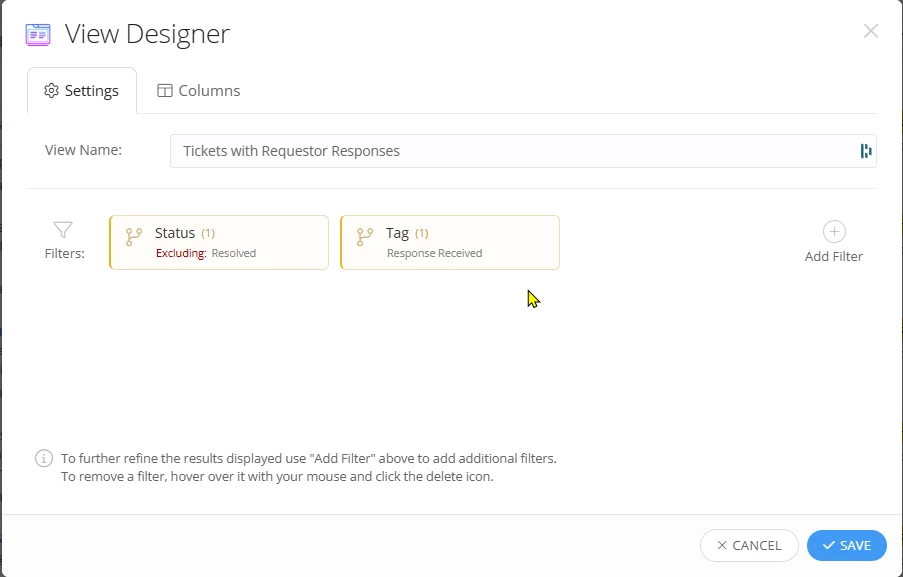
Create a custom view titled “Tickets with Requestor Responses” (Or what you’d like) and use the filters

  • “Workflow filters > Status > Excluding: Resolved”
  • “Workflow filters > Tag > Response Received”


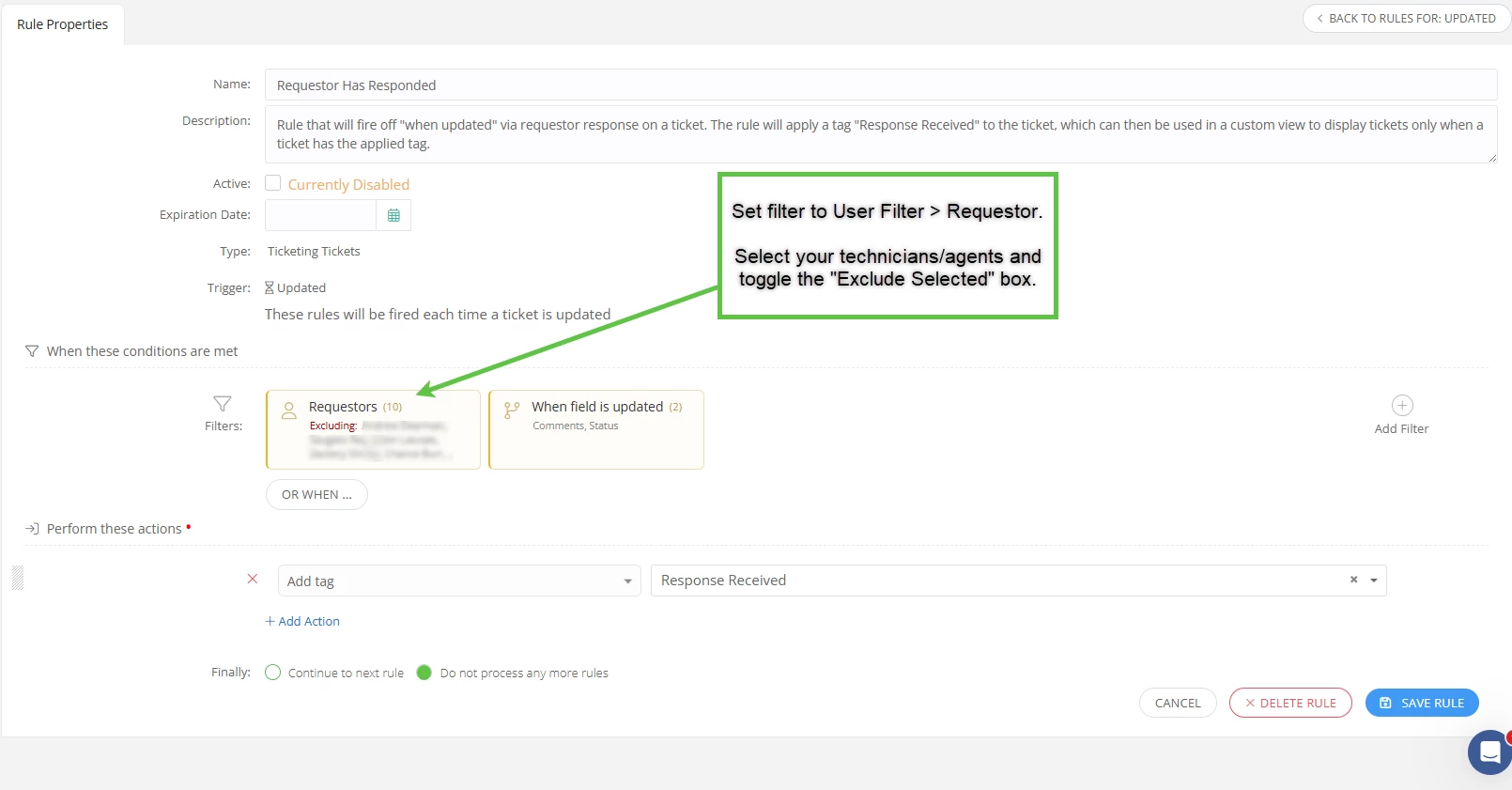
Then you will need to go to your rules and apply the following conditions


  • “User filters > Requestor > Excluding: *manually select your agents*”
  • “Workflow filters > When field is updated > Comments, Status”
     

Then you will need to apply the following actions to perform

  • Add tag > “Response Received”


Lastly, select “Do not process any more rules” as we want this to be a one off rule, and not trigger more rules.


I have added screenshots for reference, let me know if this works out for your team!


Custom View Filters:

Custom view filters


Rule properties for ticket “when updated”:

Rule for requestor has responded