

Is there currently a way to set an assets location and room using a shortcut from a ticket? I would like to change an assets location using a shortcut as I assess the asset through tickets. Currently, I have to open a separate window to do so and sometime when I am doing multiple of the same asset, it gets a little confusing because sometimes the window hides behind another window. Anyway, any help would be much appreciated.

Solved
Set an asset location and room using a shortcut
Best answer by svanassche_iiQ2
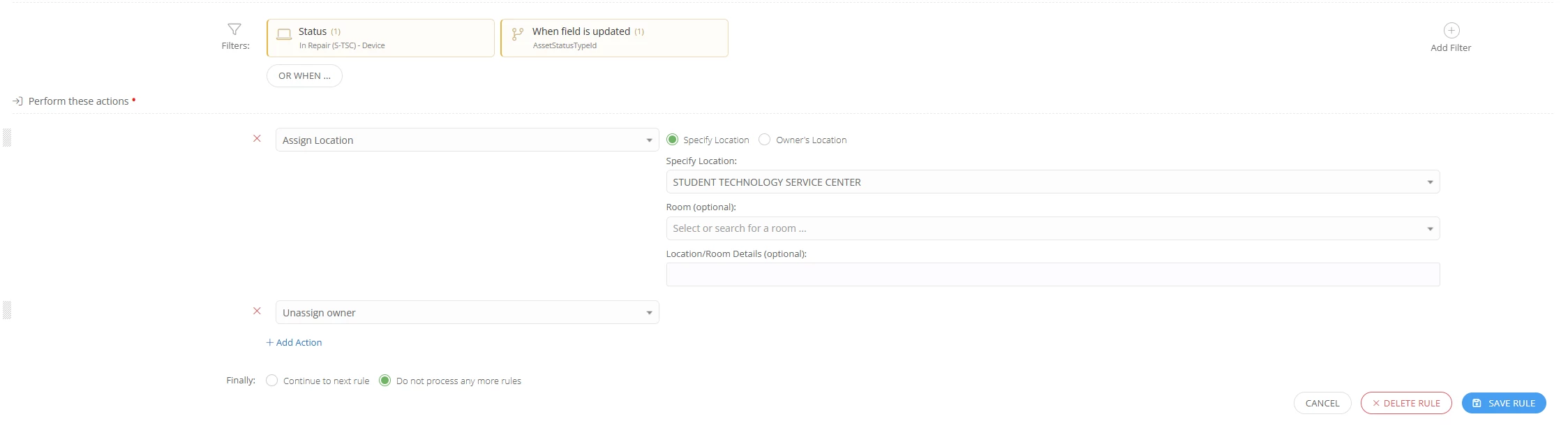
One item you can do is trigger a rule when you change the ticket status via a short cut. For example if you change the statues to At Student Repair, it will trigger a location change on the asset to the Student Repair Center. Something like this.


Enter your E-mail address. We'll send you an e-mail with instructions to reset your password.
