Solved

Asset Check In/Out

  • April 20, 2026
  • 8 replies
  • 352 views

Is there a way to email a receipt to the student or parent once you check in and unassign a user from a device?  We are having issues with students stating they turned in their device but they are still assigned to it and can’t prove it one way or the other with 2900 devices in storage.  Or does anyone have a suggestion as to how to better maintain “checked in” device accuracy?

Best answer by rsulllivan_IIQ

Great reply ​@DWallis 434c1d brooklyn , 
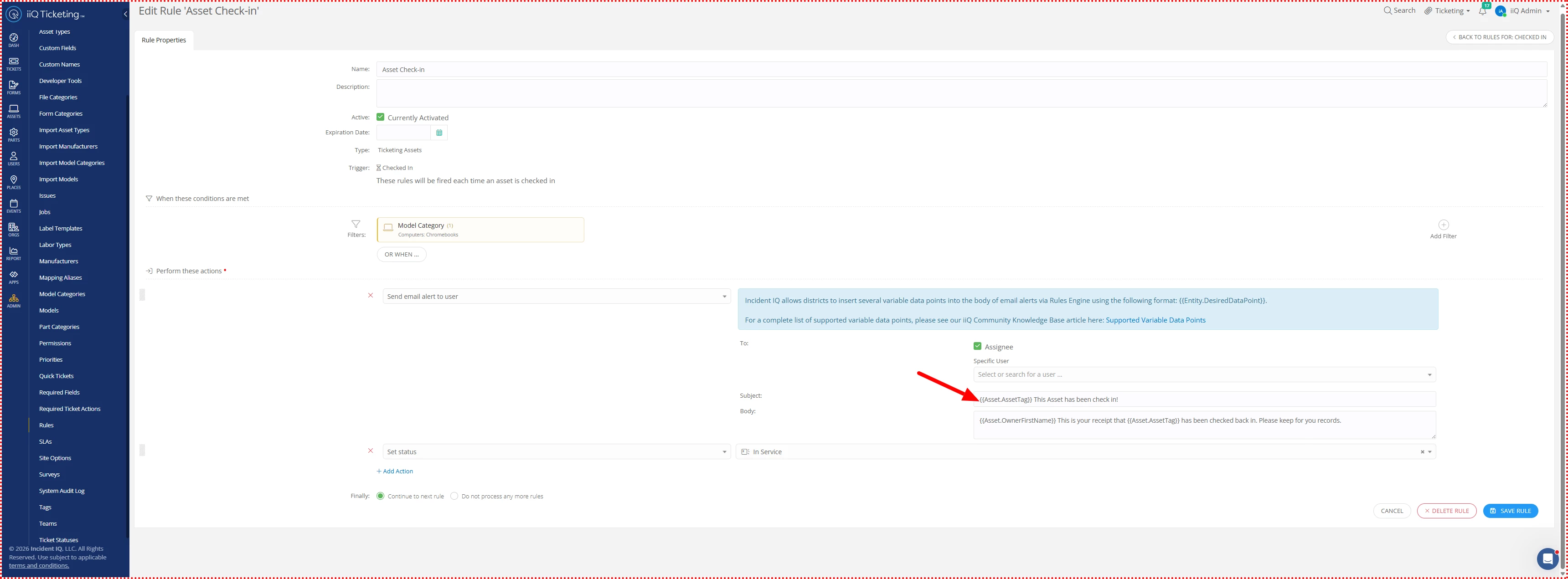
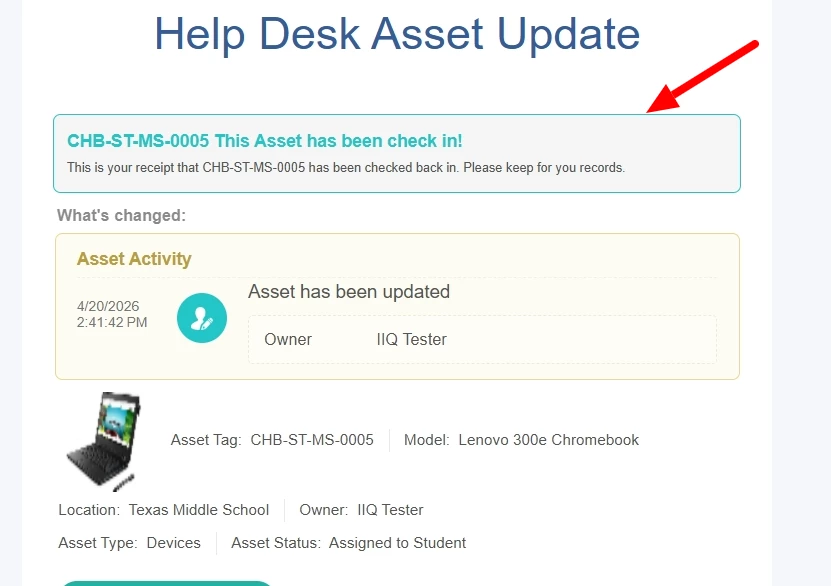
@CLane 203cf11 desotoisd  This can be found under rules> assets>when check-in as mentioned above.To take the automation a step further, you can add variables like the ones shown in the screenshot below. I’ve also included an example of the confirmation email the student will receive once their asset is successfully scanned back in.

Hopefully, this helps streamline your process by providing students with immediate, automated confirmation. If you have any other questions please let us know.


 

8 replies

Forum|alt.badge.img+5

Rule when asset is checked in:


Forum|alt.badge.img+5

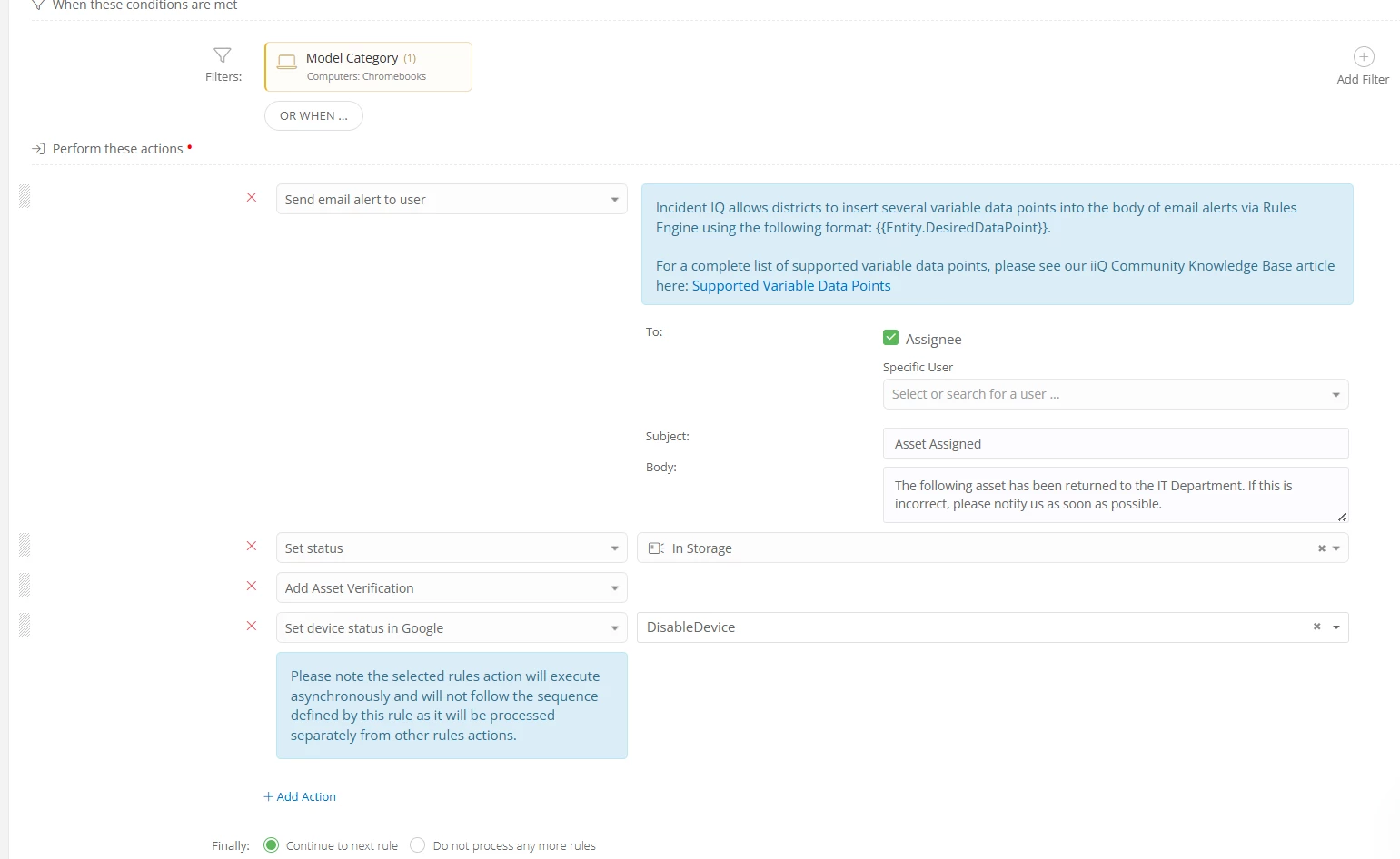
Rule when asset is checked in:


I don’t believe there is a way to automate a message to the parent. I would love this but has not moved anywhere on the enhancement list.


rsulllivan_IIQ
Forum|alt.badge.img+3

Great reply ​@DWallis 434c1d brooklyn , 

@CLane 203cf11 desotoisd  This can be found under rules> assets>when check-in as mentioned above.To take the automation a step further, you can add variables like the ones shown in the screenshot below. I’ve also included an example of the confirmation email the student will receive once their asset is successfully scanned back in.

Hopefully, this helps streamline your process by providing students with immediate, automated confirmation. If you have any other questions please let us know.


You guys are the BEST!  Thank you so much for the info, that will save me a lot of time!!


I.T. tech Mayfield
Forum|alt.badge.img+4

I really wish we could have an additional email address added like the parent. One where it would pull the parent email field from our SMS.


Forum|alt.badge.img+5
  • Contributor
  • May 7, 2026

Is there a place where this can be sent to another email? Parent email? other email? I am thinking when staff leave the district and would like an email like this as proof of turning in, but their email that is listed for school is disabled when they leave.


I.T. tech Mayfield
Forum|alt.badge.img+4

Do you have to use the “check in” feature? What if it was just unassigned? Would that have to be a separate rule?


We removed a user today and the email was not sent.  So the only way would be to check on adding that as a rule.  The way I set it up to check in is the only way the email is triggered.